


Ep 117: Mini Mentoring for Melissa: Instagram Edits, Trial Reels, and Hooks

Alison hasn’t made a static post or a carousel in months, and by the end of this episode Melissa was rethinking her Planoly plans.
We were recording a different episode when Alison started sharing everything she knows about the Edits app, and Melissa said hold the phone, we need a whole episode on this. Alison doesn’t call herself an Edits expert yet, and Melissa’s answer was that she knows more than Melissa does and that’s all it takes. Alison gave her five minutes to write questions, and this mini mentoring session is the result.
Melissa gets distracted every time she opens Instagram, wants her VA posting so she can run retargeting ads, and wants to get in front of people who don’t follow the account yet. So we cover what Edits is, how reels stay editable after you post them, how trial reels reach new people, and what to put on the end of one.
What You’ll Learn
- Why posting to 300 followers had Melissa frustrated, and how trial reels push a reel to people who don’t follow you yet
- What the Edits app is, why Instagram keeps prompting you to open it, and what to check when you have more than one Instagram account
- How a reel stays alive in Edits after you export it, so you can duplicate it and build a template your VA can reuse
- The closing clip Alison saw on a comedian’s trial reel, and why Melissa wants to test it against a graphic of her website
- What a trial reel does to your Flodesk Instagram embed, and the placeholder image workaround that keeps your grid pretty
- The VA login question we couldn’t answer yet, and why Alison thinks Canva to Instagram may not be worth it anymore
3 Things To Do After This Episode
- Set up Edits with the same account you post from. Instagram will keep prompting you to open in Edits, so tap it when it does. If you run more than one Instagram account, log into the matching account in Edits, because that’s where your export lands.
- Build one template for the reel you repeat every week. Melissa’s is the blog post topic of the week and the SEO tip of the week. Make it once with your hook, text, and branding, export it, then duplicate it each week and drop in the new clip and captions. If you need a steady supply of topics to record, The Blogging Club gives you a new blog post topic and template every month.
- Post one reel as a trial reel with a closing clip aimed at non-followers. Alison suggests a short clip telling people they’re seeing the reel because they don’t follow you yet, or a graphic of your website. Post a few versions with different hooks, then see which ones pop.
Skip to the Good Parts
- [00:00] Why we’re talking Instagram Edits, and the mini mentoring setup
- [00:01] Melissa’s follower frustration and how trial reels reach new people
- [00:02] What Edits is, and why Instagram keeps telling you to open it
- [00:03] Multiple accounts, and saved reels showing up inside Edits
- [00:04] Saved audio, and whether Edits handles static posts and carousels
- [00:05] Why Instagram treats carousels like reels
- [00:06] What Edits does that Instagram can’t, from text options to the slip tool
- [00:08] Reels that stay editable, and the template Melissa wants for her weekly tips
- [00:09] Exporting to Instagram, scheduling, and why you may not need Planoly
- [00:10] Using someone else’s template, and trial reel versions of the same post
- [00:11] Duplicating versus building a template, and where templates come from
- [00:12] Hooks, and the social media coach Alison has followed since Okinawa
- [00:14] The comedian’s trial reel and the follow clip at the end
- [00:15] Trial reels, your grid, and the Flodesk embed workaround
- [00:16] Setting up a VA with access to Instagram and Edits
- [00:17] Canva to Instagram, and why Alison may stop doing it
- [00:18] Business accounts, audio limits, and the original audio workaround
- [00:19] Audiograms for the podcast
- [00:20] Wrap-up, Canva carousels, and Melissa’s Black Friday rethink
Transcript:
Melissa Arlena: [00:00:00] Hey, guys. Welcome back. Today, we are talking all about Instagram Edits. We’re gonna talk a little bit about trial reels, yes, and hooks. We were recording another episode, and Alison started dropping all this knowledge about Edits, and I was like, “Whoa, whoa, whoa. Hold the phone. We need a whole episode about this.” And then she goes, “Well, I’m not an expert in Edits yet.” And I said, “But you know more than I do, and that’s really all it takes.” And then she gave me five minutes to come up with questions, and I think she was surprised by how many questions I have.
Alison: I was so focused. I was like, let’s go.
Melissa Arlena: So this is a mini-mentoring for Melissa on Instagram Edits. Because for me, I’ve talked about it before, I’m not great with Instagram. When I get in there, I get distracted, but I do want my VA posting stuff because I wanna be able to run retargeting ads. Like, that’s, to me, where it is. And I do wanna get in front of other people. I think that’s kind of been the biggest thing I’ve noticed, is, like, we only have… I think we may have 700 followers now, [00:01:00] but that’s not very many. And I’m like, “Okay, well, I’m posting…” And it used to be, like, 300, so it was like, “Really? I’m posting to 300 people. Is this really going anywhere or doing anything?” So I got frustrated, but now we’re up to at least 700. But, you know, your regular posts go to your followers, and now, and we’ll get to this later, Instagram’s got trial reels that push you out to new people, and that’s… Now you’ve got me interested. And I know over on the Motherhood Anthology that I work with, they’ve been using trial reels. I heard all about it from them, and they’ve mentioned Edits, and now Alison is here for me to pick her brain on Edits. So let’s get started.
Alison: Okay, so Edits is the newer app from Instagram, right? So Melissa, you’re used to editing within the Instagram app itself, creating, probably even recording your reels, like your talk to camera when you’re giving SEO tips, right? And then you add your trending audio, and then you do all the things in there. [00:02:00] Don’t do that anymore, okay? You can get started. You can go, “Oh, I like this.” And then all over Instagram, it keeps prompting you to open in Edits. Edit in Edits. Click that button, and it’ll take everything over and open Edits. So Edits is a separate app that you do have to download. Even if you’re averse to additional apps, it’s okay.
Melissa Arlena: Well, and you know, it’s funny, I think one time I was in Instagram, it said open in Edits. I clicked on it, and it turns out I had downloaded it, and it was buried in my Instagram folder. And I was like, “Oh, what’s this? I don’t even know what this is.” And I’m betting we have other people who are listening who are like, “Yep, yep. I’m with Melissa.”
Alison: Okay. All right, so you’ve got Edits, and you don’t need another account. It’s based off your Instagram account. They’re native and seamless, okay? So Instagram and Edits are kind of akin to an iPhone and a MacBook talking to each other, okay? It’s that seamless. Caveat: if you have multiple [00:03:00] Instagram accounts, you will also have multiple Edits accounts.
Melissa Arlena: Okay.
Alison: For it to natively post, you need to be logged into the same account in Edits that you want to be sharing it in. So if you’re doing a photography reel, you need to be logged into the photography page and the Edits page at the same time, so that way you can export straight to where you need to go. Otherwise, it’s gonna export to whatever you’re open in. It just gets to be a little…
Melissa Arlena: Okay, gotcha.
Alison: Okay. So Edits is so lovely. Anything that you do and save in Instagram… So my approach to reels, and not just enjoying the content but strategizing the content, is that as I am watching reels, I’m always saving and thinking of things that I could repurpose, redo, or be inspired by to create on my own, right? And so I save them. I save them in collections. When you open your Edits account, you can see anything that you have saved in that account natively, right there, without switching back and forth.
Melissa Arlena: Oh, wow.
Alison: So if you save [00:04:00] something to a collection that’s business ideas or SEO tip ideas, you can go over to your Edits account and see that. Same thing with audio. If you save an audio that you wanna use, like you hear this original audio that’s really funny, it’ll natively pull those saves over to Edits.
Melissa Arlena: Yeah, ’cause I feel like on the Instagram account it is really hard to find your saved stuff.
Alison: It is. It’s because Instagram is doing so much. The app by itself is doing so much. So what they have done is taken all the good stuff about editing reels that it was doing and made its own little app, so Instagram can focus on being Instagram and Edits can focus on editing reels.
Melissa Arlena: So, okay. So that leads to my next question. Do you do static posts and carousels in Edits or just reels?
Alison: I haven’t done a static post or a carousel in months.
Melissa Arlena: Can you do those in Edits or…
Alison: You might be able to. I think you can, because there’s a fairly new feature that carousels can have their own captions. And so I’m [00:05:00] willing to bet that yes, you can.
Melissa Arlena: Okay, interesting.
Alison: Carousels are being shared as reels. Like, you can be going down your reels algorithm and all of a sudden you can swipe left because it’s actually a carousel. So that’s been a thing for a while, so I would almost put money on the fact that yes, you can.
Melissa Arlena: Well, that’s interesting. I didn’t know that a carousel could be a reel.
Alison: It is, yeah. Instagram has been treating carousels as reels for almost a year.
Melissa Arlena: That’s so interesting. This shows you guys how much I’m on Instagram.
Alison: Think of it as an interactive reel, though. People have to swipe left, so they’re engaging.
Melissa Arlena: Okay, so it’s not auto-advancing… ‘Cause to me, I would think a carousel as a reel would auto-advance and there would be music to it. That would be my thought.
Alison: There can be music, but it’s user engagement. Yeah.
Melissa Arlena: Oh, okay.
Alison: The benefits of the carousel are pretty fantastic. They’re pretty popular, and I engage with them. Okay, so does that answer the question of what Edits is? [00:06:00]
Melissa Arlena: Yes, I think so. And then what it does differently than regular Instagram, yeah.
Alison: What it does differently: you can still edit a reel in Instagram, but Edits has so much more. More font options, more color options, more outline options, more text effects, more music options. You have the ability to place in your clips, and then instead of having to use the yellow things to shorten it, you can use something called… what is it? Not split. Slip. It’s slip. And so you just take it, and then you can just slide where you want the clip to start and end.
Melissa Arlena: Oh, okay.
Alison: It’s lovely. You can delete… It is much more… If you’ve got any video editing experience, guys, it is much more like native, original video editing software. It’s way cooler. The biggest thing that got us talking about it on our previous episode was that you have a formatted reel that you like to do all the time, basically a template, right, where you [00:07:00] save a tip of the week and it is you talking with… you have a hook at the top and you’ve got text and you format it and maybe it’s branded, da, da, da, right? The beauty of Edits is that regardless of whether you’re using a template or not, you can reuse and recycle your stuff. So when you create something in Instagram and then you…
Melissa Arlena: And you just repost it?
Alison: I heard myself.
Melissa Arlena: Oh, sorry, I had to mute myself because my husband started the Mustang, and then he decided to floor it, and everything in my office was shaking, and my thingy was going up and down. So I was like, “I gotta mute this.” And then he just, like, vroom, out, and I was like, “Oh, my G—” That’s why I was laughing, ’cause I’m like, “This is so loud. She has no idea what’s going on,” and I’m making faces.
Alison: I couldn’t tell. No, I heard nothing. I heard nothing. Now it’s muted.
Melissa Arlena: Just ’cause I touched it again. Okay, so we’ll put the note here, seven. Seven, okay.
Alison: [00:08:00] Okay, yeah. Okay, so what was I…
Melissa Arlena: So you were talking about templates.
Alison: Okay. All right, so…
Melissa Arlena: Okay, wait, hold on. Yes, that is what I want. I want a template because we have all of these blog post topic of the week and SEO tip of the week, and I don’t wanna have to do anything for them. I’ve already recorded them. My job is done. That’s where I’m at. I want my VA to have something that’s repeatable that she can just drop these things in and schedule ’em out, but it’s a template so she’s not starting from scratch every time.
Alison: That’s the best part of Edits, okay? So the best part of Edits is that previously in Instagram, when you edited something, created it, and posted it, it was gone, right? Out to the ether, never to be redownloaded, reused, rehashed, or restructured in any way. No more. The best part about Edits is that you created it in Edits, you’ve exported it, and you can download it to your phone if the audio allows you. You can export it directly to Instagram, but it still lives in Edits. You can still change it. You can still edit it again, redo it, make it into a template for your VA, and she can just go [00:09:00] duplicate, drop in the new tip, change the language, change the captions, and off it goes.
Melissa Arlena: Can you drop a cover photo in on that too?
Alison: So you still do the cover photo natively in Instagram when you post.
Melissa Arlena: Okay, gotcha. Wait, so you export from Edits or you post directly from Edits to Instagram?
Alison: Yes, it is considered export. You hit export in Edits and then the options of where you want it to go come up. You hit Instagram, it automatically loads in Instagram, but it takes you straight to the posting section. So that’s where you…
Melissa Arlena: Can you schedule in Instagram yet on that kind of thing?
Alison: You’ve been able to do that.
Melissa Arlena: Geez Louise, y’all.
Alison: That’s what I was telling you about.
Melissa Arlena: See, this is why Alison was like, “I’m not an expert on this.” I’m like, “You are to me!”
Alison: You don’t need Planoly. Okay, so yes, it takes you into Instagram. It opens up the post where you write the caption. You change the cover photo. You change the profile grid, you know…
Melissa Arlena: Okay.
Alison: You schedule it in there. You invite [00:10:00] other collaborators in there. All those same options, your location, all that stuff, and whether or not you want it to be a trial reel. And then from there, you can either post it live or schedule it. The other side of it is whether you’re using somebody else’s template. In Edits, you can use somebody else’s template. Like, something’s going viral, they’re using the audio, you wanna make it your own: use the template, redo it, rehash it, go. You can make your own template for your VA, exactly what I think you need to be doing, and you’ve cut it to, what, a quarter of the time now.
Melissa Arlena: Right.
Alison: It’s so much easier. And then different versions for trial reels. Yeah, you can repost it as a trial reel and repost it as a regular reel.
Melissa Arlena: And that’s one of the things that we’ve been doing over there. I’ll see Ally will have, like, five reels posted as trial reels with different hooks and stuff like that, and then we just see which ones pop off. And I assume [00:11:00] she’s probably doing the template thing and that kind of stuff. ‘Cause to me, my first thought with that was, “Oh, good Lord, creating an Instagram from scratch every time, that sounds like a nightmare.” But now I’m realizing she probably does the one, and then… Do you always have to turn it into a template, or do you just do one and then you can copy it and then…
Alison: Duplicate it.
Melissa Arlena: Okay, duplicate it. Okay. That makes sense.
Alison: You could create it… I don’t have direct personal experience with creating the template yet. But I use templates all the time.
Melissa Arlena: Do they have templates in there? Well, you’re saying you could find somebody else’s template, but do they have other ones in there?
Alison: Yeah, tons of people are making templates. Like, it’ll even tell you on Instagram sometimes, it says, “Use template,” so you can reuse it and remake it for yourself. A lot of the stuff, like the photographer content, the mom content, the sports content, the seasonal Halloween content, all that stuff. Yeah. Very few people are making it from scratch anymore.
Melissa Arlena: Okay. All right. What was I thinking? Yes, and then with the [00:12:00] trial reels, one of the things we’ve been doing is hooks, which… you know Alison really loves Shannon McKinstry.
Alison: Love her. Maybe we can get her on the podcast. Shannon, let us know.
Melissa Arlena: We’ve been using… In fact, I was telling Alison, I just used some of her hook ideas for an ad, and the amount of clicks we were getting on that ad was crazy. And I was like, “Holy cow.” It has to be the hooks on it that were doing it. And so now I’m like, “Okay, now you’ve got my attention. Now I wanna know more about this.”
Alison: So yes, Shannon McKinstry will dissect and deep dive the how and why of your captions, your on-screen text, your hook, your face on the screen. Like, homegirl, I’ve been following her since we were in Okinawa, ’cause she was based in DC, where we were headed. She used to do hashtag vaults, and I’ve bought them. I’ve been in her lab. I did her Social Squad Society, rest in peace. And the beauty of Shannon McKinstry is that [00:13:00] she is preaching the same message today that she was in 2018.
Melissa Arlena: Yeah.
Alison: Like, there are so many gurus who want to push hacks and tricks and posting six times a day. She is honest, and her niche is that she helps small business owners be their own media manager so they can get back to being a small business and doing what they like.
Melissa Arlena: Yeah. And my thought is, we’ve done these blog post topic of the weeks. I did ’em, I think, two years ago, and it was like we would drop one a week and an SEO tip a week, but it was only reaching a small audience. So I’m really interested to try it out with, like, maybe we send five versions to a trial reel with different hooks and see what is catching attention.
Alison: Here’s what people are doing. Here’s what I’ve seen lately, and I think you should try this with your trial reel. Okay, this was from a comedian, a lady comedian. It was a trial reel, and I know it was a trial reel because the very end of it was a clip of her and her [00:14:00] standup, right? And she’s pretty vulgar, pretty foul-mouthed, right? At the very end of it, she had added on another clip of her going, “You’re seeing this because you’re not effing following me, so hit follow.” And so that’s her brand. She took a clip, tacked it on at the end and said, “Follow me,” because she knew it was a trial reel, right?
Melissa Arlena: That’s pretty smart. Yeah, because you’re right. Otherwise people are… And that’s my whole thing. ‘Cause I could record something that says, “Hey, if this sounded like a good tip for you and you’re not following us, and you want more tips like this every week, then jump over and follow us.”
Alison: Exactly.
Melissa Arlena: Now I’m gonna have to bookmark this episode to come back and re-listen to this part.
Alison: Well, good thing we have a transcript, right?
Melissa Arlena: I know.
Alison: So you should totally do the little thing at the end for any of your trial reels, or a graphic visual of your website. Photographers, hello, I do that on mine. I put my website at the end of all of mine. Or if it’s a [00:15:00] direct camera talk of, like, “Come…”
Melissa Arlena: I could try both and see what works better.
Alison: Yeah, exactly. Boom.
Melissa Arlena: Well, I was gonna say, I love this though, because for a lot of us, we don’t wanna mess up our grid because we are still photographers, and we love beauty, and we love organization, and we love it to look pretty. I don’t know, maybe. But, you know, it’s one of those like…
Alison: That’s changing too.
Melissa Arlena: I don’t wanna have five different versions of something… Then it looks ugly on the grid.
Alison: Yeah.
Melissa Arlena: By the way, I will say this, y’all. If you are on Flodesk and you do trial reels and you have the Flodesk embed, it will show all of your trial reels in that little feed. So just a heads-up, we’ve run into that. And I don’t know if it does it on websites, ’cause I would be curious about that. I don’t know if they filter, so you could end up like…
Alison: Oh, here’s the hack. The hack for that is you just don’t use the actual direct embed. You just use an image placeholder linked to [00:16:00] your Instagram. Now, it’s not gonna update, and it’ll be the same every time. But nobody’s…
Melissa Arlena: And then that also lets you curate it. Yeah. Okay, so then my next little section is, okay, I have a VA, and I want her to do all of this. Like I said, I did the recording. I feel like my part is done. I’m the talent now. Now I wanna be managed.
Alison: Exactly. So what you need to do is set her up with your Instagram login…
Melissa Arlena: Okay, so that was my question. Can I give her her own login that’s attached to my account, or do I have to give her my login? Okay, you don’t know. I’m gonna have to ask Claude that.
Alison: There are companies that manage this as teams, and you’d have to look into that. But she would need access to the account and Edits, right? If you’re going in and creating it as you, and then in your Edits account, she would need access to those two things. So I can see how that would be kind of complicated.
Melissa Arlena: Right. Yeah.
Alison: Unless you created the template, sent her the template directly, saved it within the account, and she [00:17:00] was able to pull up that saved template into her Edits account.
Melissa Arlena: Okay. I think this is gonna be a conversation with Claude on what access she can have.
Alison: Exactly.
Melissa Arlena: I know in Facebook Business Manager you can give people access to your Facebook pages, your Facebook groups, stuff like that, so that may be something to do.
Alison: Wouldn’t it be nice if it was a bit streamlined in that way? I mean, now that they’re streamlining all the notifications within the front side of Facebook and Meta, why not? You know, but that could be something they’ve yet to roll out. I don’t know. But yeah, that’s a conversation for another…
Melissa Arlena: Okay, so then here’s a question. I’ve seen before with Canva where you can be doing stuff in Canva and then sending it over to Instagram. Do you know if you can send it to Edits or…
Alison: You can send it to Instagram, and I’m actually running into a thing with that, so I don’t think I like it anymore. I think I’m gonna quit doing that. What I like about sending posts from Canva to Instagram [00:18:00] is that it’s direct. I just like that it’s direct. But you have to have an Instagram business account and Canva business. I don’t know what that has to do with your Canva account, but you have to have an Instagram business account.
Melissa Arlena: Okay, why would I not want… Oh, that’s where I was like, why would I not want a business account?
Alison: It’s limiting in the audio available to you. If you’re running ads, then it doesn’t matter, because you’re already limited on the way you can use that audio, right? As a creator, you have more options in terms of royalty-based audio that isn’t valid on ads. So for you, it may not be that big of a deal. Some people find it really annoying. The hack around that, and the workaround to that, is that people are importing royalty-based audio as original audio, and it’s still called “original audio by X user,” but it’s copyrighted [00:19:00] in some way. Because it doesn’t say Jay-Z whatever, it says somebody else’s original audio. It might be a dialogue clip from a show, it might be actual music, it might be something they really did mix themselves. I don’t know. But that’s how people are getting around that in the business thing. So Canva and Instagram, I don’t know. I use it more for the Get Booked podcast.
Melissa Arlena: Yeah. To me it’s the audiograms right now. It’s just trying to figure out the best way to do audiograms for the podcast.
Alison: For that, probably Edits. Drop a clip in there and, yeah.
Melissa Arlena: Yeah, ’cause really all I need for that is a static image and then the audiogram plays behind it kind of thing. But we could definitely set up a template for that and even put a hook or something on the top of it.
Alison: Explore Canva for that and see, because especially if you’re not gonna schedule it and you [00:20:00] just post directly, Canva does do carousels directly to Instagram, which end up being reels.
Melissa Arlena: I think most of the time with Canva, I’ve exported out and then uploaded over to Instagram. But okay, awesome. Well, I think that covers it for my questions right now.
Alison: Okay.
Melissa Arlena: See, I told you.
Alison: This is an excellent example of how I am only just 10% ahead of Melissa. I am figuring it out, but it was really helpful, right?
Melissa Arlena: Yes. No, that was super helpful.
Alison: I just solved all your problems, and you may not need Planoly anymore.
Melissa Arlena: I know, ’cause I was like, “I’m gonna pick up Planoly on the Black Friday sale,” and now I’m like, “Or maybe I’m not.”
Alison: So there you go. All right, guys, if y’all have any questions, feel free to DM me. I’ll try to help you.
Melissa Arlena: Yeah, don’t DM me, DM Alison.
Alison: You guys take care. Till next time.
Melissa Arlena: Bye-bye.
Tired of being invisible on Google? Learn the 5 SEO mistakes keeping photographers from getting found (and how to fix them) in Melissa’s free masterclass: 5 SEO Mistakes Killing Your Photography Business Masterclass
Thinking about a pivot or transition in your photography business? Book a free 15 minute discovery call with Alison to talk through your next move.
Ready to streamline your content? Melissa’s got you covered with her 35+ Blog Post Topics freebie—grab them here: https://35topics.com
Looking for your next clients? Grab Alison’s list of 39 FREE ways to get more bookings—no ads required: 39 Ways to Get New Clients – Alison Bell
Links:
- Leave a review in Apple or on Spotify
- 5 SEO Mistakes Killing Your Photography Business Webinar
- Download 39 FREE Ways to Get More Clients
- Get Melissa’s Free Blog Post Topics
- Find Alison on IG @getbookedpodcast
- Find Melissa on IG @pictureperfectrankings
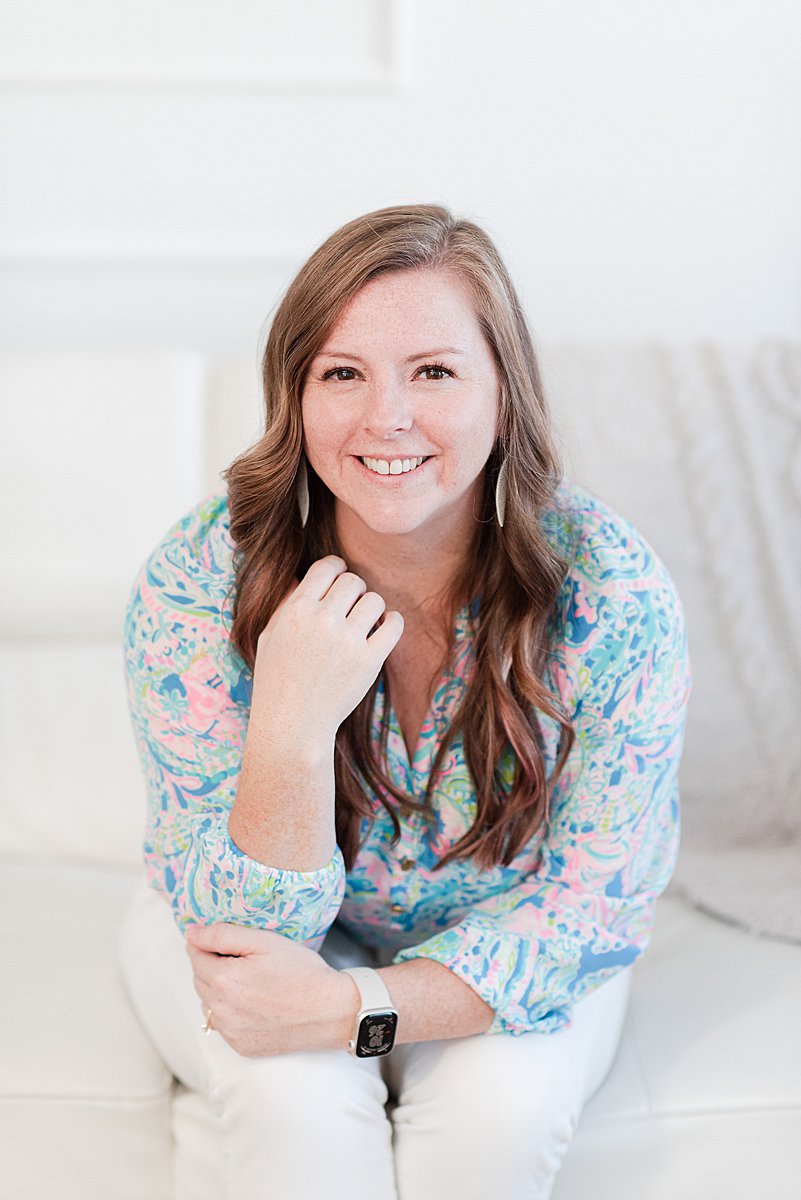
I’m Melissa Arlena, founder of Picture Perfect Rankings, where we help portrait photographers get found on Google and transform from invisible experts into market leaders. With 18+ years of photography experience and an IT background, I’ve helped hundreds of photographers break free from feast-or-famine cycles by achieving page 1 rankings that attract their dream clients through search. Learn more about Melissa.

Leave a Reply


I'm Melissa Arlena(my friends call me Mel) and I help photographers get found on Google.
Read more about me

I'm so glad you're here
Hello!
© 2023-2026 Picture Perfect Rankings : SEO services for photographers. all rights reserved. privacy policy.