


EP 84: Digital Organization – Files, Folders and Finally Getting Your Sh*t Together
We know you’ve got screenshots from 2019 still living on your desktop. No judgment here—Melissa’s downloads folder is basically a digital junk drawer, and Alison’s screenshot collection could fill an entire screen. But here’s the thing: disorganization creates stress, wastes time, and makes you want to scream when a client from 2012 suddenly needs their wedding photos.
This week on Get Booked, we’re diving into the nitty-gritty of backend digital organization—from client folders to financial tracking to that chaotic marketing assets folder you’ve been avoiding. We’re sharing our actual systems (warts and all), debating whether it’s better to use one Lightroom catalog or start fresh each year, and getting real about what level of organization is “good enough.”
Whether you’re a spreadsheet lover like Melissa or someone who’s just figuring out QuickBooks like Alison, this episode is your permission slip to create systems that work for YOUR brain—not some Pinterest-perfect version of productivity.
What You’ll Learn:
- How to structure client folders so you can find that 2014 session in seconds (and why adding “No Model Release” to folder names is a game-changer)
- The great Lightroom debate: one catalog per year vs. one mega-catalog for everything
- File naming conventions that help with SEO AND keep you sane
- When to delete raw files (yes, your hard drive WILL thank you)
- How to organize receipts and finances without losing your mind—including Melissa’s Gmail label hack
- The brand elements folder structure that makes grabbing headshots and logos a breeze
- Why “good enough” organization is sometimes the right answer
3 Things To Do After This Episode:
- Schedule a recurring 10-15 minute weekly task to update your financial tracking (Friday afternoons work great!)
- Create a template “dummy folder” with your ideal subfolder structure that you can duplicate for each new client
- Set up a new Gmail label for 2026 receipts and update your email rules to automatically filter them
Resources Mentioned:
- Map Out Your Marketing Workshop (February 4th)
- Episode with Jenny the Bookkeeper
- Episode 83: Image SEO
- QuickBooks
- Get Rich, Lucky Bitch by Denise Duffield-Thomas
- EveryDollar | Budget and Find More Margin
Skip to the Good Parts:
- [00:00:00] Intro + Map Out Your Marketing workshop announcement
- [00:01:00] Why we reevaluate our systems every January
- [00:02:00] Lightroom catalogs: one per year vs. one per client
- [00:05:00] Client folder structures and naming conventions
- [00:07:00] How to track “no model release” clients so you don’t mess up
- [00:08:00] Subfolder systems: raws, JPEGs, print selections, etc.
- [00:09:00] When (and what) to delete to free up hard drive space
- [00:11:00] File naming for SEO (callback to Episode 83!)
- [00:12:00] Template folders you can duplicate for new clients
- [00:14:00] How long to keep client work before archiving
- [00:15:00] Finances and tax organization
- [00:16:00] Melissa’s 6-year-old tracking spreadsheet + Gmail receipt folders
- [00:18:00] QuickBooks, bookkeepers, and doing it manually
- [00:20:00] Why weekly 15-minute check-ins beat monthly overwhelm
- [00:22:00] Marketing asset organization (brand elements, platform folders)
- [00:24:00] The downloads folder confession + when “good enough” is enough
- [00:26:00] Wrap-up
Transcript
Ep 84 Digital Organization
===
Alison: [00:00:00] All right guys. We are talking about some backend organization today. Uh, but before we get into that two days. days from now, we, I am going to be hosting a live workshop, map out your marketing. Okay? So this is gonna be 90, 60 to 90 minutes, um, to get 12 months of marketing scheduled and complete. Um, so this is live.
We’re gonna be working together. You’re gonna have some support documents and all the things, FAQs, all that good stuff. Um, high level. So. If you need some help thinking about what you wanna do, what’s most important, prioritizing, and how to get proactive in terms of your marketing so that you can get booked, you need to reach out to me and get on, get on this, uh, workshop.
So it’s only available via my email, so jump in the email list in the show notes or reach out to me on Instagram, um, for some help if you can’t find it. Um, but yeah. So today, backend organization, this is. Actually one of my [00:01:00] weak points, I’m not very good about this. Um, I think I’ve done the same thing for a long time and I’m not claiming that it’s the best or most laid out, but it’s definitely something I renew and reevaluate, uh, this time of year every year.
So, Melissa, what you got? How do you do your organization?
Melissa Arlena: Oh yeah. I mean, I think at the beginning of every year, like I kind of start with, um, just like client folders in the sense of I have, I’m one of those people that puts everything in one Lightroom catalog and I for the year, I know there are people who think I’m crazy. Okay. Yeah. I just. Because then it’s so much easier for me to jump back to a session and grab images versus having to go and open the Lightroom catalog and close this one out.
And now it’s gotta save. And now we’re gonna open this one, so, yeah,
Alison: up this time every
Melissa Arlena: Yes.
Alison: Thank you. Okay. Solidarity. Y’all, we intentionally didn’t talk about this before because we knew it would be good. Um,
Melissa Arlena: Mm-hmm.
Alison: with you. I do a new catalog every year, and guess what? I like it for blogging because I
Melissa Arlena: Yes.
Alison: all of these same
Melissa Arlena: Yes.
Alison: from the same location or the same
Melissa Arlena: Yep.[00:02:00]
Alison: or the
Melissa Arlena: Yep. Mm-hmm.
Alison: Okay.
Melissa Arlena: I’m with you on that. So I go in and in Lightroom, I create a new catalog, 2026. And then I go into, actually, before I do that, I go into my client, into my hard drive for that, and I’ll create, you know, I have like photography and then it’s 20 25, 20 24, 20 23. I told Alison, I was like, dude, this has been going on over a decade, you know, like.
It works out really nicely too. ’cause if a client, I’ve had a client who messaged me I think like a month ago, and she got married in 2012 and someone passed away. She can’t seem to find her wedding photos and bam, I had them right there and was able to upload ’em because they were easy to find because this is always in my organization.
Yeah, it’s all on external hard drive, like,
Alison: it
Melissa Arlena: yeah,
Alison: working. Got it. Okay. That’s
Melissa Arlena: no, no, I, so yeah, I do have like my working, I have my, my C drive, which is my. Folders and all of that for my windows. But then I have an external hard drive, which is photography stuff,
Alison: so
Melissa Arlena: and it’s a, it’s a pretty big drive.
Alison: girl. I am
Melissa Arlena: Yes,[00:03:00]
Alison: So that’s what C Drive means? That’s
Melissa Arlena: yes. So anyway, I create my 2026 folder, and then I do sub folders for family, maternity newborns, um, branding, anything, events, like all of that kind of stuff. Uh, and sometimes I don’t necessarily create the folder until I have a session, so I’ll create that 20, 26 folder. But then, like, I have a newborn session tomorrow, so I’m gonna go ahead and create newborn, but I may not have a maternity session until the spring, so I’m not gonna create that yet.
But I at least know, like, and all of my stuff is kind of set up with that idea of like, ’cause then when I go to import to Lightroom, I know exactly where to go. ’cause I know where, you know, when I’m, I’ve dropped the fo the files and stuff. Um, so
Alison: reinventing the wheel every year, so.
Melissa Arlena: yeah.
Alison: Some of the things we need to, we’re gonna talk about on this episode one client, client work, right? That that’s stuff for client management, but then there’s also the financial side and
Melissa Arlena: Oh yeah.
Alison: and organization backend business side. So, um, I am gonna, have you ever looked at your desktop?
I am [00:04:00] this person. That’s why I can ask this question. Have you ever looked at your desktop or your work folder and just gotten overwhelmed because like, there’s so much crap and it’s not properly organized or like,
Melissa Arlena: Yeah, we literally just did that with our podcast episode 10 minutes ago.
Alison: me. wish I could show you my desktop of screenshots right now.
I think
Melissa Arlena: Oh yeah.
Alison: went to like collapsing all the screenshots and all the images because if I expanded my screen, screenshot folder on my desktop, it takes
Melissa Arlena: Uh
Alison: entire desktop. There’s so
Melissa Arlena: oh. Yeah.
Alison: it’s really bad. Um, so. Why does this matter? Y’all less organization is a point of stress.
It’s a
Melissa Arlena: Mm-hmm.
Alison: It having to go find something takes time. Um, so we want to systematize and reduce that stress and save you time, um, by approaching this with a, a system, lack
Melissa Arlena: Yeah. I mean, the other thing I do is on my, I have all of my pho uh, uh, photos that are on my phone. They upload a Dropbox and every year I go into Dropbox. I just [00:05:00] created a 2020 or created my 2025 folder. Everything that was 2025 just got moved into that 2025 folder. So now if I’m trying to find a, a picture of the kids from 2014, I just go to the 2014 folder and then I can scroll through everything.
Alison: I just started using Dropbox for this because I’m a cheap, I’m cheap. That’s the end of it. Um, and so I need to, I was just thinking I needed to start doing this, so maybe this is
Melissa Arlena: Yeah.
Alison: we needed to hold another episode on personal pho, uh, photo organization, like.
Melissa Arlena: Oh gosh. We need to bring in an expert for that because I’m not great with that, but
Alison: Okay,
Melissa Arlena: is, yeah.
Alison: listen to us great ideating right here. Live. Okay, so first segment, let’s talk about our client folders. So
Melissa Arlena: Yes.
Alison: the, regardless of how you do your catalog and no harm, no foul if you do it differently, but it’s important that you have a system. So the way we do it clearly is by year. So.
Melissa Arlena: Yeah.
Alison: Um, so I, I’ve yet to do examine at the time of recording.
I have not had a client for the 26th year. I’m still finishing up December 25. Um, so a year, and the way I do it is under that [00:06:00] year, I, they do their first name, their last initial, and then I started doing their location. Um, so
Melissa Arlena: Oh,
Alison: that’s
Melissa Arlena: interesting.
Alison: Kai Beach, so it might be like recently and Ashley t at Lon Kai Beach. Or a Kim w at Paradise Cove. Um, and I do that for myself. So I, I feel myself having to remember who is at what location, who is that location, and when I’m blogging, if I can just go and see, oh, I forgot about that session at yy Manolo. I’m
Melissa Arlena: Right. Yeah.
Alison: blog post. It’s very easily already in my Lightroom catalog as I’m
Melissa Arlena: Yeah. I do mind by the last name, just the family’s last name, so it might be Smith Newborn. Yeah.
Alison: Okay. So the reason I think I stopped doing that is because I have so many extended families and I wasn’t.
Melissa Arlena: Yes. Yeah.
Alison: whoever my point of contact with the hired me and their last name. Um, one thing I just started doing this year, and before I keep going on this, I had a client that did not hi, uh, sign a waiver for
Melissa Arlena: Model release. Yeah. Mm-hmm.
Alison: I put it very high before their name, before the location.
All
Melissa Arlena: Yes.
Alison: [00:07:00] appearance release or no
Melissa Arlena: Yep.
Alison: no model
Melissa Arlena: Mm-hmm.
Alison: Um,
Melissa Arlena: Yeah.
Alison: been huge for me because
Melissa Arlena: Mm-hmm.
Alison: I have almost shared, Non, I’ve almost shared sessions that I wasn’t supposed to because I forgot. It just,
Melissa Arlena: Yes, I have that in the folder name. So it’ll be like Smith family and then a parent parentheses. It’ll say No model release. And then the other thing, what I will do with that is I will, in my overall Lightroom catalog, I will export their folder. As its own catalog, and I will put that into their folder, and then I will delete it outta my Lightroom because like we talked about, we keep our Lightroom all year, and I don’t wanna forget six months from now that I’m not supposed to use their photos, like you said.
Alison: so I’ve started doing that in their file name, and then I actually
Melissa Arlena: Mm-hmm.
Alison: I did that in pick time as well, um, so that my VA knew that they couldn’t use them and also, so I
Melissa Arlena: Yeah.
Alison: they were comforted knowing that like, I, I knew I’m
Melissa Arlena: It’s tagged that way. Yeah.
Alison: know that I
Melissa Arlena: Mm-hmm.
Alison: not sharing these files. Um, so then after I do the client name for the folder and the location, then, then I [00:08:00] have multiple folders under that client’s. Folder for the types, their raws, their
Melissa Arlena: Mm-hmm.
Alison: for fundee, their image
Melissa Arlena: Yep.
Alison: images they chose for the album, the images they chose for print, um, and all the products on the backend.
And then some of it might be like, I, I make notes in those folder names of like, is it 300 DPI? Is it just a
Melissa Arlena: Yeah.
Alison: for, for the slideshow? Things like
Melissa Arlena: Now, here’s a question. Do you go back and delete the raws after you’re done?
Alison: When my, um, no, I don’t delete Roz. Oh my God. No, I,
Melissa Arlena: So what about the ones you don’t edit?
Alison: yes and no. Okay, back it up here. So, under the client folder, this is so hard. Without a visual, I feel like we need to do like a flow map. Um, under the client’s name, so I, I outsource my editing, right? So I have Ashley t at Lonca, she will have an Ashley t Rejected. I put Ashley’s name in every of her, every single one of her sub sub folders. Ashley T Print selections, Ashley T Raw, Ashley t. What have yous. Um, she does get a rejected [00:09:00] folder. That way I move everything I rejected outta the way. Once we have completed her edits and her, um, purchases and print orders.
Yes.
Melissa Arlena: Okay.
Alison: rejected is, is deleted. Any
Melissa Arlena: Okay. Yeah.
Alison: I do.
Melissa Arlena: That’s kind of my end of the year thing is to like, I’ll leave everything in there. ’cause you never know, a client comes back, whatever. And it started with weddings, but at the end of the year I would be like, especially with weddings, I’m like, I need some space back for next year.
And at that point I always have, um, the client folder. Underneath of it, just I would just dump everything in there. And then I will create a separate folder called like Raw, but I know those are the raws that I’m picking to edit. And then I have a folder for JPEGs. So then at the end of the year, I leave the raw folder and the JPEG folder, but I get rid of all of the other raws that are in the main folder.
And guys, if you’re not deleting your raws, your hard drive will thank you if you go and clean it up.
Alison: and implode, like, ugh. but yeah, so I’ve, I, I do do that. And then, um, when I am running out of space, like I just upgraded to a four terabyte, so it’s gonna be a hot minute [00:10:00] before I do this. But I will go back and if I’m running outta space, I will delete the JPEGs for Fundee.
So I’ll, I’ll
Melissa Arlena: Mm-hmm.
Alison: their entire 90 image gallery of JPEGs. But that’s only for Fundee slideshow. And then when they’re
Melissa Arlena: Yeah.
Alison: the JPEGs, I don’t need ’em anymore. Um, but
Melissa Arlena: Right.
Alison: beg the question of when I do offload at the, you know, a couple years later when I offload this onto a hard drive. I don’t have edited JPEGs then,
Melissa Arlena: Oh, no. I always have edited JPEGs. Yeah.
Alison: I started using pick time and using the
Melissa Arlena: Oh, okay.
Alison: like so they’re on pick time, but I don’t have them on my hard drive with Lightroom edits, and that kind of gives me a small twitch. Hasn’t been a
Melissa Arlena: Oh yeah. I don’t like that.
Alison: hasn’t been a problem yet, but I, I don’t love it. So
Melissa Arlena: Yeah, that, that one, that one for me. I gotta have the JPEGs that are tied to the Lightroom catalog. ’cause in case, I don’t know, I need to edit something. I don’t wanna start, I don’t know. I, I guess it hasn’t really happened, so maybe I’m just paranoid for no reason. But yeah, that would make me Twitch.
I can’t do that.
Alison: So what do you do? So what about the file names for each image? Do you change your [00:11:00] file names and what are some conventions you use?
Melissa Arlena: Oh yeah, so we just did an episode on image, SEO. And so whenever I have a session right before I put it onto pick time, and sometimes I will forget, I’ll load it to pick time, and then I’m like, oh, crap, I gotta go back and change the file names. And luckily it’ll, it’ll sync ’em. Um, but I’ll change the file names right there in Lightroom as kind of that last step, um, because then at that point I’ve gone through the images so many times.
I know. All the, all the rejects are out. So now I have the good, the good ones to go and then I’ll just rename it, you know, typically client name,
Alison: Mm-hmm.
Melissa Arlena: um, with their location or the session location. And then I like to put my business name in there because as much as I would like to think these people will remember me, they may not.
And maybe later on they’re like, who is our photographer? Oh look,
Alison: Yeah.
Melissa Arlena: one’s gonna go look at the file description. You know what? Meta metadata or whatever. No one’s gonna go look at that. So, I don’t know. I just put my business name in there.
Alison: I don’t change the file names at all. They go into pick time, and I did, I did for a minute, and then I ran into issues where the I, they were being exported onto pick time, but [00:12:00] they were not changed on my hard drive. And so when clients made their
Melissa Arlena: Um,
Alison: selections, I could no longer use a CSV list to search for them. So
Melissa Arlena: okay,
Alison: workflow,
Melissa Arlena: I use the dash, like dash 100 and stuff like that. So.
Alison: Yeah, it, it, it became a huge mess because it wasn’t exactly, and I just was like, ah, this is not worth the headache. So all my images stay the same unless I’m blogging them, but client facing, they, they’re just straight
Melissa Arlena: So your DSC JPEG or DSC 1 0 1 JPEG for your clients, or I guess not Canon. Canon
Alison: Yeah, I am. But it works.
Melissa Arlena: like macc.
Alison: just a file name, so whatever. so yeah, so little tip here. Regardless of what folder system you’re using. Uh, maybe create a templated folder. Like create a, create a dummy folder within your, your workspace so that you
Melissa Arlena: Yeah.
Alison: supposed to do and you can just copy, um, duplicate that folder.
Um.
Melissa Arlena: Yeah, I’ve done that before where I’ll have like, you know, client client name as the folder name and then raw and then jpeg, and then I can [00:13:00] just copy that and paste it into, you know, newborn and then update the thing so that I always have the same folders. Yeah.
Alison: I, I did start this year, uh, numbering my client folders, um, simply because when I’m ordering from Rose,
Melissa Arlena: mm-hmm.
Alison: very basic, so basic,
Melissa Arlena: Oh yeah. Yeah.
Alison: I needed to, I needed a system and so the
Melissa Arlena: Mm-hmm.
Alison: and so I wouldn’t, it wouldn’t be an alphabetical order. It would be in like
Melissa Arlena: Right, right. I gotcha.
Alison: There you go.
Melissa Arlena: Yeah.
Alison: so how long, last question about client management. How long do you leave? Your client work on your working hard drive before you ditch it to an
Melissa Arlena: I mean for the year. So like I said, it’s usually kind of my January task to go in and clear out to free up space. Um, and then everything’s on an external. Um, and like when I run outta space on this external, then I’ll go ahead and just kind of archive this guy to the closet type thing, and then I’ll, I’ll do another one.
And honestly, at that point, it’s probably been so many years that if they’re coming [00:14:00] back now, like. And I can’t get the hard drive back. Well, that’s tough on you. Sorry. But,
Alison: SOL
Melissa Arlena: um, and I say this as the girl who had to message her wedding photographer after like 15 years and be like, is there any chance you have my wedding photos still?
But I found them on like a hard drive that was in a stack of hard drive, so I was able to recover them. But I have been that person who like did that email.
Alison: your hard drives on the outside so you know what they are?
Melissa Arlena: No, I would be way more smart and organized if I did that.
Alison: do that. A silver sharpie on black will work, but
Melissa Arlena: Yeah.
Alison: um, like the little label maker and I just put like
Melissa Arlena: Yeah.
Alison: it’s personal or business and then the years that are on it. Um, you go.
Melissa Arlena: No, I had to buy the adapter so I could even use these hard trucks to like go figure out where my stuff was.
Alison: remember fire wires?
Melissa Arlena: Oh, yes, yes.
Alison: time ago.
Melissa Arlena: Yeah.
Alison: I do, I typically keep two years at a time on mine. Um, I’m,
Melissa Arlena: Okay. Yeah.
Alison: rejected raws and jpeg fundees,
Melissa Arlena: Mm-hmm.
Alison: fundee JPEGs to make that happen. But [00:15:00] now that I have four terabytes, knows? I
Melissa Arlena: Right.
Alison: that anymore.
I.
Melissa Arlena: It’ll be like six years from now, Alison will be like, I haven’t organized my hard drive in forever.
Alison: Right. Like, mm. Um, all right. Okay, moving on. Next sec. This is, I feel like you’re way more organized here than I am, so,
Melissa Arlena: Oh yeah.
Alison: you take the lead on this, but finances and taxes for the year, how do you keep organized?
Melissa Arlena: Oh, okay. So for me, I have a, uh, so I have a bookkeeper, um. And I have QuickBooks and I have CRMs, but y’all, I have a spreadsheet.
Alison: She does
Melissa Arlena: I have a,
Alison: manually still. I,
Melissa Arlena: I, well, the ma the spreadsheet is for me, it is for me to track what types of clients we’ve gotten that year, how much we’re making from each thing. It’s just a, um, Alison and I both read the book, uh, or I read it.
I don’t remember if you actually read it. Uh, get Rich, lucky Bitch.
Alison: years to read.
Melissa Arlena: Yes. And so she talks about like having your hands and your money like every day kind of thing. And it’s a little bit of a mindset thing. And so I have this spreadsheet [00:16:00] that this is like year six where I duplicated last year’s spreadsheet to this year, and I’ve made adjustments, but I mean, it’s got everything so that when I put a.
Session in on how much they spent. Like it ca I’ve got my taxes calculated, I’ve got my stripe fee calculated. I’ve got, you know, I can put in what their cost of goods are and it really, it doesn’t go to my bookkeeper, it doesn’t go to the tax guy. It is strictly just for me to keep an eye on my money and to just be aware of what’s coming in.
Um, and then I use like every dollar to kind of track what’s going out type thing. Um. But I would say, uh, also, oh, the other thing I do every year is in Gmail I create a new folder label, and I just did it the other day and it’s 2026 receipts now. And then I have to go into my rules and I have to change my PayPal rule to go from 2025 receipts to now 2026 receipts.
Alison: Oh, I love
Melissa Arlena: And so. It’s easy for me at that point that if I know I bought something, I can run to that folder. If I need to provide, you know, [00:17:00] receipts to my, my bookkeeper for something, they’re all in that folder. Um, and so that keeps me organized there. Um, so, you know, that’s the big thing. And then with taxes and stuff, I mean, yeah guys, I have a bookkeeper.
So before I had a bookkeeper, um, way back in the day I had a spreadsheet. You know, I’m a spreadsheet lover where I would put in my receipts manually, and that was a pain in the ass, or pain in the butt. Sorry.
Alison: it is.
Melissa Arlena: Yeah. And then, and then I moved over to QuickBooks, and then I still would forget it. So now I have a bookkeeper who does it monthly, and she just messaged me yesterday with a couple transaction questions, and she needed my Venmo like, uh, statement for, for some payments on stuff.
Um, so trying to get. You know, just that’s kind of that beginning of the year, the new folder for the receipts, my new spreadsheet. Um, and what I like too with my spreadsheet is that I, I’ll put in like my membership clients, like what month they’re supposed to have their next session. And I’ll put in like the minimum purchase, ’cause I do collections, so I know their minimum purchase.
Um, and so then [00:18:00] I start off the year going, well, I’ve already got X amount of money on the books and it just makes me happy.
Alison: So
Melissa Arlena: just a mental boost.
Alison: each their own. Um, so
Melissa Arlena: Yeah.
Alison: just recently started using QuickBooks this year, like 2025. So I like doing this whole thing manually, is very familiar with me. A couple years ago I set. On with my CPA back in Virginia and was like, help me create a spread spreadsheet. And I was inputting all my stuff from my bus, from my business expense account a month.
And we did a
Melissa Arlena: Yeah.
Alison: this a couple years ago where I thought I
Melissa Arlena: Yep.
Alison: and lo and behold, I had not done it for six months.
Melissa Arlena: Oh, and I’ve been there too.
Alison: bad. It was bad. So if you don’t, if you either aren’t, feeling like you can, um. Splurge for QuickBooks. ’cause I’ve been there up until recently and you definitely, I don’t have a bookkeeper.
Um, and you wanna do this manually? You totally can, but you just need to be, well, like way more organized. I would suggest spending like all your business expenses, regardless of what it is, comes out of one bank account. You track
Melissa Arlena: Yeah.[00:19:00]
Alison: into a spreadsheet, um, set up for all of your taxes. You know what comes in as sales, what’s going out as taxes?
What’s going out for your mileage and your food expenses and office equipment, and the way the taxes won? Talk to your CPA about that. TA talk to somebody who
Melissa Arlena: Oh, and that does remind me we did an episode with my bookkeeper, Jenny. So we’ll link that in the show notes too, ’cause she gave some tips and advice. But the other thing I would say is it’s. February right now. Guys, if you have not started on your receipts for this year’s taxes, do it now so you’re not doing it in April.
Alison: right. And so by month, so what I would do is I would create a year, a tax folder for the year and every month I would download my
Melissa Arlena: Mm-hmm.
Alison: liability for my CRMI would download my bank statement from that month’s expenses. Um, and I would log those expenses. I would print ’em out and log those in my spreadsheet.
And so I had that, you know, one. Say like 2023, and I would have January 23 sales tax, January 23 expenses, bank statement. And then I would have the whole year’s, um, [00:20:00] spreadsheet in that folder as well for like 2023. So can do it. It is a pain, it is tedious, but it does suffice. Um, and I would recommend, you know, I was trying to do it monthly and I felt like monthly.
One tip I, I got from Jenny and I have since, uh. Taking on and starting to create a habit out of is weekly. Like weekly doing this every
Melissa Arlena: Mm-hmm.
Alison: doing it once a month wasn’t enough for me to remember how to do it or want to do it. And now that, and, and honestly, it got to be too much at the end of the month.
Melissa Arlena: Yes,
Alison: And
Melissa Arlena: it does. Yeah. Mm-hmm.
Alison: Friday, also other episode we’ve already recorded, um, you can get in there. It’s, it’s like five transactions, 10 transactions.
Melissa Arlena: Yes.
Alison: mind. You remember it better. It goes smoother.
Melissa Arlena: Yep.
Alison: So
Melissa Arlena: Yes. Remembering that’s a huge thing too, like, ’cause I do, so I will say for like our household stuff, I do every dollar and obviously for our joint account with two adults and kids, like there’s a whole lot more transactions than the business has and especially, you know, there’s 8 million Amazon [00:21:00] transactions it feels like.
And then I’m like, what is this one for? Um, and so help, yes, I have found when I have waited and not done our, our every dollar until the end of the month, I start dreading it. I start worried do we overdraw on something even though the bank says we’re fine. But I’m like, do we go over on our budget and it starts making me tense and stressed out?
Versus if I tackle it week by week, then I know I’m not gonna get stressed out because I know like, okay, hey, maybe we shouldn’t spend, you know, as much at the grocery store next week ’cause we spent a lot this week. And so, and your business can be the same way. Like I probably, I have to have my bookkeeper keep me on track with subscriptions, y’all, because I will sign up for a lot of subscriptions and then not use them and then forget about them and then be like, oh yeah, we should probably cut some of those off.
Alison: Yeah. So go ahead and create a recurring weekly Friday, Google Task Reminder Reminder in your phone, whatever app you’re using, um, and do that every week. And it’s not, it’s, it’s 10 to 15 minutes. It’s really easy. Um,
Melissa Arlena: Yeah.
Alison: uh, QuickBooks is really nice if you
Melissa Arlena: Yes, it’s, [00:22:00] yeah.
Alison: final organ.
Um, segment for organization. Um, all our marketing assets. So these are, and things like.
Melissa Arlena: is where you’re gonna yell at me ’cause I suck at this one.
Alison: versa. This is my weakest point too. Good Lord. Um, freebies, social
Melissa Arlena: Mm-hmm.
Alison: course content, um,
Melissa Arlena: Yeah.
Alison: graphics. All this is when I open my photography content folder where I go, my eyes just glaze over. Like, I just, I don’t even want to organize it.
It’s.
Melissa Arlena: I will say this, I do have one tip of something that has helped very much for me. I have a folder called Brand Elements, and then when I open that folder, inside is a folder called Headshots. I also have a folder called Logos.
Alison: Okay.
Melissa Arlena: And so that kind of stuff. And then I have a folder under brand elements. It’s also portfolio.
And then when I click on portfolio, I’ll have newborn, maternity, family, whatever. It’s, those are like my favorite images kind of thing. So anytime like pick time, I’m doing a slideshow. I wanna put, I always put my logo as the last two [00:23:00] slides kind of thing, and I go right in. Brand elements, logo, pick time, logo, bam, add it in there.
Oh, I need a headshot, brand elements, headshots, bam. Pick which headshot I want. I am organized there. That’s it though.
Alison: That’s it. So I, yeah, mine is, been doing it so long, it’s gotten stuffed with old logos, old
Melissa Arlena: Yes.
Alison: Oh, like.
Melissa Arlena: Mm-hmm.
Alison: I, I got something similar, but it’s just, it needs a cleanup. It needs a cleanup,
Melissa Arlena: Yeah. Well, and if you look at my Canva right now, my canva’s a hot mess.
Alison: and that was something in the process of outlining this, like a lot of these things can live on Canva.
Maybe
Melissa Arlena: Mm-hmm.
Alison: just putting all of this on Google Drive, so I’m not looking at it every time I open. I don’t know, maybe it’s not worth it.
Melissa Arlena: Yeah, I will say my folder is on, yeah, my folder’s on Dropbox, which is funny because we actually operate mostly off Google Drive and with stuff. But I do have my branding folder on, um, on Dropbox. But Google Drive, I was just. I have somebody who’s gonna help with blogging podcast episodes, and she was like, okay, send me the stock image graphics and whatever stuff.
And I was like, [00:24:00] oh. And I went, look, I had like five folders. I had folders within folders that were the same folder as the one above it with the same images. And I was like, oh my gosh. So I had to clean that up yesterday only because it’s kind of like someone’s coming over and they’re gonna look at your closet for something and you’re like, oh God, I need to clean that closet out.
Alison: That, yeah, I believe I do that every, uh, every month when my house cleaner comes. Um,
Melissa Arlena: yes.
Alison: okay, so what I, what I am doing, not that it’s like a model thing here, but I do have a folder within my photography thing that is blog, blog photos,
Melissa Arlena: Mm-hmm.
Alison: sub folders under that for the. that blog with a keyword, and then all the images and content for that blog. I have
Melissa Arlena: Yeah.
Alison: uh, you know, going back to the top, I have a folder for per platform. So it’s mostly Instagram.
Melissa Arlena: Mm-hmm.
Alison: and then when within that it’s like. Real sized covers, post sized images,
Melissa Arlena: Oh gosh.
Alison: things like that, some graphic images, maybe something I designed and downloaded from Canva to, to
Melissa Arlena: Mm-hmm.
Alison: out. Um, it does get a little tense. I used to [00:25:00] do that by year, and then I realized like I’ve been in Hawaii long enough that like things can flow year to year and it’s not a big deal. Um,
Melissa Arlena: Yeah.
Alison: one of the things that, that I really do stick to, regardless of where they’re landing folder wise, is when it’s for
Melissa Arlena: Mm-hmm.
Alison: that file name, like
Melissa Arlena: Oh, okay. Yeah.
Alison: It is not for a
Melissa Arlena: Mm-hmm.
Alison: not for email. It’s for, it’s for Instagram. Right. Um, and so I’ll, I’ll name it vertical or IG and that way I
Melissa Arlena: Mm-hmm.
Alison: search of where’s that Lonca IG image and it, I can post it quickly. Um,
Melissa Arlena: I’m laughing because I’m just realizing as you’re saying that, that the folder I use for all of that is my downloads folder.
Alison: oh, there it is.
Melissa Arlena: you know, Canva, you’re like, download this or download that. I search my downloads folder, like what you’re talking about for things every single day. And like, I refuse to delete anything outta my downloads folder because that’s where everything is.
Alison: Woof. Okay.
Melissa Arlena: You don’t wanna know how big it is,
Alison: in and of itself, right? Like it’s not all
Melissa Arlena: I guess.
Alison: it’s in [00:26:00] one spot.
Melissa Arlena: It’s the kitchen sink or kitchen junk drawer. That’s what it’s, but everything you need is in there.
Alison: yeah. And somebody might completely disagree and argue with me about this, but at some point, like. There’s a, there’s a diminishing return on investment in terms of organization.
Like that’s a
Melissa Arlena: Yeah,
Alison: It’s working for you,
Melissa Arlena: right.
Alison: not the best, but it’s working. Somebody could totally come in and make it better, but
Melissa Arlena: Uhhuh,
Alison: it? I don’t know. I don’t
Melissa Arlena: right? Yeah.
Alison: And
Melissa Arlena: Oh yeah. Maintenance. Whew.
Alison: yeah. So there you have it. That is our, uh, little rendition on all our folders, so. is a new year.
Try to keep everything organized. Definitely keep your systems, create those, um, those template dummy folders for yourself. Um, and the whole point of this is not to be stuffy as we were just talking about. Like there is a point where this is probably not, um,
Melissa Arlena: Yeah, there are some areas you might be really good at organizing and other areas you’re like, please don’t look over here.
Alison: If it’s a problem and it’s creating stress for you, figure something else out. Otherwise, like [00:27:00] let it, let it be its own system. Right. So. All right guys. Hope that was helped. Let us know if you have questions about anything you can find
Melissa Arlena: or any tips.
Alison: any tips. That’s right. Um, make sure you get on my email list. If you want these show notes, just sit straight to your, uh, inbox ’cause you’re driving or folding laundry. Um, check out the show notes. There’s a link. I will send you the straight to, uh, those task lists straight to your inbox for you so you don’t have to write any notes yourself. All right.
Melissa Arlena: All right guys. Thanks.
Tired of being invisible on Google? Learn the 5 SEO mistakes keeping photographers from getting found (and how to fix them) in Melissa’s free masterclass: 5 SEO Mistakes Killing Your Photography Business Masterclass

Thinking about a pivot or transition in your photography business? Book a free 15 minute discovery call with Alison to talk through your next move.
Ready to streamline your content? Melissa’s got you covered with her 35+ Blog Post Topics freebie—grab them here: https://35topics.com
Looking for your next clients? Grab Alison’s list of 39 FREE ways to get more bookings—no ads required: 39 Ways to Get New Clients – Alison Bell
Links:
- Leave a review in Apple or on Spotify
- 5 SEO Mistakes Killing Your Photography Business Webinar
- Download 39 FREE Ways to Get More Clients
- Get Melissa’s Free Blog Post Topics
- Find Alison on IG @getbookedpodcast
- Find Melissa on IG @pictureperfectrankings
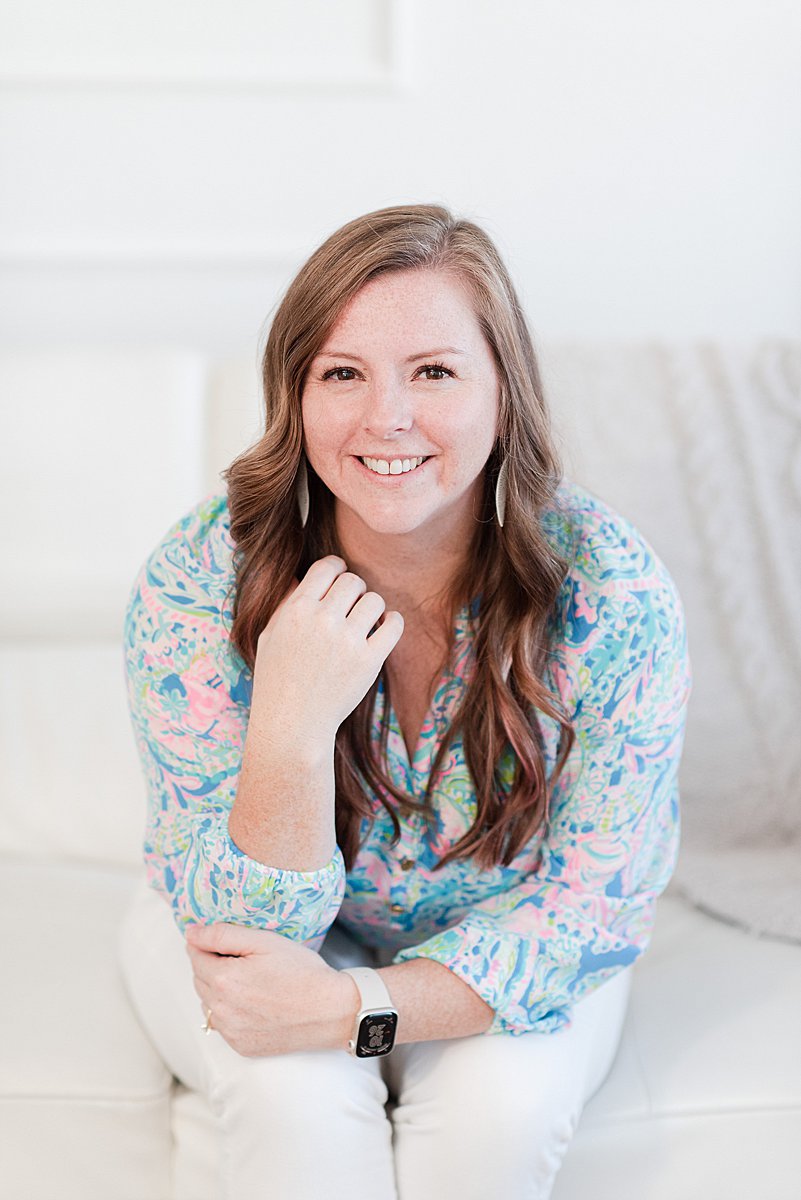
I’m Melissa Arlena, founder of Picture Perfect Rankings, where we help portrait photographers get found on Google and transform from invisible experts into market leaders. With 18+ years of photography experience and an IT background, I’ve helped hundreds of photographers break free from feast-or-famine cycles by achieving page 1 rankings that attract their dream clients through search. Learn more about Melissa.

Leave a Reply


I'm Melissa Arlena(my friends call me Mel) and I help photographers get found on Google.
Read more about me

I'm so glad you're here
Hello!
© 2023-2026 Picture Perfect Rankings : SEO services for photographers. all rights reserved. privacy policy.