


EP 80: Photography Website Redesign SEO Checklist
It’s January, which means one thing in the photography world: website overhaul season. Maybe you’re just swapping out portfolio images, or maybe you’re going full send with a new platform and complete redesign. Either way, if you’ve been crushing it with your SEO and ranking on page one of Google, the last thing you want is to watch all that hard work disappear because of a few preventable mistakes.
In this episode, Alison and I are breaking down the most common SEO-killing errors photographers make during a website redesign — and exactly how to avoid them. From the 301 redirects you’ll definitely forget about to that sneaky popup form still advertising your old location (ahem, Alison’s Virginia Beach waitlist that haunted her for a year and a half), we’re covering the stuff nobody tells you until it’s too late. Whether you’re DIYing your redesign or outsourcing it, this episode will save you from the “why did my rankings drop?!” panic spiral.
What You’ll Learn:
- Why you need to map out your entire site BEFORE you touch anything (and the Chrome extension that makes it easy)
- The redirect mistake that breaks every link you’ve ever shared — and how to fix it in minutes
- Why rewriting all your copy can actually tank your rankings (yes, even if it sounds prettier)
- How to tell if your new theme is actually “SEO optimized” or if that’s just marketing fluff
- The image optimization step most photographers skip during a redesign
- What to do in Google Search Console after you launch your new site
- The embarrassing popup form mistake Alison made (so you don’t have to)
3 Things To Do After This Episode:
- Screenshot your current website pages using the Go Full Page Chrome extension — save them as PDFs so you have a record of your copy, headers, and layout before you change anything.
- Make a list of every page on your site and note which ones are ranking well in Google Search Console. These are the pages you want to protect during your redesign.
- Grab our free Website Redesign SEO Checklist so you have a step-by-step guide for before, during, and after your redesign.
Resources Mentioned:
- Free Download: Website Redesign SEO Checklist
- Episode: Which Website Platform is Best for SEO?
- Chrome Extension: Go Full Page
- Redirect Plugins: Rank Math, Pretty Links
Skip to the Good Parts:
[00:00] Intro — It’s January, which means website refresh season
[01:00] Why you need to plan your redesign ahead of time (even if you’re outsourcing)
[03:00] The Go Full Page Chrome extension hack for saving your current site
[04:00] Just because your template has a page doesn’t mean you need it
[05:00] Don’t forget your header codes (Meta pixel, Google Analytics, email forms)
[06:00] Breaking URLs without redirects — the #1 mistake
[08:00] Why backing up your copy matters (and when NOT to rewrite it)
[10:00] The fluffy copy problem — “what stage of life are you in?”
[11:00] Forgetting to migrate image alt text and file names
[12:00] The AI hack for writing alt text faster
[13:00] Don’t assume your new theme is “SEO optimized”
[15:00] Internal linking — don’t cut off the juice flow
[16:00] Submitting your sitemap to Google Search Console
[18:00] Alison’s popup form horror story (Virginia Beach for 18 months 😬)
[19:00] Final tips + the workcation idea for tackling your redesign
Transcript:
[00:00:00]
Melissa Arlena: All right guys, it’s January we all know what that means in the photography world. That means updating our websites.
Alison: pricing restructuring.
Melissa Arlena: Yes. Now, today we’re gonna focus on websites. So, you know, for a lot of us that might mean just new images. Maybe you know,
Alison: Yep.
Melissa Arlena: in your just updating your portfolio, or that could mean a whole redesign. That could mean changing platforms, like this is the time we have to do it. So if you’ve been like, rocking your SEO though, and your website, like you’re ranking really well, but you’re tired of your design and I’ve definitely been there
Alison: Mm-hmm. Yep.
Melissa Arlena: and so you’re like, I need an, I need an overhaul. Like this has gotta, this has gotta change, but you’re really worried about losing your rankings. episode is for you. Like that’s what we’re gonna talk about today. Now, if you’re not sure whether your SEO is working well right now, um, then I have a webinar, um, called five SEO Mistakes Killing Your Photography Business that walks you through like more foundational stuff. [00:01:00] Um, so today we’re gonna talk about what happens when you
Alison: Mm-hmm.
Melissa Arlena: and don’t wanna screw it up with a redesign, but if you’re not sure, um, check the show notes and we’ll have that webinar in there and you can check it out.
Alison: Yeah.
Melissa Arlena: The first thing Alison, and I
Alison: Okay.
Melissa Arlena: if you are gonna do a whole redesign or shifting things, is plan it out ahead of time.
Alison: Yeah. Or outsource it. I outsourced it. I’ve done both though.
Melissa Arlena: it.
Alison: I’ve done both. I’ve created multiple websites and then I’ve also outsourced it. But, and I will tell you I had a great results with both, but it is a massive undertaking. Absolutely massive.
Melissa Arlena: outsourcing it, there’s still a lot of planning, like
Alison: Mm-hmm.
Melissa Arlena: sit down and think, oh, I’m gonna go out to tonic and get a new design and like, get that up
Alison: Plug and play. No.
Melissa Arlena: Yeah, no, no. You’ve gotta like plan it out ahead of time. We’ve actually helped, um, two of our clients who were ranking page one of Google who wanted new websites, um, and really did not wanna lose
Alison: Mm.
Melissa Arlena: Uh, we
Alison: Yeah.
Melissa Arlena: them with, uh, you know, switching over actually, and they, one [00:02:00] of them, she changed designs, the other one changed her platform entirely. Uh, so it was a big deal and it was a lot of worry, like, how’s this gonna go?
Alison: Yeah.
Melissa Arlena: for myself, I’ve done, you know, gone from. Changing genres. So like, oh, took everything wedding off my website, turned it into newborn, and then, um, and then just done complete redesign.
Um, and things like that. And really the big thing is you wanna plan it out ahead of time. You need to know what pages do you have. Like, just
Alison: Yeah.
Melissa Arlena: You’re
Alison: Like
Melissa Arlena: find pages you forgot you have,
Alison: what? What’s working? What’s linking for sure.
Melissa Arlena: Yeah, and you can start that off, like if you’re in WordPress or show it, um, just literally look at the pages and copy and paste ’em
Alison: Mm-hmm.
Melissa Arlena: spreadsheet or something that lets you see ’em, you know, and then figure out, oh, do I need to recreate this page?
Do I not need to
Alison: Yeah.
Melissa Arlena: this page? Because there’s no point in wasting time on old pages and stuff.
Alison: Yeah.
Melissa Arlena: could actually help you with the, your SEO if you’re killing off things that you don’t do anymore.
Alison: Yeah. And what about, oh, what about a screenshot? The, what’s the [00:03:00] Chrome add-on? Is it go full page where you can do an automatic, you can go take, uh, screenshots of your entire page, your entire page to keep a record of what copy you had on there, headers, and it’s super easy. Put it all in one folder.
Melissa Arlena: Yeah, that’s a great idea. Especially if you are changing up copy and even copying and pasting copy. ’cause I think once you do go full page, you can do it as a PDF and
Alison: Yeah.
Melissa Arlena: if you can go in and copy the copy from it,
Alison: But you can at least look it. I,
Melissa Arlena: You could probably upload it to an AI bot and have it rewrite the copy if you need a copy and paste.
I literally have done that the other day
Alison: yeah.
Melissa Arlena: something. ’cause I was
Alison: Same. Same.
Melissa Arlena: this out.
Alison: Mm-hmm. Or like, here are all the stories I have. Help me write this stuff based on, on my screenshots a hundred percent.
Melissa Arlena: Yeah, so I think with that, you know, figure out what pages you currently have and then what pages do you need to create. So if there’s like, you wanna add a new genre, maybe you’ve had just a portfolio page with images and now you wanna create some portfolio landing pages. But list all of that out so you know where you’re gonna start, um, and look at your website template.
Just because your website template [00:04:00] has a page for it does not mean you have to
Alison: To use it No. Or use it the way it was designed.
Melissa Arlena: yeah. If you don’t have a podcast, skip that page. If you don’t have resources, skip that page.
Alison: Hide it.
Melissa Arlena: and
Alison: Don’t delete it. Just hide it.
Melissa Arlena: Yeah. Abso, yeah, just don’t use it. But absolutely too. I love the whole like using. Pages, not necessarily for what they were intended
Alison: Yeah.
Melissa Arlena: and like kind of hijacking the design. Like if you need to,
Alison: Yep.
Melissa Arlena: designers out there are having a heart attack. They’re like, no. But,
Alison: So what
Melissa Arlena: um,
Alison: it is? Yeah.
Melissa Arlena: say header code, like, so I know this gets a little more technical, but you’re probably have put your Facebook megapixel in there.
You’ve got, maybe you’ve got a flow
Alison: Mm-hmm.
Melissa Arlena: of mail software form, um, Google Analytics. So you’re gonna wanna go in, you’re gonna wanna figure out where those are. It depends on your. Your platform. So I can’t
Alison: Yeah.
Melissa Arlena: exactly where it’s gonna be, but you’re gonna wanna look at, um, any spot that might have header information, uh, and just copy and paste that out.
Or just make sure you have it. Like if you still have flow desk, just [00:05:00] know like, oh yeah, I have a pop-up
Alison: Yeah,
Melissa Arlena: I’m gonna need to put this code back on or
Alison: there’s a ton of code that you have one point have figured out and put it in and forgotten about,
Melissa Arlena: Oh,
Alison: and you’re gonna forget about it here. So that’s what we’re reminding you about. Go ahead and find it.
Melissa Arlena: Yes. Yeah, so just listing and then list out your pages
Alison: Yeah.
Melissa Arlena: keywords you’re targeting
Alison: think about and, and even think about like, do you need to have a page for events that you’re doing? Should you have a page for cherry blossoms that you’re doing every year, or Santa mini sessions every year? Maybe you don’t want ’em to be live all year wrong. I mean, I would, but whether or not it’s a seasonal event, it can still have a cornerstone content page, so to speak, where you’re linking to it year round.
So think beyond just your everyday base few pages. Think about those reoccurring events as well.
Melissa Arlena: and you just hit on that first topic I think we really
Alison: yeah.
Melissa Arlena: about if you, if you don’t recreate some of these pages, what’s gonna happen?
Alison: Yeah. So breaking an existing URL without a redirect. [00:06:00] So if you take a page and you just give it a whole new name and you rename that page, you have broken any link that you ever had to it. Think about Google forms. Think about anything from email templates. Think about your flow desk, uh, automatic, uh.
Melissa Arlena: blog
Alison: Your blog post, anything that has and you have ever sent to that page now does not work.
Melissa Arlena: Mm-hmm.
Alison: But we have an easy fix for that. That’s what we call a redirect. A redirect is when you go to a website, a web, A URL. That no longer exists, but it automatically points you in the direction of its new URL. So that’s what a redirect is.
It’s just redirecting to its new home. So that’s moving a page to A URL without setting up that 3 0 1 redirect will cause all of those links and all of that hard earned effort to just disappear into the ether and you’ll,
Melissa Arlena: end.
Alison: you’ll never know. You’ll never know. ’cause it, nobody’s gonna tell you. Ask me how I know.
So it creates a usable, a terrible user experience. Um, and so you definitely want to have those redirects. There [00:07:00] are very easy plugins that will do that for you and track them and make them look pretty. Mm-hmm.
Melissa Arlena: Math is one of ’em that I, we have the pro plan for Rank Math and it will automatically recreate,
Alison: Mm-hmm.
Melissa Arlena: create a redirect if I change a
Alison: Mm-hmm.
Melissa Arlena: even have to do it. But you can also get, there’s redirect, just free redirect plugins
Alison: Yep. Pretty linked.
Melissa Arlena: ever like landed on a 4 0 4 page, and I love that designers include 4 0 4 pages.
’cause I’m
Alison: Yeah.
Melissa Arlena: I don’t want anyone to ever see this page. But it’ll be like, whoops, you found a corner of the internet that we forgot about. Like that’s
Alison: Mm-hmm.
Melissa Arlena: Bad thing. There’s nothing more annoying than redirecting and nothing’s there. I will say too, though, my pet peeve on redirects is you delete content, try to link it to redirect it to something that’s similar content. Like there’s nothing worse than just getting redirected to a homepage. And I’m like, well, that’s not the recipe I was looking
Alison: Well,
Melissa Arlena: not, you know, the shop thing.
Alison: Yeah. I know exactly what you’re talking about. I would rather, instead of going to your homepage, ’cause that’s the default on a lot of these things, I would rather go to your blog page where I can go search for the [00:08:00] similar topic that would create a more viable user experience.
Melissa Arlena: Yeah, so that would be kind of that first thing to avoid is just making sure and that you’re gonna, it’s gonna help you by having all of your pages listed out
Alison: Mm-hmm.
Melissa Arlena: knowing, okay, well hey, maybe you do need to change the URL for whatever reason. Maybe you’re going from forward slash newborns to forward slash, you know, Memphis Newborn Photographer.
Like,
Alison: Yeah.
Melissa Arlena: fine. You can do that. We’re not saying don’t do it. We’re just saying make sure you put that path in
Alison: Yep.
Melissa Arlena: So now when everybody types in the newborns, they go to that. page and stuff.
Alison: Absolutely.
Melissa Arlena: Um, so the next thing is, and we kind of covered this a little bit with your copy, you know, definitely have a backup of your copy, what it says on your website.
If you are ranking well,
Alison: Yeah.
Melissa Arlena: Google likes your copy.
Alison: Yeah.
Melissa Arlena: not necessarily mean you need to redo all of your copy, um, because typically what happens is you rewrite all your copy and you remove your keywords and you remove what Google’s already ranking you for and liking, and then you drop in rankings and wonder what happened.
Alison: Uhhuh. Ask us how we [00:09:00] know. Oh my gosh. Yeah.
Melissa Arlena: lot.
Alison: Yeah. You. When you go through all that copy with some, whether you do it on your own or with AI or with a copywriter, there are so many phrases, words, placements, um, design aside. Right? Just the straight copy that has been designed to get you to rank. And when you just rewrite it, you forget of all of those little intricacies, they just flutter away.
Melissa Arlena: And I would say too, when it comes to SEO, be careful about getting too fluffy with your
Alison: Mm. Oh my god. Yeah.
Melissa Arlena: with some clients before where I’ve read their website and I’m like, I don’t know what this means. Like instead of it saying portfolio, it’s like, what stage of life are you in? And
Alison: Uh,
Melissa Arlena: what?
Alison: yeah.
Melissa Arlena: I’m like, I get that it’s fluffy, but none of that tells Google or me, oh, this is your portfolio section. Like, let’s
Alison: Well.
Melissa Arlena: where you wanna go.
Alison: And, and so that’s a great point. And even as user experience, like there, there’s two problems there. One, you’re signaling nothing to Google to give the, any help or [00:10:00] hint. But then two, your user experience, you went, what? Like, that’s a lot of words to say. Nothing, right? Like, and if you’re, you’re leaving your reader confused, you’re, you’re not serving yourself or your, or your potential inquiries.
Melissa Arlena: Yes, and I think especially nowadays in this age of AI and age of shorter attention spans, you know, less is more on copy when it comes
Alison: Mm-hmm.
Melissa Arlena: not great for Google, but just make sure that you’re getting your point across without being too fluffy.
Alison: Yeah.
Melissa Arlena: is okay for a little bit of it, but if 95% of your page is fluff, like
Alison: Yeah, I had a high school, um, English teacher say, or maybe it was college. I don’t know if, if she had to reread a sentence, it wasn’t right. She was like, if I ever, if I’m just reading through your essay or your paper and something doesn’t make sense and I’m confused, it’s a, it’s automatic doc because something in not, right.
So think I’ve kept that in my head at all times. If somebody loses your train of thought or doesn’t understand what you’re saying, you need to redo it. It’s not right. It’s not helping you. So, [00:11:00] um, next thing are we on forgetting? Okay. Yeah. So forgetting to migrate image, alt text and file names. So this is when you’re losing your optimized image descriptions and those SSEO friendly file names re means that Google can’t understand your visual content anymore.
So this is especially important whether you’re doing a design makeover or just updating your portfolio. You’ve got to remember to have those file names accurate and for what you’re targeting, but also that alt text has to be pretty darn descriptive so that Google can recognize it, so,
Melissa Arlena: And I think that’s a huge
Alison: mm-hmm.
Melissa Arlena: we don’t think about it. You know, we just, you’ve plugged it in, you’re like excited about the new images, but you forget that extra step. And if you are replacing an image and that alt text, there’s no alt text now that can hurt your SEO. Um, and then one tip I have for alt text, I hate writing alt text.
Y’all.
Alison: Yeah,
Melissa Arlena: I just,
Alison: I do too. How much do I do it?
Melissa Arlena: the world. Yeah.
Alison: very little.
Melissa Arlena: Um, one of the things that I like to [00:12:00] do is, uh, if I have a folder of all my images, I will screenshot that folder and then, and I have all the file names where you
Alison: Mm-hmm.
Melissa Arlena: and I will put that into ai and I will ask it to help me write alt text.
And I will tell it, like, describe the image and include, and then I give it all
Alison: Mm-hmm.
Melissa Arlena: of keywords that are for that page. Um, and I’ll ask it to use. One of those keywords in the different posts. So I’m not repeating the same keyword and everything,
Alison: Yeah.
Melissa Arlena: that and I wanted to use it naturally.
So that’s kind of my hack for that. And then I can just copy paste, copy paste, copy paste,
Alison: That’s awesome. That’s awesome.
Melissa Arlena: So the next thing too, I would say that I see this a lot
Alison: Mm-hmm.
Melissa Arlena: your new theme is SEO Optimized. Now, whether that’s your header structure, whether that’s whatever,
Alison: Yeah.
Melissa Arlena: tell you how many websites I see that say, oh, we’re optimized for SEO, or people I talk to who say that like, oh, my web designer said it’s SEO optimized.
And then when they go back to their web designer later and they’re like, well, I’m not ranking very well. They’re like, oh, it’s just basic SEO.
Alison: Yeah,
Melissa Arlena: [00:13:00] And I’m like that. It is not,
Alison: it’s just bait and switch. No, it’s not what you’re advertising at all. It’s weak,
Melissa Arlena: Same is why I don’t advertise that I’m a web designer because I am not.
Alison: right.
Melissa Arlena: don’t just assume that it’s SEO optimized, like go through it if you don’t know, um, you know, you need to look at your current page and like see what, what are your headers,
Alison: Mm-hmm.
Melissa Arlena: like? If you don’t know any of that stuff, I have a group coaching program.
Alison: Yeah.
Melissa Arlena: that. We’ll walk you through it. But,
Alison: Yeah.
Melissa Arlena: That’s a big thing too, that I see that people switch designs and even if they move all the copy over and all the headers
Alison: Mm-hmm.
Melissa Arlena: out later that nothing was set up properly, that none of the headers were set up,
Alison: Yeah.
Melissa Arlena: the way they should be.
And there’s a lot of confusion on the page, and half the page is a header. And like, I’ve seen that so many
Alison: Yeah.
Melissa Arlena: like, oh, a testimonial. The text of a testimonial is like an H two. And I’m like, why is that an H two? That should be a paragraph. What is
Alison: Yeah. And a lot of times your built-in themes or platforms will tag. Certain font [00:14:00] and textiles to these header structures and you have a very difficult time unconnect disconnecting them ’cause they’re married with the way the whole platform works. That is a huge pet peeve and that is a huge red flag if you can’t get that done.
So like, look at that.
Melissa Arlena: we have a, we have an episode about that. Go
Alison: Mm-hmm.
Melissa Arlena: ’cause I actually linked it the other day on, um, website providers, uh, and the different ones that we like and stuff like that. So if
Alison: Yep.
Melissa Arlena: the market for a new website provider, um, go listen to that episode
Alison: we’ll put it in the show notes.
Melissa Arlena: major ones.
Alison: Yeah.
Melissa Arlena: covered the
Alison: Yeah. Lemme tell you, when I did all this, I had a very strong increase in my SEO and we could not figure out why. So it was a very, it was a good thing going from one platform to another, like
Melissa Arlena: That was only after Melissa bugged her for like 18 months to get a new
Alison: Uhhuh. True, true, true, true.
Melissa Arlena: Alright, so next one up is.
Alison: internal linking structure. So kind of similar to the, [00:15:00] um, whole pretty links and redirects things when they’re, when web designers rebuild navigation and page layouts, they often eliminate strategic internal links that were helping your best pages. So it really is like just cutting, cutting in the juice flow off.
Like it’s just, you’ve completely demolished, um, that internal linking structure. So you wanna make sure, especially when it comes to those blogs, blogs, linking back to pages, pages, linking to blogs, blogs, linking to other blogs, that all of that stuff stays. Like you, you just, you’re, it’s, you wanna have those redirects if you’re gonna archive a blog.
And this is also why we say not to archive your best blog. Posts as well is because all that traffic it’s receiving naturally is connecting to other pages on the, on your, um, on your site. And it’s keeping that SEO juice flowing, so to speak, so.
Melissa Arlena: And this goes back to also like just mapping out that page before you start. If you’re linking on your homepage to several different places and you stop linking later,
Alison: [00:16:00] Mm-hmm.
Melissa Arlena: you’re probably gonna notice like things are gonna decrease for those pages because they lost like their main links. And you
Alison: Yep.
Melissa Arlena: even think about it.
You may have for, you may forget to do it. And
Alison: Yeah.
Melissa Arlena: of times what happens is people just forget. Um, so you wanna make sure that you keep track of, okay, I linked to these different pages on this. Page, I need to link to them Again, unless you’re making a solid decision on why you don’t wanna do that, I’m fine with that.
Alison: Yeah.
Melissa Arlena: want you to lose something just ’cause you forgot.
Alison: Yeah.
Melissa Arlena: Um,
Alison: that’s what this whole thing’s about.
Melissa Arlena: let’s say you have, you’re keeping the same copy. You’ve got your images, you’ve renamed ’em, you’ve got your alt text, you’ve updated to the new design, you’ve got your new headers, you’ve got your Rex, you’ve done all of that.
Stuff. The last thing I will tell you that you wanna make sure you do is submit your site map to Google Search Console. Now, there is the thing that like if it’s the same site map and you’ve just updated, it should update on its own. But sometimes people change plugins
Alison: Mm.
Melissa Arlena: like. Yost, the site map where Yost is, um, for Yost is different URL than where the site map is for rank math.
Alison: [00:17:00] Okay.
Melissa Arlena: change over and you don’t update the site map and you’ve changed plugins, basically you’re not giving Google the map to your website. So that’s why I want you to think about it literally is a. Site map. It is a map of your website
Alison: Mm-hmm.
Melissa Arlena: can crawl all over the place. And so if you don’t have one submitted, you’re basically letting Google Drive around without a map and maybe it finds something, but maybe it gets lost. Um, so you wanna resubmit those. You wanna resubmit the site map. And then what I do, especially if it’s a new page, I will submit those new page URLs to Google so that Google can go and crawl them. I will
Alison: Oh yeah,
Melissa Arlena: that.
Alison: yeah,
Melissa Arlena: do all of that in Google Search Console. It’s super easy.
Alison: yeah. And you do that with blog posts too, right? Because I always forget to do that, but yeah.
Melissa Arlena: Yeah. I mean, ideally if your blog posts are popping up on your homepage,
Alison: Mm-hmm.
Melissa Arlena: teach people,
Alison: Yeah.
Melissa Arlena: then it’s gonna get crawled when your
Alison: Yeah.
Melissa Arlena: crawled.
But just for that extra like, Hey, by the way, I have a new blog post. Instead of you having to go find it, I’m gonna deliver it to you.
Alison: Yeah, making it easy. All right, so our last one, one that I have personal [00:18:00] experience with is forgetting the embedded pop-up forms in your pages. So this kind of goes back to those, that header code that gets lost somewhere. You put it in there, set and forget. Um, I was victim of this for a year and a half.
I knew, I knew it was there. I couldn’t find where it was literally like for a year later, somebody was like, um, Hey Allison, you still have a Virginia Beach popup email form for your wait list? Uh, and I know you’ve been in Hawaii for like a year. I was like, thank you. I was like, I knew it. I knew I, I had tried to find it, I couldn’t find it.
Um, but that just renewed my vigor to go find it. And sure enough, it was in my header code on my homepage, buried in some like advanced SEO something, something, somethings, I don’t even know. I couldn’t even tell you where it’s right now. Um, and so. Do not forget about those popup forms for old niches, old locations.
Old, old, old forms in general. Maybe it’s workflows you don’t even deliver anymore. Lead magnets, you don’t keep updated. Um, don’t forget about those old popups,
Melissa Arlena: [00:19:00] Yeah.
Alison: so,
Melissa Arlena: guys, I think that kind of wraps it up on if you are transi transitioning
Alison: yep, yep.
Melissa Arlena: um, you know, if you’ve got a new website, send us a link on Instagram or
Alison: Yeah.
Melissa Arlena: looking at pretty website
Alison: Yeah, and make sure you plan this out. And if you haven’t already listened to our episode about Workcation, this is a great project to plan out. Go remove yourself from regular life. Go get a hotel, sit by a nice fire, it’s January. Um, and then go focus on this one project, do this one thing and get a major piece of it done.
You know, maybe like three pages in a 12 hour period or something like that. So good luck. You can do it. It’s a lot. But we’re here if you need help. See ya.
Melissa Arlena: time, bye.
Alison: Get job.
Tired of being invisible on Google? Learn the 5 SEO mistakes keeping photographers from getting found (and how to fix them) in Melissa’s free masterclass: 5 SEO Mistakes Killing Your Photography Business Masterclass
Thinking about a pivot or transition in your photography business? Book a free 15 minute discovery call with Alison to talk through your next move.
Ready to streamline your content? Melissa’s got you covered with her 35+ Blog Post Topics freebie—grab them here: https://35topics.com
Looking for your next clients? Grab Alison’s list of 39 FREE ways to get more bookings—no ads required: 39 Ways to Get New Clients – Alison Bell
Links:
- Leave a review in Apple or on Spotify
- 5 SEO Mistakes Killing Your Photography Business Webinar
- Download 39 FREE Ways to Get More Clients
- Get Melissa’s Free Blog Post Topics
- Find Alison on IG @getbookedpodcast
- Find Melissa on IG @pictureperfectrankings
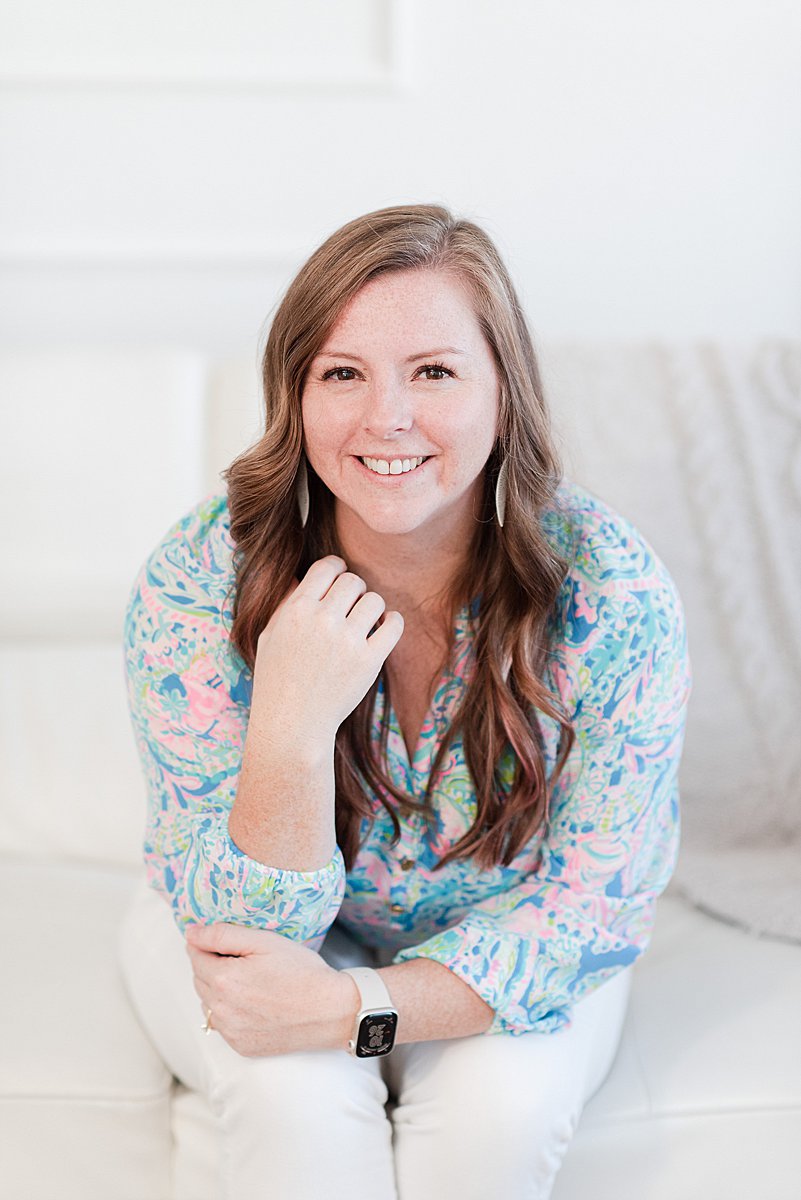
I’m Melissa Arlena, founder of Picture Perfect Rankings, where we help portrait photographers get found on Google and transform from invisible experts into market leaders. With 18+ years of photography experience and an IT background, I’ve helped hundreds of photographers break free from feast-or-famine cycles by achieving page 1 rankings that attract their dream clients through search. Learn more about Melissa.

Leave a Reply


I'm Melissa Arlena(my friends call me Mel) and I help photographers get found on Google.
Read more about me

I'm so glad you're here
Hello!
© 2023-2026 Picture Perfect Rankings : SEO services for photographers. all rights reserved. privacy policy.