


EP 54: Client Automation – Work Smarter Not Harder!
This episode is all about streamlining. What are those repetitive tasks that we can eliminate and save time? There are several tools and tasks that we use to automate!
It can be scary at first when you forget what you’ve emails or tasks you’ve automated, or when they don’t fire correctly. For the love, slow roll into this! Don’t try to do it all at once.
Tool Time:
- Use Zapier to connect apps that don’t otherwise work together.
Links:
- Tave – get 60 days free with this link
- Tell us what you really think in Apple or on Spotify
- Download 39 FREE Ways to Get More Clients
- Blog Post Topics
- Photographers : ShootQ Client Access & Correspondence (Melissa’s old CRM)
- @keep.it.moving.podcast
- @pictureperfectrankings
Transcript:
00:00:00 [Melissa]
If you’re doing any kind of lead magnets, you’ve gotta have some kind of flow desk or some kind of email marketing system.
00:00:05 [Melissa]
You do not wanna try and have that going to your Gmail box and you’re sending emails, like, absolutely not.
00:00:10 [Alison]
Hey, I’m Allison, family photographer, military spouse, and business mentor for photographers.
00:00:15 [Melissa]
And I’m Melissa, also a military spouse, lifestyle newborn photographer, and SEO expert for Between the two of us, we have a combined twenty seven years in photography, and have lived through nine business relocations.
00:00:26 [Alison]
We’ve coached each other through all these challenges privately on Marco Polo, and now we’re bringing our polos public.
00:00:32 [Alison]
On this podcast, we’ll give you actionable steps to help you keep it moving.
00:00:38 [Alison]
Alright.
00:00:38 [Alison]
Hey, guys.
00:00:38 [Alison]
Welcome back.
00:00:39 [Alison]
So on this episode, we are talking about client automation.
00:00:42 [Alison]
This is all about streamlining.
00:00:44 [Alison]
What are those repetitive tasks that we can eliminate and save time?
00:00:47 [Alison]
There’s several tools and tasks that go into this, and it can be scary at first and it’s happened to me a lot because I would forget what I had automated or I would forget, oh, crap.
00:00:56 [Alison]
I didn’t send them back, or I would realize one of my automations wasn’t firing correctly.
00:01:01 [Alison]
So I highly recommend that you just slow roll into this.
00:01:04 [Alison]
Don’t go automating your entire workflow, especially if you’re new to a tool all at once.
00:01:09 [Alison]
Get really well acquainted with this stuff.
00:01:10 [Alison]
And then, of course, support is always your best friend.
00:01:12 [Alison]
But before we get into that, tool time, all about Zapier, which Yeah.
00:01:17 [Alison]
Is a pro at.
00:01:18 [Melissa]
I don’t know about a pro, but I am I’m definitely all about, like, automations and making things easier.
00:01:23 [Melissa]
Zapier is one that I know a lot of times people don’t think about.
00:01:27 [Melissa]
It’s basically, what it does, it’s very similar to an if this, then that, which used to be what I would use.
00:01:32 [Melissa]
And so it basically lets me connect things that don’t normally talk, and that’s the biggest thing.
00:01:37 [Melissa]
So Alice and I actually when we sat down, we were trying to update our mini mentoring form because we realized, like, we have this great form and people fill it out, and then we had forgotten to actually email them to schedule.
00:01:47 [Melissa]
Yeah.
00:01:48 [Alison]
We don’t look at it again.
00:01:50 [Alison]
Yeah.
00:01:50 [Melissa]
So it’s and what I do is I set it up for Zapier that now when they fill out that Google, it will create a card in Trello for us.
00:01:57 [Melissa]
So that’s connecting two systems that don’t normally talk.
00:02:00 [Melissa]
And then while we were there, I was like, Allison, you send out this email, and we were trying to get it set up for her.
00:02:05 [Melissa]
And then I was like, wait.
00:02:06 [Melissa]
I’m right here in Zapier.
00:02:07 [Melissa]
Let’s just make Zapier do it.
00:02:08 [Melissa]
So then we added into Zapier to say, when the card gets created, now send an email to the person who filled out the form that gives them the link for scheduling.
00:02:18 [Melissa]
And then I just eliminated the work that Allison was doing otherwise.
00:02:21 [Melissa]
Cause I was about to send her an email to go send an email.
00:02:23 [Melissa]
And then I was like, this is dumb.
00:02:24 [Melissa]
Why are you doing this?
00:02:25 [Melissa]
So that’s a great thing about you get five zaps
00:02:28 [Alison]
for free.
00:02:28 [Alison]
Five free zaps.
00:02:29 [Alison]
Yeah.
00:02:30 [Alison]
Because that’s all I use for the account.
00:02:32 [Alison]
Yeah.
00:02:32 [Melissa]
And to be honest, like, when I I started using it for my photography business, and I started using it
00:02:37 [Alison]
in the
00:02:37 [Melissa]
way that when someone filled out my Tave contact form, I had, like, a little checkbox at the bottom that said, hey.
00:02:43 [Melissa]
Do you want basically, do you wanna be added to my email list?
00:02:46 [Melissa]
But I gave them an incentive.
00:02:47 [Melissa]
I was like, do you wanna get this download of some sorts?
00:02:50 [Melissa]
Because you just because somebody filled out your contact form does not mean you can automatically add them to your email list, guys.
00:02:55 [Melissa]
That’s not what they signed up for.
00:02:56 [Melissa]
They signed up for you to reach back out to them about a session, not to suddenly get emails from you that are marketing emails.
00:03:03 [Melissa]
Yep.
00:03:03 [Melissa]
But if you put a little checkbox in there of some sorts and you say, hey.
00:03:08 [Melissa]
Do you wanna join us where we will send you these things?
00:03:11 [Melissa]
And most of the time, they check it off.
00:03:13 [Melissa]
Like, I’ve had very few that would not check the box.
00:03:15 [Melissa]
And then what I would do is I use my one of my five free zaps to say and I think I had to do it where it went from Tave and it came into my Gmail.
00:03:23 [Melissa]
And so then I was just saying on Gmail, if you see this thing, then you can add it to Flodesk.
00:03:28 [Melissa]
And then, obviously, now I have all kinds of stuff where if someone makes a purchase in one of my courses, then they get added to my Flodesk for that course, so they get emails about that.
00:03:38 [Melissa]
So it really is just about connect different systems that don’t normally talk.
00:03:43 [Melissa]
And so there’s a lot of things you can do.
00:03:44 [Melissa]
Yeah.
00:03:44 [Alison]
There’s a lot exactly what I have going on.
00:03:46 [Alison]
It’s it’s a Gmail.
00:03:48 [Alison]
If the email reads this value Yes.
00:03:51 [Alison]
Then it goes into Flodesk and adds them to the sec the creates a new Exactly.
00:03:55 [Alison]
Yeah.
00:03:56 [Alison]
Creates a new lead and taught I think it I can’t go I can’t remember what it is.
00:04:00 [Alison]
You get in there and you’ll see.
00:04:01 [Alison]
But it create adds them to a segment in Flodesk.
00:04:04 [Alison]
And then because of Flodesk automations, when somebody’s added to that particular segment, it automatically fires off a lead magnet download and other workflow.
00:04:12 [Alison]
So we’ll get into that here in a minute.
00:04:14 [Alison]
But Zapier is a great oh my gosh.
00:04:16 [Alison]
Especially with those five free zaps.
00:04:18 [Alison]
Like, it’s a great little entry point into the power of automation and it can get confusing.
00:04:23 [Melissa]
And I I will say this.
00:04:24 [Melissa]
I was telling Allison today, they have integrated some AI into it.
00:04:27 [Melissa]
And I swear this is the first time I’ve actually ever liked AI in, like, a software program thing because it was like, what do you wanna do today?
00:04:35 [Melissa]
And I think one of the things at one point, I was like, I want when someone purchased in Thrivecart to add them to blah blah blah.
00:04:40 [Melissa]
And it was like, okay.
00:04:41 [Melissa]
You need this part of the Zap and that pop.
00:04:43 [Melissa]
And I was like, oh my god.
00:04:44 [Melissa]
I didn’t have to go look for it.
00:04:46 [Melissa]
It told me what I need.
00:04:47 [Melissa]
I was like, this is the first time I love AI.
00:04:48 [Melissa]
This is great.
00:04:49 [Melissa]
So if you’re not sure, you can always go in and tell it what you want it to do, and it’ll tell you, like, oh, you need these things.
00:04:56 [Alison]
Just that.
00:04:57 [Alison]
A serious upgrade for sure.
00:04:58 [Alison]
Yeah.
00:04:58 [Alison]
So as far as all these automated tools go, we are gonna give you a short list of, including Xavier, of some of the tools we’re using, and then we’re gonna break it down on how we’re using them.
00:05:07 [Alison]
First up, the tools include your CRM.
00:05:09 [Alison]
So that’s your client relationship manager.
00:05:11 [Alison]
We have talked so much about the importance of one of these things.
00:05:14 [Alison]
That could be Tavay, Asado, 17, Sprout.
00:05:17 [Alison]
I don’t know.
00:05:17 [Alison]
Yeah.
00:05:17 [Alison]
Others of them.
00:05:18 [Alison]
There’s so many.
00:05:19 [Melissa]
Session is a new one?
00:05:21 [Alison]
Yeah.
00:05:21 [Alison]
Session.
00:05:22 [Alison]
Yes.
00:05:22 [Alison]
Session’s growing.
00:05:23 [Alison]
Then there’s Airtable.
00:05:24 [Alison]
Airtable, I don’t use it all.
00:05:26 [Alison]
That’s all Melissa.
00:05:27 [Melissa]
Yeah.
00:05:27 [Melissa]
Airtable is more like spreadsheet on steroids.
00:05:31 [Melissa]
I think for I use it for tracking things, but I think for most photographers, it’s not gonna be something that
00:05:37 [Alison]
Okay.
00:05:38 [Alison]
That they
00:05:38 [Melissa]
think about too much.
00:05:39 [Alison]
And then, of course, Zapier, we just talked a lot about that.
00:05:41 [Alison]
We’ll talk about more about how we use that.
00:05:43 [Alison]
And then email marketing.
00:05:45 [Alison]
So for me, I use Flodesk, mostly I think you use Flodesk
00:05:48 [Melissa]
too.
00:05:48 [Melissa]
Yes.
00:05:49 [Alison]
But that could be Kit.
00:05:50 [Alison]
It could be I don’t know what is Mailchimp.
00:05:53 [Alison]
I was thinking survey.
00:05:54 [Alison]
I’m like, yeah.
00:05:54 [Alison]
I was like, there’s something to do with an ape.
00:05:56 [Alison]
Got it.
00:05:57 [Alison]
Okay.
00:05:57 [Alison]
In there somewhere.
00:05:58 [Alison]
Yeah.
00:05:59 [Alison]
So let’s first let’s start with the CRM.
00:06:01 [Alison]
So I think, honestly, the CRM is basically my VA.
00:06:04 [Alison]
I love the idea of hiring a VA, but I haven’t figured out what I would have them do because Tave does it all for me.
00:06:10 [Alison]
So this is everything you guys from inquiries and web contacts.
00:06:15 [Alison]
So my contact form on my website, and then they make sure and set up that when somebody completes that web form, I get an email.
00:06:21 [Melissa]
I will say that’s the first thing too.
00:06:23 [Melissa]
If you guys are using a CRM, but you are not using your CRM’s contact form, you
00:06:29 [Alison]
will wasting time.
00:06:30 [Melissa]
Yeah.
00:06:30 [Melissa]
You will save so much time versus having them fill out, like, just a form that goes to your email and then you inputting it.
00:06:36 [Melissa]
You want to use the contact form.
00:06:37 [Melissa]
And I realized sometimes, like, they’re not necessarily pre like, Tavi is not the prettiest.
00:06:41 [Melissa]
I think it’s all the same for all of us.
00:06:43 [Melissa]
Yeah.
00:06:44 [Melissa]
There’s very little you can do with it, but I don’t care at that point.
00:06:47 [Melissa]
If they’re at the contact form, they’re ready to fill it out.
00:06:49 [Melissa]
If it’s your percent on my branding, I don’t worry about it because I just care about the time that it’s gonna save me later on.
00:06:55 [Melissa]
So just always make sure if you have a CRM that you’re using the contact form from your CRM.
00:07:00 [Alison]
For sure.
00:07:00 [Alison]
And it doesn’t even cross my mind that could not be the case, but it totally could.
00:07:04 [Alison]
Yeah.
00:07:04 [Alison]
Yeah.
00:07:05 [Alison]
And then so you get an automated email that says, hey.
00:07:08 [Alison]
Somebody completed that.
00:07:09 [Alison]
Guess what else I have?
00:07:10 [Alison]
I have all kinds of follow-up emails.
00:07:12 [Alison]
So my entire onboarding system is automated.
00:07:15 [Alison]
Onboarding, if they and there’s all these if and thens.
00:07:18 [Alison]
Right?
00:07:18 [Alison]
If it’s onboarding a new newborn client on on a branding client versus all of these different onboarding and emails are all different flows based on the client and the niche we’re doing.
00:07:28 [Alison]
Follow ups.
00:07:29 [Alison]
If they do or don’t schedule a discovery call with me, those are different.
00:07:33 [Alison]
Also, the booking process.
00:07:34 [Alison]
So after somebody books with me, they’ve received something in payment, I have a whole another flow of, like, how to dress for the wind, how to get access to style and select, to expect to the gallery reveal.
00:07:44 [Alison]
And there’s so much stuff you can do to basically pre sell your clients, especially if you’re doing IPS or any sort of artwork to and just slowly, not inundate them with too much information, but slowly wet their appetite for what they could do with their images.
00:07:58 [Alison]
Right?
00:07:58 [Alison]
So there’s booking, client prep guides, what to wear, how to fix your hair.
00:08:03 [Alison]
Hey, guys.
00:08:04 [Alison]
Make sure you check the time now.
00:08:05 [Alison]
Like, all those little touch points that make the session go smoothly beforehand.
00:08:09 [Alison]
And then, of course, if you’re doing gallery reveals of any sort, scheduling that gallery reveal off the post session stuff, what to expect after the session, how to receive their their stuff, and if they don’t pay their invoices on time.
00:08:20 [Alison]
I probably have four or five automations every two days that go out.
00:08:24 [Alison]
It says they’re left untouched.
00:08:25 [Alison]
So all that stuff, I don’t do.
00:08:28 [Alison]
It’s all automated.
00:08:29 [Melissa]
Yeah.
00:08:29 [Melissa]
And I would say, like, going back to the follow ups and stuff.
00:08:32 [Melissa]
Actually, for a lot of this, I was just realizing when Allison was talking about it.
00:08:35 [Melissa]
I do have a blog series from many years ago when I was on ShootQ, but it still walks you through the basics of stuff because then I ended up implementing that same system into Taabe.
00:08:45 [Melissa]
But I have it set up where after they inquire, of course, I immediately respond or respond as soon as I can.
00:08:52 [Melissa]
And then I have it set up that, like, after a day or two, it either tells me, like, hey.
00:08:57 [Melissa]
They haven’t responded.
00:08:58 [Melissa]
What do you wanna do?
00:08:59 [Melissa]
But I’m at a point now where I’m like, if they haven’t responded, I’m gonna go ahead and have it automatically send my first response email.
00:09:04 [Melissa]
Yep.
00:09:05 [Melissa]
And in the
00:09:05 [Alison]
show
00:09:06 [Melissa]
notes where that setup is, because it will help you visualize, like, how that could look.
00:09:09 [Melissa]
But I have the first follow-up, and then I have it wait two or three days.
00:09:13 [Melissa]
And then it’ll automatically send the second follow-up, follow-up, and then it’ll wait two or three days, and then it’ll send that third follow-up.
00:09:18 [Melissa]
And then that way, I’m not having to chase them down and wonder what’s going on, but I’m consistently following up with all of that.
00:09:23 [Alison]
Exactly.
00:09:24 [Alison]
Yeah.
00:09:24 [Alison]
And that’s one of the things I love about Tave is that, yes, I have this whole list of leads.
00:09:28 [Alison]
And y’all and the height I had 16 to 20 different inquiries in my leads section.
00:09:35 [Alison]
But Tave color codes them based on where they’re at us.
00:09:38 [Alison]
So all my gray shades of teal are they’re somewhere they’ve either booked a call or I’ve gotten on the phone with them.
00:09:43 [Alison]
If they’ve been in there for a really long time, they’re red and they’re about to get closed out.
00:09:47 [Alison]
If it’s purple, some shade of purple, it’s family.
00:09:49 [Alison]
If it’s some shade of pink, it’s something else.
00:09:51 [Alison]
So, like, with one look, I can see where everybody’s at in all of that.
00:09:55 [Alison]
And y’all, we’re talking dozens and dozens of emails here.
00:09:59 [Alison]
They’re already written.
00:10:00 [Alison]
They’re already saved.
00:10:01 [Alison]
They’re personalized with specialized tokens and using their first name only and sending them links to blog posts with more information, like all this stuff.
00:10:08 [Alison]
I didn’t want you know what that means?
00:10:09 [Alison]
Yes.
00:10:10 [Melissa]
But I will also point out Allison’s been doing this for a while.
00:10:12 [Melissa]
So if you guys are like, I don’t have all those emails, Allison.
00:10:15 [Melissa]
Like, that’s totally fine.
00:10:17 [Melissa]
Just sit down and start with the first one.
00:10:19 [Melissa]
What is Yep.
00:10:20 [Melissa]
If you guys and I remember the back in the day when I was first doing this where I was typing up an email response to every new client that came in because I’m so excited.
00:10:28 [Melissa]
I got an inquiry.
00:10:30 [Melissa]
I’m gonna give you no.
00:10:32 [Melissa]
In fact, even now, I can personalize, like, the first paragraph if I want.
00:10:36 [Melissa]
But if they’ve given me If you want.
00:10:37 [Melissa]
That I’m replying to questions or something like that.
00:10:40 [Melissa]
But at the very put together some kind of email response that you are going to automate, that you were gonna use for everyone who inquires.
00:10:47 [Melissa]
Again, you can still personalize or customize the first part of it, but you should not be putting in the link to your pricing in every single email.
00:10:54 [Melissa]
Like, you should have that where it’s either copy or paste or it’s an automation ready to go.
00:10:58 [Melissa]
So start with that.
00:10:58 [Melissa]
And then once you’ve got that out of the way, then focus on, okay, the next email I need to set up is gonna be my first follow-up.
00:11:05 [Melissa]
And then I highly encourage, like, we were talking about, I’ve got three follow ups.
00:11:08 [Melissa]
Write out each one of those follow ups.
00:11:10 [Melissa]
Like, start simple.
00:11:11 [Melissa]
Start at the your client automation workflow, and just tackle them one by one.
00:11:16 [Melissa]
And then at yeah.
00:11:17 [Melissa]
At the end of the day, you’re gonna have all the ones that Allison has.
00:11:20 [Melissa]
But even like she pointed out too, start implementing them one by one so you can learn how they work.
00:11:24 [Melissa]
And that way you don’t, like, screw things up.
00:11:26 [Melissa]
100%
00:11:27 [Alison]
slow roll into it.
00:11:28 [Alison]
100%.
00:11:29 [Melissa]
Because, like, I have one that I turn off and on all the time because it’s my post session.
00:11:35 [Melissa]
Like, we had a great time.
00:11:36 [Melissa]
Like, here’s what’s gonna happen next.
00:11:39 [Melissa]
And if I’ve rescheduled a session but forgotten to update it, sometimes it’s sent.
00:11:43 [Melissa]
Yeah.
00:11:44 [Melissa]
And then I’m like, oh, shoot.
00:11:45 [Melissa]
Now they know this is gonna be an automated email.
00:11:47 [Melissa]
But most of the time, your clients don’t necessarily know for sure automated email.
00:11:51 [Melissa]
So start at the beginning, come up with those first ones, at least get your inquiry, your pricing.
00:11:56 [Melissa]
And if you’ve got different types of sessions, you can do different inquiry responses for each one because that’s what I’ve got.
00:12:00 [Melissa]
But for now, just start with one.
00:12:01 [Melissa]
Just get that Start
00:12:02 [Alison]
with my way.
00:12:03 [Alison]
And if you don’t have a CRM, I just thought about this.
00:12:06 [Alison]
I hope I hope at the very least you are paying for a custom domain email, and you’re not at g mail dot com.
00:12:13 [Alison]
And if you are paying your $15 a month fee, authoritative domain email address, you can save templates in Workspace.
00:12:20 [Alison]
So email yeah.
00:12:21 [Alison]
Same.
00:12:22 [Alison]
So that’s where I started all this.
00:12:23 [Alison]
Before I implemented Taabe, I had inquiry one.
00:12:26 [Alison]
I had inquiry response, follow-up, family follow-up, newborn follow-up.
00:12:29 [Alison]
And anytime you write an email, save it.
00:12:32 [Alison]
Yeah.
00:12:33 [Alison]
Leave it as a template.
00:12:34 [Alison]
And and it’s like, if you’re responding to them one by one, you should not be typing it out.
00:12:38 [Melissa]
Yeah.
00:12:38 [Melissa]
No.
00:12:39 [Melissa]
That’s a great point because I realized that CRMs can be expensive.
00:12:42 [Melissa]
They they can be a lot of cost.
00:12:43 [Melissa]
And so if you’re bootstrapping things, you absolutely can do it with Gmail with your custom work workspace kind of thing and save those guys a 100%.
00:12:51 [Melissa]
Yeah.
00:12:51 [Melissa]
That’s a great way to get started.
00:12:53 [Melissa]
Hey, fellow photographers, Melissa Arlena here.
00:12:56 [Melissa]
Does SEO feel super overwhelming to you?
00:12:58 [Melissa]
I get it.
00:12:59 [Melissa]
But guess what?
00:13:00 [Melissa]
SEO doesn’t have to be complicated.
00:13:02 [Melissa]
I’ve spent fifteen years in photography and ten years in IT before that cracking the SEO code so that you don’t have to, whether you’re eager to learn or you just want somebody to take care of it for you.
00:13:13 [Melissa]
I’ve got your back with my SEO coaching and done for you services.
00:13:16 [Melissa]
You’ll get noticed online more of your ideal clients and keep doing what you love most photography, ready to boost your website’s visibility without the headache.
00:13:26 [Melissa]
Visit pictureperfectrankings.com and let’s make SEO simple and effective for you.
00:13:31 [Melissa]
Let’s get your calendar booked.
00:13:33 [Alison]
And if you’re on the fence about even having a customized domain email, you look so much more authoritative when you’re not at Yahoo, Hotmail, or even gmail.com.
00:13:42 [Alison]
Yeah.
00:13:42 [Alison]
That’s a very small investment to your credibility.
00:13:46 [Alison]
So jump on that.
00:13:47 [Alison]
Zapier, how are you using Zapier?
00:13:49 [Alison]
We talked a little bit about that one.
00:13:50 [Alison]
I think we pretty much covered it in that tool time.
00:13:52 [Melissa]
And Zapier is one too that, you know, if you can use those five Zaps and let’s say you have Flowdesk, maybe you don’t have a CRM.
00:13:59 [Melissa]
You’re using Gmail and then you’re using Flowdesk for email marketing and stuff, you can use Zapier to zap that over.
00:14:05 [Melissa]
And you could set up a workflow in Flodesk for, like, a new client workflow.
00:14:10 [Melissa]
Like, what Allison was covering.
00:14:12 [Melissa]
Once they book, now she’s gonna send out this prep guide.
00:14:14 [Melissa]
And the thing is you are limited on with those workflows on time frames and stuff where Allison can be a lot more specific because she can put that date into her CRM of this is when the session day is.
00:14:22 [Melissa]
So these others need to send out this other time.
00:14:25 [Melissa]
But Yeah.
00:14:25 [Melissa]
You could still be sending things through Flodesk that way.
00:14:28 [Melissa]
So I think for Zapier, like, the big thing for me, like I said, is getting them my email list.
00:14:32 [Melissa]
And I think that was the main one I used it for photography side.
00:14:36 [Alison]
Same.
00:14:36 [Alison]
Yeah.
00:14:36 [Alison]
Just connecting the CRM with Flodesk, TAVA with Flodesk.
00:14:40 [Alison]
I think that might even be the only flow I have.
00:14:42 [Alison]
I think I used to have some other ones before I had TAVA, but Even questionnaire.
00:14:46 [Melissa]
We were just talking about, like, for our mini mentoring.
00:14:49 [Melissa]
So if you’re bootstrapping it, then you can go ahead and or I’ve got my response saved in my email marketing.
00:14:55 [Melissa]
And then now they’ve booked, but I wanna send them a questionnaire.
00:14:57 [Melissa]
Like, you could use Google Forms to send it and then set that up with Zapier or something to
00:15:01 [Alison]
Yeah.
00:15:02 [Melissa]
You know, send emails after that kind
00:15:03 [Alison]
of thing.
00:15:04 [Melissa]
That’s a
00:15:04 [Alison]
great point.
00:15:04 [Melissa]
There’s different ways you guys can bootstrap stuff if you but I would highly recommend going to CRM.
00:15:09 [Melissa]
Allison or I will drop our affiliate because I did realize the other day, Tave gives, if you use an affiliate code, you’ll get a sixty day free trial instead of a thirty day is what it was told.
00:15:19 [Melissa]
So we will double check that.
00:15:21 [Melissa]
But when I looked it up the other day, because somebody was asking about TaVE and I was dropping my link, it said they would get a sixty day instead of a thirty
00:15:27 [Alison]
day.
00:15:28 [Alison]
So those thirty days are important because I’ve been using Tave for over two years now, and I just now feel like I’ve crusted the mountain figuring this thing out.
00:15:36 [Alison]
It’s so I feel like I’m on a first name basis with some of the support because it’s so fantastic.
00:15:40 [Alison]
So good luck on putting anything up in sixty days.
00:15:43 [Melissa]
And speaking of that, though, with setting things up, we are gonna have a guest on in a couple weeks.
00:15:47 [Melissa]
I think it’s gonna
00:15:47 [Alison]
be a couple weeks after
00:15:48 [Melissa]
this episode.
00:15:49 [Melissa]
And she’s gonna talk to us all about, like, client workflows and CRMs and getting that stuff scheduled and set up.
00:15:54 [Melissa]
So I think that’ll be a really good episode for you guys.
00:15:56 [Alison]
And that’s another note.
00:15:57 [Alison]
If you’re still in the beginning and you don’t think you need a CRM, like, you’ll thank yourself later if Yeah.
00:16:02 [Alison]
You just start now.
00:16:04 [Alison]
Yeah.
00:16:04 [Alison]
Start now.
00:16:05 [Alison]
Yeah.
00:16:05 [Alison]
Okay.
00:16:05 [Alison]
So moving on to Flowmail marketing.
00:16:07 [Alison]
So Flowdesk and email marketing is gonna be very similar to a CRM, but with a whole different purpose.
00:16:12 [Alison]
So if you’ve got a lead magnet, you need to have an, a form where they sign up and says, send it to me.
00:16:18 [Alison]
And then by filling out that form, they’re created a whole context created in Flodesk.
00:16:24 [Alison]
And then you have a workflow that when somebody is added to that segment, they get an automated email to deliver said lead magnet.
00:16:31 [Alison]
And that can be as long or short as you want it to be.
00:16:34 [Alison]
And something that you’ve newly implemented is that after they complete and send them even just one email, okay.
00:16:39 [Alison]
Say that you deliver that one email, you may wait a day or two, but then at the end, they’re automatically moved to a different segment, or they just end, or there’s a whole list of new automations that Flodesk has introduced to either keep them moving or along in something else or do nothing.
00:16:55 [Alison]
So that’s really cool.
00:16:56 [Alison]
They didn’t have that for the first several years that I had them.
00:16:59 [Alison]
So what I’ve done for some of my stuff to simplify it is, like, my keyword blog tracker lead magnet for my mentoring.
00:17:06 [Alison]
I have three or four different lead magnets.
00:17:07 [Alison]
So I have two emails that deliver that lead magnet to follow-up with the person about that lead magnet.
00:17:12 [Alison]
And then after that, it waits a day, and it adds them to my primary email list for for everything else that’s much more streamlined.
00:17:20 [Alison]
So instead of having these massive 10 six to eight, ten email lists, I have to update in three different flows.
00:17:26 [Alison]
I have three different deliverables and one flow, if that makes sense.
00:17:31 [Alison]
Hopefully, that makes sense to you guys.
00:17:32 [Alison]
So yeah.
00:17:33 [Alison]
So there’s all kinds of things you can do with that as far as, like, regular emails, workflows.
00:17:37 [Alison]
Some of the other ways I do it.
00:17:38 [Alison]
So that’s a lead magnet.
00:17:39 [Alison]
One of the things I do for my photographer is I have a what to wear for beach photos download.
00:17:43 [Alison]
And so they get that are deliverable, and then I go into a flow about who am I?
00:17:48 [Alison]
Why should you hire me?
00:17:49 [Alison]
What’s my approach sequence?
00:17:50 [Alison]
A nurture sequence.
00:17:51 [Alison]
Exactly.
00:17:52 [Alison]
And then same thing with traveling to Hawaii.
00:17:54 [Alison]
Traveling to Hawaii with kids, there’s so much on the Internet, and it doesn’t apply to every mom and every even age and stage of children.
00:18:01 [Alison]
I like to find and send out stuff that is for moms, about moms and kids, and same thing.
00:18:07 [Alison]
Deliver a download that is all about traveling to Oahu with kids and then a small flow breaking down information.
00:18:13 [Melissa]
Yeah.
00:18:14 [Melissa]
If you’re doing any kind of lead magnets, you’ve gotta have some kind of flow desk or some kind of email marketing system.
00:18:19 [Melissa]
You do not wanna try and have that going to your Gmail box and you’re sending emails.
00:18:22 [Melissa]
Like, absolutely not.
00:18:23 [Alison]
Yeah.
00:18:24 [Alison]
It doesn’t need to be months and months long because hopefully, at least once a month, you’re sending out a fresh new email to say stop in mind.
00:18:30 [Alison]
When everybody is searching in their own journey, searching for how to travel to Oahu, Hopefully, they’re finding me, and I’m sending them the same information I sent to my people last year.
00:18:40 [Alison]
Right?
00:18:40 [Alison]
So that’s that.
00:18:41 [Alison]
So those are all the tools.
00:18:43 [Alison]
Melissa, do you want your onboarding system and how you
00:18:47 [Melissa]
are Yeah.
00:18:47 [Melissa]
I mean, for mine’s very much the same with Taabe and stuff.
00:18:50 [Melissa]
What’s funny is when I did weddings, like Allison said, I must have had 20 different, like, automation type stuff that was set up.
00:18:56 [Melissa]
And in fact, I actually sent a thing to Taabe recently, and I was like, can we do a thing where we can, like, bulk select and delete these old automations?
00:19:02 [Melissa]
Because I don’t wanna go in one by one and delete them, but I kept them in there forever.
00:19:07 [Melissa]
It was everything, every stage of my wedding workflow was mapped out in there with emails.
00:19:12 [Melissa]
And and then even on the photography side, I would highly encourage before we have our next episode with our guests that you sit down and you just write out what is your client onboarding workflow, or what does your client workflow look like?
00:19:24 [Alison]
Episode.
00:19:24 [Alison]
We need to do an onboarding.
00:19:26 [Alison]
Yeah.
00:19:26 [Melissa]
I’ve just, okay, here.
00:19:28 [Melissa]
They’ve inquired.
00:19:29 [Melissa]
Then I followed up whether they’ve emailed you and said, let’s book, like, just write it down.
00:19:33 [Melissa]
I remember doing this a long time ago.
00:19:34 [Melissa]
And then when Allison and I went to imaging, like what, two years ago?
00:19:38 [Melissa]
Yeah.
00:19:39 [Alison]
And we went to imaging.
00:19:40 [Alison]
Yeah.
00:19:41 [Melissa]
I knew that I needed to create a workflow for our SEO clients because, like, a basic template that I was still doing that.
00:19:49 [Melissa]
But I was doing everything I did in the beginning of my photography business where I was like, I can’t do this.
00:19:52 [Melissa]
This needs to get automated.
00:19:53 [Melissa]
This is driving me nuts.
00:19:54 [Melissa]
Yeah.
00:19:54 [Melissa]
And I sat in the lobby at the Gaylord in Nashville because my flight wasn’t till 06:00 that night.
00:20:00 [Melissa]
I sat there all day long, and I wrote out the workflow.
00:20:03 [Melissa]
And then I created the emails, and I created automations.
00:20:06 [Melissa]
I remember sitting in the airport in the little waiting area, like, finishing up the last one because I was like, oh, I’m gonna finish this before I get on this plane.
00:20:13 [Melissa]
And we’ve gotten so many compliments over the years of, like, how thorough our onboarding is.
00:20:18 [Melissa]
Now I’m trying to move it over to Airtable, and I think things have gotten a little dicey because I’m missing stuff.
00:20:23 [Melissa]
And so I was like, I need another day.
00:20:25 [Melissa]
I just sit down, and that’s the only thing I work on that day is everything’s set up.
00:20:30 [Melissa]
And for me, the only reason I’m moving the SEO clients out of Taabe and into Airtable is just because I wanna keep Taabe for photography stuff.
00:20:38 [Melissa]
Yeah.
00:20:39 [Melissa]
I just wanna keep that separate.
00:20:40 [Melissa]
And there’s just other things that the agency stuff has to tie into, so it needs to be in its own space.
00:20:46 [Melissa]
But, yeah, just sit down, write it all out, and then start tackling those things one by one.
00:20:50 [Melissa]
Set aside a day if you can and just get it set up because it’s just gonna save you so much time.
00:20:56 [Melissa]
And, like, for us now Yeah.
00:20:57 [Melissa]
We had emails where a week before we’re gonna work together, like Doug says, do you have your stuff ready to go?
00:21:03 [Melissa]
Because if you don’t, like, this is the next step because we need
00:21:06 [Alison]
to know.
00:21:07 [Melissa]
Yeah.
00:21:07 [Melissa]
And it was like, you learn from a mistake.
00:21:09 [Melissa]
So you sit down one day and you realize, I don’t have anything I need to do this job.
00:21:13 [Melissa]
We’ve gotta fix that.
00:21:15 [Melissa]
Yeah.
00:21:15 [Melissa]
And that’s what can happen in your onboarding.
00:21:17 [Alison]
Yeah.
00:21:17 [Alison]
And one little detail, but major implication about CRM is that everything is based off or can be based off your shoot date.
00:21:26 [Melissa]
Yeah.
00:21:26 [Alison]
So one, I have stuff that goes out that doesn’t go to anybody unless I receive payment.
00:21:30 [Alison]
So, like, I have several of my client prep guide stuff when they receive payment.
00:21:33 [Alison]
As soon as they send payment, they get access to Style and Select.
00:21:36 [Alison]
Three days later, I send them something else.
00:21:38 [Alison]
Another seven days later, I send something else about how to prep for your hair for the wind.
00:21:42 [Alison]
Like, all the stuff, it’s all based on a time, like an action.
00:21:46 [Melissa]
Because it could be based off the shoot date or it could be based off the booking date.
00:21:49 [Melissa]
There’s so much stuff in there, at least for Tave.
00:21:51 [Alison]
Yeah.
00:21:52 [Alison]
Here’s
00:21:52 [Melissa]
the thing.
00:21:52 [Melissa]
Allison and I’ve been on Tave forever, so we don’t know what the other ones offer anymore.
00:21:56 [Melissa]
So we just know, look, I can do five days after booking, or I could do three days before the shoot or a week after the shoot or
00:22:02 [Alison]
And I ran into how many variations in lead time.
00:22:05 [Alison]
Like, some people book four months out, some people are a couple weeks out that I I’ve found that things were not firing at the right time when they were based off of the shoot date when I wanted them to be prepared.
00:22:14 [Alison]
So that’s why I do everything off of payment received.
00:22:17 [Alison]
They get it three, six, eight days after payment, regardless if it’s two months or four months before their stuff, they’re ready.
00:22:22 [Alison]
Based on my shoot date, as soon as the shoot happens, seven days after it happens, they get a link to their gallery reveal.
00:22:29 [Alison]
And so that’s when they get to schedule.
00:22:30 [Alison]
And so I tell them, I was like, hey, in seven days, you’re gonna get a link to schedule your gallery reveal.
00:22:35 [Alison]
You’re still traveling.
00:22:36 [Alison]
If you’re still, like, adjusting after traveling, don’t feel in a rush to to schedule out.
00:22:41 [Alison]
But that scheduler doesn’t allow them to schedule for seven days from that date.
00:22:46 [Alison]
So it’s minimum fourteen days from their shoot date, which is what I promise two to three weeks at all all the time.
00:22:51 [Alison]
I was like, just schedule when you want, but it’ll give it will not let you schedule but seven days out or And then it’s a new seven days out.
00:22:57 [Melissa]
That’s a new thing with Tave, with being able to schedule within yeah.
00:23:00 [Alison]
Just came out this fall.
00:23:01 [Alison]
Yeah.
00:23:01 [Alison]
Yeah.
00:23:02 [Melissa]
Who did you see that they’re gonna do?
00:23:03 [Melissa]
They’ve bumped up text messaging in the Oh,
00:23:06 [Alison]
oh, oh my gosh.
00:23:08 [Alison]
That’s the next thing I’m because I text all my clients two to three days out with a weather forecast and the location pin and the weather like, why is that weather update?
00:23:16 [Alison]
I text them and I say, hey, just in case, here’s my phone number.
00:23:19 [Alison]
If anything’s going wrong, here’s that.
00:23:21 [Alison]
Text messaging has been I don’t know that
00:23:23 [Melissa]
I can like working on section now.
00:23:25 [Alison]
I don’t know that I can actually automate that, to be honest, because I wanna feel like I’m a real human in contact with these
00:23:29 [Melissa]
people.
00:23:30 [Melissa]
Yeah.
00:23:30 [Melissa]
There’s that.
00:23:30 [Melissa]
But, like, I’ve used I’ve used it for automations on sending a text of, hey.
00:23:35 [Melissa]
You just inquired with me.
00:23:36 [Melissa]
And the way I do it is I say, hey, Sarah.
00:23:38 [Melissa]
Miss Arlena, the newborn sheriff you inquired with.
00:23:40 [Melissa]
I just wanted to let you know I sent all the information over in an email.
00:23:43 [Melissa]
Check your spam or junk folder if you don’t see it.
00:23:45 [Melissa]
Have a great day.
00:23:46 [Melissa]
And then that’s it.
00:23:47 [Melissa]
Because I don’t want them to feel like, oh, now I have to respond back to her.
00:23:50 [Melissa]
But to have that as an automated thing would be fabulous because we all know things aren’t ending up in people’s inboxes.
00:23:56 [Melissa]
So to be able to text them and they get that because I do require it.
00:23:59 [Melissa]
They give me their phone number.
00:24:00 [Melissa]
So Yeah.
00:24:01 [Alison]
Yeah.
00:24:01 [Alison]
That’s awesome.
00:24:02 [Alison]
Yeah.
00:24:02 [Alison]
And then one last little detail, Tave or any CRM, every job has a stage when something moves from one stage to another.
00:24:09 [Alison]
So I have placed all the client orders.
00:24:11 [Alison]
When I feel like I have done everything, I hit completed and another little email shins off and says, cue confetti.
00:24:17 [Alison]
We’re done.
00:24:18 [Alison]
Everything’s ordered.
00:24:19 [Alison]
You should have received this.
00:24:20 [Alison]
You should have, if you haven’t reply here ASAP because I’ve missed something.
00:24:25 [Alison]
And it’s been really helpful.
00:24:26 [Alison]
One, I’m not writing that email.
00:24:28 [Alison]
Tell them that we’re done.
00:24:29 [Alison]
But two, like, there’s been like, oh, hey, we didn’t get the link.
00:24:31 [Alison]
It probably landed in their spam or maybe I forgot.
00:24:33 [Alison]
I don’t know.
00:24:34 [Alison]
But it really does help wrap up that And
00:24:36 [Melissa]
ask for a review.
00:24:37 [Alison]
Yep.
00:24:37 [Alison]
When you wrap up.
00:24:38 [Alison]
There’s a there’s yeah.
00:24:39 [Alison]
That’s its own automation.
00:24:41 [Melissa]
You had to run that the other day.
00:24:42 [Alison]
I had
00:24:42 [Melissa]
to update mine, but ask for review.
00:24:44 [Melissa]
That’s easy automation to put into at the end after the session.
00:24:47 [Melissa]
Yep.
00:24:47 [Alison]
Give them some simple questions to answer and a link to your Google.
00:24:50 [Alison]
Yep.
00:24:50 [Alison]
Yep.
00:24:50 [Alison]
Yep.
00:24:51 [Alison]
Yep.
00:24:51 [Alison]
Yep.
00:24:51 [Alison]
Alright.
00:24:52 [Alison]
So that’s our whole conversation on client automation.
00:24:55 [Alison]
You would be surprised how many hours and hours that will save you and really more than anything, decision fatigue and mental anxiety.
00:25:01 [Alison]
We hope that’s helpful.
00:25:02 [Alison]
Like always, if you have questions, reach out.
00:25:04 [Alison]
Until next time.
00:25:05 [Alison]
Bye bye.
00:25:07 [Melissa]
Thank you so much for listening.
00:25:09 [Melissa]
If you’re enjoying the show, would you do two things for us?
00:25:11 [Melissa]
First, leave a review.
00:25:13 [Melissa]
Just stars would be awesome.
00:25:14 [Melissa]
And two, forward this episode to a biz bestie, mil spouse, or anyone facing moving their business.
00:25:19 [Melissa]
We’d love it if you shared this episode with even just one person.
00:25:23 [Melissa]
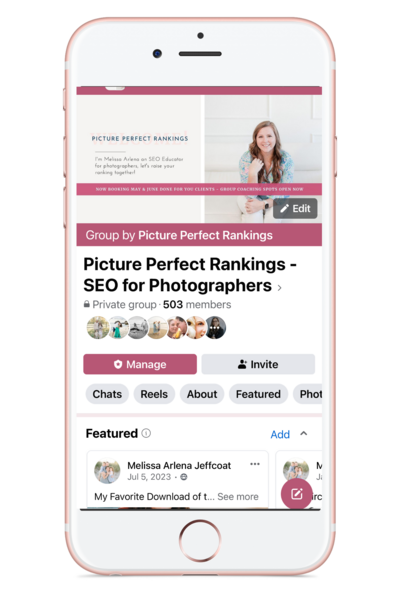
If you have questions, you can reach out to Allison on Instagram at Allison Bell Photog, or you can find me, Melissa, in my Facebook group, Picture Perfect Rankings.
00:25:32 [Melissa]
Check the show notes for links, and we’re so excited to
00:25:34 [Alison]
have you guys here.
Tired of being invisible on Google? Learn the 5 SEO mistakes keeping photographers from getting found (and how to fix them) in Melissa’s free masterclass: 5 SEO Mistakes Killing Your Photography Business Masterclass
Thinking about a pivot or transition in your photography business? Book a free 15 minute discovery call with Alison to talk through your next move.
Ready to streamline your content? Melissa’s got you covered with her 35+ Blog Post Topics freebie—grab them here: https://35topics.com
Looking for your next clients? Grab Alison’s list of 39 FREE ways to get more bookings—no ads required: 39 Ways to Get New Clients – Alison Bell
Links:
- Leave a review in Apple or on Spotify
- 5 SEO Mistakes Killing Your Photography Business Webinar
- Download 39 FREE Ways to Get More Clients
- Get Melissa’s Free Blog Post Topics
- Find Alison on IG @getbookedpodcast
- Find Melissa on IG @pictureperfectrankings
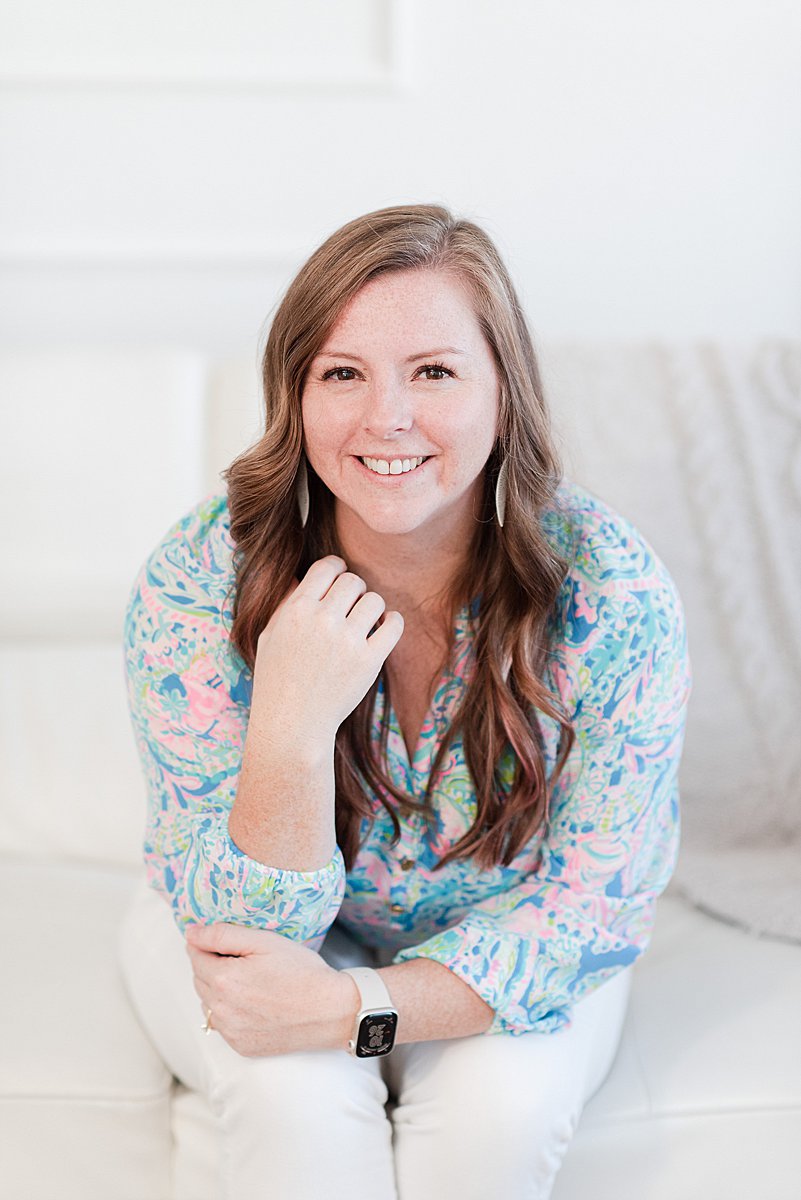
I’m Melissa Arlena, founder of Picture Perfect Rankings, where we help portrait photographers get found on Google and transform from invisible experts into market leaders. With 18+ years of photography experience and an IT background, I’ve helped hundreds of photographers break free from feast-or-famine cycles by achieving page 1 rankings that attract their dream clients through search. Learn more about Melissa.

Leave a Reply


I'm Melissa Arlena(my friends call me Mel) and I help photographers get found on Google.
Read more about me

I'm so glad you're here
Hello!
© 2023-2026 Picture Perfect Rankings : SEO services for photographers. all rights reserved. privacy policy.