


EP 109: Email 101, CRM vs ESP

If you’re blogging and getting views and nothing happens after that, there’s a step missing. Those eyeballs are supposed to turn into email buddies, and right now they’re just leaving.
We’re kicking off a whole series on email, and we’re starting where most photographers get stuck before they’ve sent a single thing: figuring out which tool does what. Your CRM and your email service provider are two separate pieces of software doing two separate jobs, and running one out of the other is how emails end up in spam or never go out at all. Melissa breaks down what each one is, Alison covers the three types of emails you should be sending, and we both make the case for the one audience nobody can take away from you.
The CRMs that come up are VSCO, 17hats, HoneyBook, and Sprout Studio. On the email side it’s Kit, MailChimp, MailerLite, and Flodesk. We’ve both been in Flodesk since it was in beta, so this is all through that lens, but the buttons are just in different places wherever you land. The concepts travel.
What You’ll Learn
- Why sending to 100 people from your Gmail gets you flagged, and what to do if you need to email a big group right now
- The “twofer” that happens every time somebody clicks a blog link inside your email
- How Alison segments her list by market, from Virginia Beach to Okinawa to Hawaii, and why one email would flop on the other list
- The Flodesk button that lets people add themselves to your Santa session VIP list, plus the one page you have to build on your website to make it work
- What to look for in an email service provider when you’re ready to pick one, and what to ignore completely if you’re brand new
- Melissa’s pet peeve about the popup that asks for your email 30 seconds in
3 Things To Do After This Episode
- Open your CRM and find out whether it already includes email sending. If it does, start there and skip the extra monthly cost. If it doesn’t, set up a free Flodesk account and put a signup form on your website, because that’s the only non-negotiable piece when you’re starting.
- Write your September email and put a blog post inside it. If you photograph families, that’s a fall family activities post. Pull two or three things out to highlight and send them back to the blog for the rest.
- Add a VIP button to your next sales email and build the page it clicks to. Melissa’s is a plain page on her site that says “You’ve been added to the VIP list. Stay tuned.” That’s all it needs to be.
Skip to the Good Parts:
- [00:00] Season six, both of us are back, and why email is the next step after blogging
- [00:01] What a CRM is, what an ESP is, and which tools fall where
- [00:02] Why you can’t blast 100 people from your Gmail
- [00:03] Email is the one audience you own
- [00:04] Segmenting by inquiry type and by location
- [00:05] Alison’s Hit Send workshop on September 17
- [00:06] The types of emails: broadcast, nurture, sales, and the transactional stuff in your CRM
- [00:11] The monthly email, and why a blog post belongs inside it
- [00:13] Nurture and welcome sequences, and how many is enough
- [00:15] Alison’s two welcome sequences, and Melissa’s maternity path idea
- [00:17] Teaser emails and the VIP list button
- [00:19] What to look for in an email service provider
- [00:21] The VIP popup pet peeve, and why the freebie has to come first
- [00:22] Ease of use, tagging, pricing, looks, and integrations
- [00:24] Flodesk pricing and the 25% code
Resources Mentioned
- Flodesk, 25% off your first year
- Hit Send: Email Marketing for Photographers, Alison’s workshop, September 17 at 8:00 AM Hawaii time
- Alison on Instagram, @alisonbellphotog
- VSCO, 17hats, HoneyBook, Sprout Studio, Dubsado, Kit (formerly ConvertKit), MailChimp, MailerLite, ThriveCart, Colie James of Business First Creatives, StoryBrand’s Don Miller
Transcript:
Alison: [00:00:00] All right, guys. Welcome back. Melissa and I are both here for the first time this season, our sixth season. Yes, so we are gonna get right into it today. So we are talking about email 101. We are talking about the differences between CRM and ESPs, and we’re gonna explain what all those things are. But if you’ve been listening to the show for a bit, you know we are fans, proponents of blogging, right?
We teach blogging, how to repurpose it. It should be the cornerstone of all your marketing materials. And it’s no different when it comes to email. So if you are blogging and you’re getting those views, 10, 50, hundreds of views, eyeballs, and clicks to your blog post, there’s another step. You want to capture those people and make those random eyeballs email buddies, okay?
And so that is what ESPs do for us. And so what this whole little series we’re gonna do on email is all about. [00:01:00] And so, Melissa, we talk about CRMs a ton, but we don’t talk about ESPs so much, so you wanna—
Melissa Arlena: Yeah. So, I mean, for starters, let’s break it down very simply. Your CRM is your customer relationship manager. So that’s basically where your contracts are, where you do billing from. When someone inquires, it comes into there, and you send emails through it, all of that kind of stuff. And when I’m talking about emails, I’m talking about, like, a direct-to-one-client email, not, you know, to all of your clients type stuff.
So that is your CRM. So for Alison and I, we both use VSCO. That might be 17hats. That might be HoneyBook.
Alison: Sprout?
Melissa Arlena: Sprout. Yeah, there’s a ton out there, and there’s new ones coming out all the time too. So that’s a CRM. So your ESP, which always makes me laugh because I keep thinking it’s like, you know, the sixth sense type ESP, and I’m like, “No, that’s not it.”
It’s email service provider. So your email service provider is gonna be something like, Kit, formerly ConvertKit, MailChimp, Flodesk, which is Alison and I’s [00:02:00] favorite. So that is gonna be completely separate. You are not meant to email one person typically through your ESP, you know, for your email service provider.
Yeah, this is when you’re emailing a list because if you send an email from your Gmail account or your, you know, your regular work photography account and you send it out to 100 people at a time, you’re gonna start getting flagged because you’re not supposed to do that.
Alison: Me. Spammy, that’s a great point. I didn’t even think about that. I’ve never tried that, but there’s a reason to not do that. So—
Melissa Arlena: Yeah, I think if you’re like a one-off here and there, you’re probably okay, but I would even double-check all the rules on that because they are really cracking down on spam and stuff like that and your email sender reputation. So, like, I would look for whatever the latest thing is. If you’re like, “Well, I need to email 100 people at the same time,” I would look into what the best practices are, and most likely it’s probably gonna be like split that up into a smaller list or get into some kind of email service provider.
Alison: So [00:03:00] we’re gonna take this episode to really talk about why you need an ESP and all the functions and functionality about it. But before we get there, why does email even matter? Why should we be doing this? Melissa just told us exactly why you can’t be doing it from your Gmail, guys, or your Yahoo.
Don’t be doing that, even if you pay for it. Don’t do that. But email matters because it’s the one audience you own.
Alison: When you’re on Instagram or TikTok or whatever social media you’re on, Facebook, you’re borrowing access, right? Like, it’s been a minute since we’ve had an Instagram outage, but everybody freaked out. It didn’t go well, right? Like, you can get blocked. You can get—
Melissa Arlena: Well, it’s not even an outage. People lose their accounts.
Alison: Yes. You—
Melissa Arlena: Oh, that’s more terrifying to me.
Alison: Like, shadow banned, is that what? You can go to Instagram jail where you don’t, like, you don’t own it. So you’re on borrowed time. You don’t control the algorithm. You don’t know who sees what. And it’s such a tiny [00:04:00] percentage, and not to mention the rat race of, like, your content lasts for what, 24 hours, 48 hours if you’re lucky.
Melissa Arlena: Mm-hmm.
Alison: That’s exhausting, right? The hamster wheel of that. So, but with email, it’s different. You can see who opens and who clicks, and you can see what’s working. You can test your audience and your subject lines. You own the email addresses. You control what goes out and when.
Melissa Arlena: And you can, yeah, you can segment really well to even, like, at one point in time I’ve had segments for family inquiries, newborn inquiries, maternity inquiries, and then that way I can kinda track better on, like, oh, okay, this is what’s resonating with people, or I just wanna send out, like, a tip for maternity inquiries within the last, you know, however many months or something.
Like, I could pay attention to that. Or family session, I just wanna email families something.
Alison: So segmenting is something we’ll get into the nitty-gritty of, but like exactly, that’s something you can only really do efficiently with an email service provider. And since we both use Flodesk, this is all gonna be through the lens of Flodesk. If you use something else, I’m sorry, hit us up. Maybe we’ll try to help you, if we can. We’ll absolutely help you if we can figure that out.
Melissa Arlena: Well, I think most of this will still be pretty high level. You’ll just have to translate it to, you know, what your email service provider … And Allison and I were talking beforehand, we both have used like MailChimp at some point and things like that, and it all, you know, the buttons are in different places, but they all do the same.
Alison: Yeah, yeah. So the whole point is, though, if you’re going to invest in, in any sort of marketing, the, the ownership part of owning your email list and being able to control and automate, automation’s the real key there, it’s worth that investment, right? Like, say, instead of doing, like, other social media investments.
But just to, just to give y’all a heads-up, if this whole concept is new to you, if it’s confusing, if you need some support on this, I am doing a workshop September 17th specifically on email marketing for photographers. So if CRMs are like your filing [00:06:00] cabinet for your clients, right? Like, you can organize everything by the client, all your emails, it’s connected to your, your actual official email account where you’re doing one-to-one, planning, reminders, all the different things with your clients, then the ESP is, like, it’s broadcasting, right?
It’s your, it’s your megaphone, so to speak. So Melissa was starting to talk about it, but, like, the different types of emails. What are they? So there’s a few, right? You have the giant newsletter thing, and I hate the word newsletter because it’s so boring. Like, it says nothing, so please don’t put that in your subject lines. But you have the giant, like, broadcast. Like, this one email’s going out to hundreds of people. You have nurture or welcome sequences. You have sales launches, like, if you have mini sessions or Santa stuff coming up. And then there’s the transactional stuff that happens in your CRM. But then what Melissa was getting into about your segmented audience, this is really great.
So she mentioned having it segmented by your, um,
Melissa Arlena: Inquiry type.
Alison: Yeah,
Melissa Arlena: Yeah.
Alison: type, your type of, of, of client. I have them for my location as well. So I’ve Y’all, if y’all took a look at my Flodesk. So we’ve been in Flodesk since it was in beta, and
Melissa Arlena: I don’t even know how many years ago.
Alison: Dozens, you guys, dozens and dozens of—
So I have the original upload when I transferred from Mailchimp, ’cause I started on Mailchimp ’cause it was free. And then Flodesk came into beta, and it was pretty. It was so pretty, where Mailchimp was not, so that’s why I switched. So I have that one segment from when I imported everybody. But then every time I’ve moved locations, I start a new segment. Why? Because what I’m sending to somebody about locations, availability, mini sessions, is completely different in Virginia Beach than what I’m sending to them in Okinawa or Missouri or northern Virginia or even now Hawaii. So I have all of those people, segmented into different stuff. [00:08:00] And then I also have, like, that content, that blogging content, based on where I’m at as well.
So, like, I do a lot of blogging about traveling to Hawaii, and so that’s a whole different segment of people that are looking to get details and information about what they should do with their kids versus getting a photo session or living in Virginia Beach. Do you have anything about that?
Melissa Arlena: Okay, so let’s dive in a little bit more deep on those different types of emails that Alison just covered. So like that first one where she was talking about with the broadcast newsletter type thing, you know, that’s something that I think you could do at the least once a month, you know, sending out an email to your email list.
I always talk about there’s a local photographer near me, and she’ll send out, like, one every month, and she’ll include some, like, a fun thing to do with her kids or, like, a recipe that they cooked or, like, just something that’s kind of a little bit of mom to mom, and I appreciate that. Like, she’s a mom. She’s my photographer. Well, she’s not my photographer, but, you know, if she was my photographer, you know, that kind of thing. So sending out some kind of newsletter, I still love a newsletter, but sending out something once a month that is gonna share something that’s gonna connect you with your clients, keep you top of mind, [00:11:00] so it can be something going on in the area.
I love for you to share a blog post, and that blog post should be helpful to your clients. So,
Alison: You—
Melissa Arlena: this episode…
Alison: monthly. There’s your—
Melissa Arlena: Yeah, so this episode’s coming out probably in September. You should have a blog post about, like, fall family activities if you’re a family photographer, that you could then have, you could share that in your monthly email.
You know, then for that month you’re gonna share that in your email of like, “Hey, here’s, here’s a quick article on fall things that are going on.” You know, you could pull just a few things out to highlight and then go check out the rest in, you know, in the blog post kind of thing, ’cause then that’s gonna drive them back to your website, which we wanna do.
Alison: And we wanna do that because on the techie side, those clicks increase your email, your sender reputation that—
Melissa Arlena: Yes. Yeah, it increases—it’s actually twofold. So because they’re clicking to your website, um, email service providers love that. I feel like we’re so used to talking about blogging and stuff and, like, websites that we’re like, “Wait, I gotta shift brains.” So I’m like, yes, your email service, the email service gods out there wanna see clicks.
[00:12:00] So you get, like, a good, a good check mark for that, not to mention now you’ve gotten traffic on your website, and now the website people, like the website gods,
Alison: Yep.
Melissa Arlena: that click. So it’s like a twofold. It’s like a twofer. In one click you get two check marks kinda thing.
Alison: Thing between writing out a blog post of mom to mom or, or friend to friend is building your know, like, trust factor, and then getting in front of them on a regular basis, whether it’s monthly or every other week, or even weekly, which is maybe a little aggressive for photographers. Still building that know, like, trust factor. You’re, you’re building that rapport, and you’re doing all of this to stay top of mind, stay in front of them, and then for, to build that trust. They’re, they’re getting to know you. You might not be getting to know them, but they’re getting to know you.
Melissa Arlena: Yeah.
Alison: So yeah, that’s the first one that I, I always recommend is, like, just doing that at least once a month. You know, I think weekly, like Alison said, might be a little much for most photographers. At the very least once a month, maybe twice a month, depending on what you have going on.
But you could [00:13:00] always do that newsletter type of format once a month, and then once, other time in the month, you could be sending some kind of, like, a sales email of, like, “Hey, this is what’s going on, prepping for stuff.” Especially, you know, fall’s coming up right now, so you send out a different email that’s like, “Hey, this is the calendar. These are the dates I have available. I have five spots left. Here’s the thing.” So you’re getting that out there, and you’re letting people know, like, “Hey, this is what’s going on.”
You know, if you’re running a sale for the holidays, a print sale or something like that, you could have that going out. So those are, like, two really easy ones that just, you know, that covers two emails a month, which is probably good for photographers, ’cause we just don’t have a huge clientele kind of thing.
Alison: Season, totally.
Melissa Arlena: Yeah. Yeah.
Alison: All right, so the next type of emails, the nurture or welcome sequences, these are automated. These go out at a predetermined time and date that you’ve set up in your service provider. For us, it’s Flodesk. And it’s a series of emails, so it’s more than one. Typically, people like to see three, right? You’re inter— the first one is usually delivering something. Those are opt-ins. We’ll talk about those in the next episode. Typically, you’re delivering something, introducing yourself, and telling them something more, nurturing that, you know, like, trust factor.
And so those are good ones to always have. The frequency at which you send them is up to you. The how long, how many are in the actual series. What is Don Miller says, like, five to seven? I think—
Melissa Arlena: I think so, maybe. Yeah.
Alison: StoryBrand’s recommendation.
Melissa Arlena: Mm-hmm.
Alison: But that’s one of those things that you can start with one or two, maybe three, and then add to it over time.
Your FAQs.
Melissa Arlena: Mm-hmm.
Alison: I actually have two welcome sequences. I have a welcome sequence for all my new leads, so if they choose to opt—if they opt in on their inquiry form, then they’re automatically added to a special segment in Flodesk where they get a certain welcome sequence that is introducing [00:15:00] me, what it’s like to do photos in Hawaii, very basic information about how I only do sunrises. This is the timeframe. Here, here are the locations—my favorite locations in Hawaii or how I dress my family in Hawaii ’cause you can do so much more color, especially in the fall. Like, wanna go all earthy and muted, but you can’t do that in Hawaii. You just… Please don’t. Neutrals are fine, but stay away from the hunter green, please.
But anyway, and then I have another one for my other opt-ins for my traveling to Hawaii content. That’s kind of a different strategy, getting in front of people before they’re looking for photos. But that’s a completely… These are people that are not necessarily looking for photos. They’re looking for that travel content, and so that’s where I share my blog post via email in a dripped-out manner from a mom’s perspective, mom to mom, where I think I literally say on my opt-in form, like, “You can Google until your eyes bleed, or I can… You can get information from a mom,” right, [00:16:00] “who’s lived it.”
Melissa Arlena: Yeah, and you could, I mean, you could take Alison’s strategy there, and even if it’s, what I used to like to do is, you know, you have a maternity client that inquires, and then now you could start them on a path of like, “Hey, here’s some blog posts that I’ve written,” and it’s on those different topics, you know, of like, “Oh, hey, I know where to go shopping for maternity clothes. Here’s an article on the best doulas in the area. Here’s where to go for prenatal massage.” You know, and so you could start sending that kind of stuff to them, and it’s that mom-to-mom that’s that helpful stuff. And of course, you know, including some very pretty pictures that you have taken, that kind of thing.
Alison: Yep.
Melissa Arlena: Yeah, so that’s an easy way even to have a welcome sequence as a photographer for someone just that’s coming onto your list.
Alison: And that’s actually, you can even triple dip with that one—if you refer people to local businesses, maybe you’ve interviewed them or featured them on your blog, and then you’ve just got this symbiotic circle of, of domino effect happening. So yeah. Okay, so the last one we started talking about sales or launch emails. You know, you are a business. You are here [00:17:00]
Melissa Arlena: Don’t forget to sell.
Alison: To build know and like and trust, right? And out of that trust comes sales. And so we do want you to be sending out a teaser email. Like, if you know minis are coming, like, if Santa or Christmas sessions are happening or fall, like, you should be sending out a little teaser well in advance.
Like, “Hey, here are the dates,” or, “The dates are coming, you know, next week.” And then you tease it, they open it, and then they’re, they’re ready for the next email ’cause we want those clicks and those opens and those replies.
Melissa Arlena: I love a good VIP list ad too. So, like, let’s say that, you know, I’ve definitely seen this with girls doing Santa sessions. You could do it for falls, just fall regular sessions. You could do it for minis. But you can send out an email to your email list and have a button in Flodesk that says, “Click this button if you wanna be added to the VIP list to get first dibs when I drop these dates for whatever.”
So now they’re, they’re clicking to get onto that other list, and now you have a super hot list. Like, you know that that is gonna do really well. I always found that, like, with my VIP list, [00:18:00] I was able to sell very well to that VIP list.
Alison: Super hot market or audience right there. And that’s, that’s a really cool way to use the buttons, and get those clicks because again, that, the email provider reputation, sender reputation just increases. The more engagement interaction you get.
Melissa Arlena: Mm-hmm.
Alison: But that’s a really cool way to use it. That’s a fairly new feature in Flodesk. I’ve been using Flodesk for years, and they’ve had so many updates in the last year or two that I just am not good at. Like, you can make that button—
Melissa Arlena: Yep. Yeah, and that’s what I do is I have it add to the VIP segment. You do have to have a click action, like it has to go somewhere too. So then I just have a generic page on my website that says, “You’ve been added to the VIP list. Stay tuned.” You know? So it doesn’t have to be like anything crazy on that.
But yeah, you do have to have some kind of click action on that one. But yeah, it makes it really nice ’cause then they’re self-segmenting, and you don’t have to move them over yourself or anything, or make them sign up again, you know?
Alison: Yeah. So if all of this is sounding a little over your head and confusing because it is hard to listen to this topic without seeing it in front of you, again, sign up for the Hit Send Email Marketing for Photographers workshop that I’m doing on the 17th. We’ll have the link in the show notes.
Okay, so finally, Melissa, let’s talk about what to look for in an email service provider. We both use Flodesk and have for years. But there are so many options.
What are the things that you look for?
Melissa Arlena: Well, I will say for starters, there’s a lot of CRM systems and stuff that are including email, email provider—ESP type stuff. That always feels weird to say, ’cause I usually just say Flodesk.
But there are a lot of ones that are starting to include that, and I think those are great starting points.
Because obviously adding an ESP is you’re adding another cost to
Alison: Yeah.
Melissa Arlena: bottom line and stuff. So, I know Flodesk allows you to start collecting email addresses for free.
Alison: Mm-hmm.
Melissa Arlena: But then I think Mailchimp probably has, like, some… There’s a couple different ones that are gonna have, like, a lower
Alison: Yeah, I—
Melissa Arlena: cost.
Alison: Gonna have a free option,
Melissa Arlena: Yeah.
Alison: right,
Melissa Arlena: Yeah.
Alison: card. I did MailerLite for a minute for
Melissa Arlena: Oh, yeah.
Alison: different, did MailerLite for a bit with, with the mentoring side of my business, just trying to keep things separate, and it was so different. I couldn’t do half the things I wanted to.
It was hard to navigate. Even though it was still a graphic-based interface like Flodesk is, I just… It was bad.
Melissa Arlena: Yeah. You may wanna test things out. Yeah, that might be something. But I would say if your CRM offers it, you can always start with them, ’cause the good thing is you can always export that email list and take it with you and put it into another one.
So I would start, if they’ve got that, and just kinda start getting into the habit of it, the habit of emailing your clients.
You know, you definitely are gonna wanna have a form to collect email addresses, stuff like that, so you wanna make sure that whatever you choose has a form for that. I think workflows are something that, obviously Alison and I love a good workflow that auto-sends.
I do realize too, if you are brand new and starting out, don’t worry about a workflow, don’t worry about segmenting. Just worry about having a form that’s gonna collect email addresses, and then having a way to, and then emailing them. And I will say—
Alison: Labeling it.
Melissa Arlena: My big pet peeve on the form to collect email addresses, guys, is when everybody’s like, “Oh, join my VIP list.” Like, if it’s the first thing that pops up on your website, if I’ve only been to your website for about 30 seconds and now you’re asking me to join your VIP list, that’s too soon.
Alison: Yeah, it’s too—
Melissa Arlena: That’s too soon.
Alison: That’s where I do like a workflow, because you could have a simple, freebie download type thing for them, that then, you know, you use that workflow to deliver it. But at least make it more enticing or something when people join your email list. If you’re sh—
Alison: More of that in the next episode with—
Melissa Arlena: Yeah. But yeah, so I would, I would look for something that’s gonna have a form, and then I would just get started slowly on that kind of thing, and not rush it.
Like, just get into the habit of sending that monthly email, and then get in the habit of sending another email promoting something. Even if you don’t have, like, fall sessions coming up, you can still send an email, you know, in the middle of summer saying like, “Hey, you know, I’ve got some last-minute openings for a maternity session. Forward this to somebody you know.” Like, you know, there’s a lot of stuff you can do with that.
Alison: So those, yeah, so those all-in-ones can be useful to get started, for sure. If you are ready to, or if you have outgrown what you’re doing and you’re ready to tackle and invest in email marketing, some of the things you need to look at are ease of use.
Like I was saying with MailerLite, I tried it for several months before I was just like, “I am technically capable, and this is not working for me. Like,”
Melissa Arlena: Mm-hmm.
Alison: Segmenting and tagging. So tagging is just another way of labeling your audience. Are they maternity clients, are they branding clients, do they live in Alabama, do they live in Okinawa? Or any other way that you want to tag and label them. That is mega important. That’s a non-negotiable.
I would be shocked if anybody didn’t have that, to be honest. Then the pricing, of course. Like, typically pricing is structured by how many emails you’re actually sending, how many people are on your list.
And then what it looks like. Y’all, we’re photographers. We’re visual creatives. Like, it does still need to be pretty, right? It’s, it needs to be nice. It needs to be nice looking. And I think of Colie James when, from Business First Creatives, she switched to Dubsado because she was doing video, and Dubsado was the only provider that allowed her to put video, now this was a CRM, but
Melissa Arlena: Mm-hmm.
Alison: to put videos in her emails. That was what did it for her. Right? That’s important, and that’s valid. So feel free to be picky. And then other things like integrations, like if you already have a CRM or a website or, you know, a scheduler of some sort, that’s a great thing to be looking at as add-ons.
Melissa Arlena: ‘Cause like ThriveCart partnered up with Flodesk, and so now when someone for me purchases, I can automatically add them [00:24:00] to the right segment in Flodesk versus having to go through Zapier and stuff. So if I was somebody who was brand new, like looking for like, “Oh, I’ve got ThriveCart, I like that, and I’m looking for an email service provider,” that would catch my attention ’cause I’d be like, “Oh, that’s one less step,” like they’re integrated already.
Alison: Same with Claude. Like, I was able to create a custom connection between Claude and Flodesk, and he can go read all of my stuff, and I was able to get stats and data
Melissa Arlena: Yeah.
Alison: by asking Claude. He
Melissa Arlena: Yep.
Alison: Like, “Let me look.” And like, ba-da-da-da, there it was.
Melissa Arlena: Mm-hmm.
Alison: So you guys, hopefully this was really helpful, the difference between a CRM and an ESP.
If you’re trying to, to grow, and they’re both worth it. They’re both for different things. Hopefully this was helpful to just segment and decide. So if you have any questions, let us know, hit us up on Instagram, allisonbell.co.
Melissa Arlena: We’re gonna plug our link for Flodesk in the show notes because we, and we did just look it up, because I know the pricing has changed on Flodesk, and like Alison and I were saying, we were on the beta plan from forever ago. But we did look it up. With the code and the link that’s in the show notes, you’ll save 25% off the first year, and you can get start…
You can do the free plan that’s $0 a month, but you’re only collecting emails. You can’t send anything there. But they have a Lite plan that’s $19 a month that, honestly, it’s for up to 1,000 subscribers, which is probably gonna cover most normal photographers. Unless you’re doing education or something like that, 1,000 is probably gonna cover you.
But even if that didn’t, the next plan up is $25 a month at 1,000 subscribers, too, but that gives you, like, unlimited workflows and things like that.
Alison: Oh, that’s—
Melissa Arlena: And you’ll—
Alison: off for the first year.
Melissa Arlena: Yeah, so I would say,
Alison: whatever you choose—
Melissa Arlena: off with that Lite plan or something and kind of go from there, at least getting started sending, and you get…
That 25% off made it… We did the math. It was, like, less than $15 a month, so that’s a good one.
Alison: And then of course, September 17th, 8:00 AM Hawaii time, Lord willing, I’ll be doing [00:26:00] a full deep dive on all of these things, email marketing related for photographers and other creatives. So until next time, guys, thanks for listening.
Melissa Arlena: Bye-bye.
Tired of being invisible on Google? Learn the 5 SEO mistakes keeping photographers from getting found (and how to fix them) in Melissa’s free masterclass: 5 SEO Mistakes Killing Your Photography Business Masterclass
Thinking about a pivot or transition in your photography business? Book a free 15 minute discovery call with Alison to talk through your next move.
Ready to streamline your content? Melissa’s got you covered with her 35+ Blog Post Topics freebie—grab them here: https://35topics.com
Looking for your next clients? Grab Alison’s list of 39 FREE ways to get more bookings—no ads required: 39 Ways to Get New Clients – Alison Bell
Links:
- Leave a review in Apple or on Spotify
- 5 SEO Mistakes Killing Your Photography Business Webinar
- Download 39 FREE Ways to Get More Clients
- Get Melissa’s Free Blog Post Topics
- Find Alison on IG @getbookedpodcast
- Find Melissa on IG @pictureperfectrankings
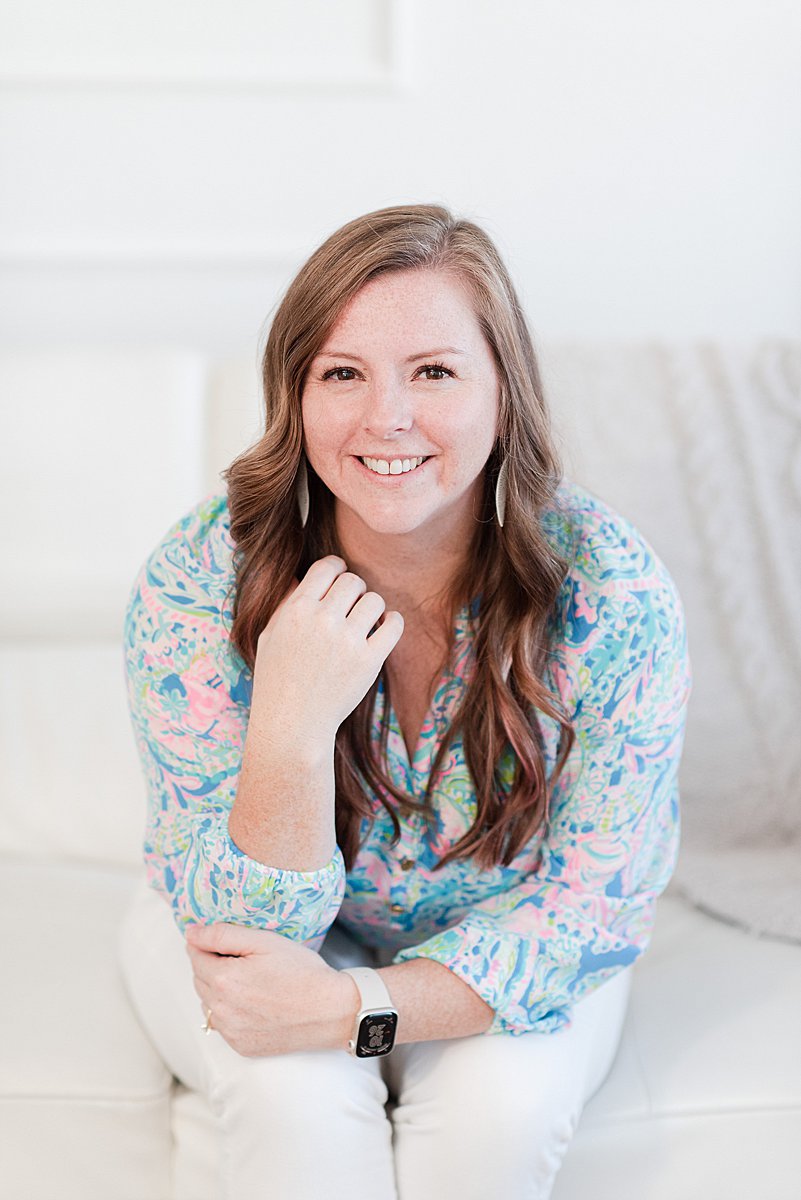
I’m Melissa Arlena, founder of Picture Perfect Rankings, where we help portrait photographers get found on Google and transform from invisible experts into market leaders. With 18+ years of photography experience and an IT background, I’ve helped hundreds of photographers break free from feast-or-famine cycles by achieving page 1 rankings that attract their dream clients through search. Learn more about Melissa.

Leave a Reply


I'm Melissa Arlena(my friends call me Mel) and I help photographers get found on Google.
Read more about me

I'm so glad you're here
Hello!
© 2023-2026 Picture Perfect Rankings : SEO services for photographers. all rights reserved. privacy policy.