


EP 22: Blog Categories & Tags

How you organize your blog can make a world of difference in how you use your website to help clients. We organize all our posts with tags & categories.
Its not a sexy topic but it can make a big impact in serving your clients well.
Rate & review us right now! Pretty please 🙂
Want to apply for Mini Mentoring?! Dm Alison @keep.it.moving.podcast
Moving? Plan it out with Alison’s Move Your Business Checklist
Blog Post Topics to get those ideas flowing from Melissa.
Transcript:
00:00:00 [Alison]
I can go search on my site using the search bar, and then I send them the results page from that.
00:00:04 [Alison]
And I’m like, sure.
00:00:05 [Alison]
Here they all are.
00:00:08 [Alison]
Hey, I’m Allison, military spouse and family photographer.
00:00:11 [Melissa]
And I’m Melissa, also a military spouse, lifestyle newborn photographer, and SEO expert for photographers.
00:00:17 [Melissa]
Between the two of us, we have a combined twenty seven years in photography and nine business relocations.
00:00:23 [Alison]
We’ve coached each other through all these challenges privately on Marco Polo, and now we’re bringing our polos public.
00:00:28 [Alison]
On this podcast, we’ll give you actionable steps to help you keep it moving.
00:00:35 [Alison]
Alright.
00:00:36 [Alison]
Hey, guys.
00:00:36 [Alison]
Welcome back to the Keep It Moving podcast, where we are helping you relaunch and restart your business faster.
00:00:43 [Alison]
So last episode, we were talking about getting a part time job just to stabilize that income because we are here for the money.
00:00:50 [Alison]
Sometimes it happens.
00:00:51 [Alison]
And there’s no shame.
00:00:52 [Alison]
So if you’re interested in how you can be using these entrepreneurial skills to just keep money flowing, go check out that episode.
00:01:00 [Alison]
And whatever app you’re in, Apple, Spotify, Google has podcasts, go in and please, please, please, give us some stars.
00:01:06 [Alison]
Five would be great.
00:01:08 [Alison]
And if you wanna take some time to leave us some feedback on what you like about the show, what you wanna see, we would love to have a review as well.
00:01:14 [Alison]
And also, you can hit the show notes, direct message on Instagram, either Melissa or myself, and we would love to hear if there’s something in particular you’re concerned about, have questions about.
00:01:24 [Alison]
That’s really the only way we get any feedback.
00:01:25 [Alison]
So if you like this, if you want more, if you need something different, please let us know.
00:01:31 [Alison]
We’re here for it.
00:01:31 [Melissa]
Alright.
00:01:32 [Melissa]
Today, guys, we are talking about tags and categories in your WordPress blog, or in whatever your platform is.
00:01:38 [Melissa]
Squarespace has its own blog, that kind of thing.
00:01:40 [Melissa]
But we’re gonna try and break it down so you guys understand it, make it easy for you.
00:01:43 [Melissa]
So the way we use categories, I always recommend people create category for all of your genres.
00:01:48 [Melissa]
So if you’re a newborn, maternity, family, milestones, children.
00:01:53 [Melissa]
Allison, you’ve got a couple other ones.
00:01:54 [Melissa]
What do you have?
00:01:55 [Alison]
Military, branding, in home stuff.
00:01:59 [Alison]
And then I have one that’s pretty particular to moving your business as well is your location.
00:02:06 [Melissa]
Hey, fellow photographers.
00:02:07 [Melissa]
Melissa Arlena here.
00:02:08 [Melissa]
Does SEO feel super overwhelming to you?
00:02:11 [Melissa]
I get it.
00:02:11 [Melissa]
But guess what?
00:02:12 [Melissa]
SEO doesn’t have to be complicated.
00:02:14 [Melissa]
I’ve spent fifteen years in photography and ten years in IT before that, cracking the SEO code so that you don’t have to.
00:02:21 [Melissa]
Whether you’re eager to learn or you just want somebody to take care of it for you, I’ve got your back.
00:02:26 [Melissa]
With my s c and done for you services, you’ll get noticed online, attract more of your ideal clients, and keep doing what you love most, photography.
00:02:35 [Melissa]
Ready to boost your website’s visibility without the headache?
00:02:38 [Melissa]
Visit pictureperfectrankings.com, and let’s make SEO simple and effective for you.
00:02:43 [Melissa]
Let’s get your calendar booked.
00:02:45 [Alison]
I have a category for Virginia Beach, and I have a category for Okinawa, and I have a category for Hawaii because even though they’re all beaches, they look completely different.
00:02:54 [Alison]
They look totally different.
00:02:55 [Alison]
And so I didn’t want Virginia Beach to come up in my stuff for when I’m targeting folks traveling to Hawaii because that’s just confusing.
00:03:02 [Melissa]
And, like, for me, when I went down to South Florida, I had all these family field sessions.
00:03:08 [Melissa]
And, people were like, where is that?
00:03:10 [Melissa]
And so I like Allison’s idea.
00:03:11 [Melissa]
I didn’t do it because I didn’t think about it at the time, but I wish I had done a category for Virginia family sessions.
00:03:17 [Melissa]
And then now I kinda need a category.
00:03:19
I was on my family page the other day, and I’m
00:03:20 [Melissa]
like, well, there’s too many beach photos on this thing still, but I need to have a category for, like, South Florida family sessions.
00:03:27 [Melissa]
And then that way, you can just kinda separate them out.
00:03:29 [Melissa]
So that way, I wouldn’t still be showing South Florida or at least, you know, I would be saying, hey.
00:03:34 [Melissa]
These are South Florida.
00:03:35 [Melissa]
These aren’t Virginia.
00:03:36 [Alison]
You know, I’m just thinking about this.
00:03:37 [Alison]
It’s tags and categories are pretty easily changed.
00:03:40 [Alison]
Quick edit in WordPress, aren’t they?
00:03:42 [Alison]
So at least if you’re running WordPress, you can go back, create a category, and reorganize your blog posts.
00:03:47 [Alison]
Probably a little tedious, not as tedious as it might sound, but you could totally do that after the fact.
00:03:53 [Melissa]
Yeah.
00:03:53 [Melissa]
And then, like, category wise, I was just thinking, I also have, like, nursery designs and interior design products, you know, things like that.
00:04:00 [Melissa]
And the reason you guys wanna create categories is you want to be able to share more than one blog post at a time.
00:04:07 [Melissa]
So, like, if I’ve got a products category and I’ve got a post on an album and a post on a frame, post on a, you know, a box, a linen box and stuff, I could, at that point, actually send my client a link to the category of products, and then they can see all of the blog posts.
00:04:21 [Melissa]
Or my favorite is I could display just my product blog posts on my website somewhere.
00:04:28 [Melissa]
My home page gets everything.
00:04:29 [Melissa]
All the latest posts go straight to my home page.
00:04:31 [Melissa]
My newborn page, though, I could either select certain blog posts that I wanna show.
00:04:35 [Melissa]
I could just show my newborn blog post, which is usually what I do, is that on those pages, it’s very specific to newborns as newborns, a family as family on the different ones.
00:04:44 [Alison]
Yeah.
00:04:44 [Alison]
I got something similar but very different.
00:04:47 [Alison]
I have a traveling to Hawaii page.
00:04:49 [Alison]
So I do a lot you know, when we moved here, I knew nothing about Hawaii.
00:04:52 [Alison]
I was traveling here with four children.
00:04:54 [Alison]
And so I try to be as helpful as possible to clients that are inbound whether or not they hire me.
00:04:58 [Alison]
It’s part of my blogging and content research to blog travel tips.
00:05:02 [Alison]
Go to Pearl Harbor, where to snorkel, where the best places to boogie board, where you shouldn’t go, things like that.
00:05:07 [Alison]
And so I have a whole page dedicated to all those blog posts, and it’s only a Hawaii travel category, and it’s a category page.
00:05:14
Yeah.
00:05:14 [Alison]
So I direct everybody.
00:05:16 [Melissa]
So you guys like, your task for today is to sit down and create a category for each of your genres and then create categories for some of these other things we’ve talked about.
00:05:25 [Melissa]
I’ve had a personal category before because maybe at some point, I wanna exclude, you know, those posts or something.
00:05:31 [Melissa]
Like, maybe I don’t want them to be anymore.
00:05:33 [Melissa]
But I wanna still have them, you know, where I can see them.
00:05:36 [Melissa]
So go ahead and set up categories for that kind of stuff.
00:05:38 [Melissa]
Like Allison said, you can always edit the category name later if you’re like, oh, that was the wrong category.
00:05:43 [Melissa]
You can always Change plugs.
00:05:44 [Melissa]
Yes.
00:05:44 [Melissa]
You can always move things around, like categories for something.
00:05:47 [Melissa]
But I really like to at that point, if I have a newborn session, it’s going into newborn.
00:05:51 [Melissa]
If it’s maternity, join the category of maternity.
00:05:54 [Melissa]
And then really too, with tips and advice, that’s another great one that we were talking about of like all of your posts, all of your tips and advice posts in one place to send to clients even.
00:06:04 [Melissa]
Like, hey, I’ve written a million tips and advice posts.
00:06:07 [Melissa]
This is where you can find all of them.
00:06:08 [Melissa]
Like, obviously, I Where?
00:06:11 [Melissa]
Yeah.
00:06:11 [Melissa]
I would say don’t just send somebody a category with 20 blog posts in it.
00:06:15 [Melissa]
Like, don’t make them do the work.
00:06:16 [Melissa]
Like, send them the direct ones.
00:06:17 [Melissa]
But you have a link, though.
00:06:18 [Melissa]
You send them three, and then you say, hey.
00:06:20 [Melissa]
Here’s three that I think are gonna help with your questions about booking a session.
00:06:24 [Melissa]
But I also if you check this link, you’ll see I have dozens of others, and you might, you know, find it there.
00:06:29 [Alison]
Or you can go another step and create a whole client dashboard, which is a private page, and it’s a link to blog posts that are gonna help them in a systematic order.
00:06:37 [Melissa]
Yeah.
00:06:37 [Melissa]
You could even create, like, like an FAQ.
00:06:41 [Melissa]
Like, at the bottom of your page, it’s just those FAQ, like, blog posts and stuff.
00:06:45 [Melissa]
There’s a lot you can do with organizing those categories.
00:06:48 [Melissa]
Now so you’ve got your category, but another thing we’re talking about here, and that’s tags.
00:06:52 [Melissa]
And so I know a lot of people are like, well, what’s the difference?
00:06:56 [Melissa]
To me, a category organizes everything, you know, nicely into, like, big buckets.
00:07:01 [Melissa]
But then I’m gonna use tags because maybe, like, my big bucket is tips and advice, but I have tips on newborn sessions.
00:07:09 [Melissa]
I have tips on maternity.
00:07:10 [Melissa]
I have tips on family.
00:07:11 [Melissa]
So then I may create tags that are maternity tips, newborn tips.
00:07:15 [Melissa]
Because let’s say I just I do this.
00:07:17 [Melissa]
I have a section on my blog that is just, like, tips and advice, maternity tips on that page, or I just have newborn tips on that page.
00:07:24 [Melissa]
You may also want to tag, locations.
00:07:27 [Melissa]
And I don’t mean stuffing your keyword into your tags, y’all.
00:07:32 [Melissa]
If you are doing that, please stop.
00:07:34 [Melissa]
That does not work.
00:07:34 [Melissa]
Mhmm.
00:07:35 [Melissa]
And in fact, Google doesn’t even look at tags for that kind of stuff.
00:07:38 [Alison]
It’s strictly your website organization we’re talking about.
00:07:41 [Melissa]
This is this is for you.
00:07:42 [Melissa]
This is not for Google.
00:07:43 [Melissa]
This is just to make things easier for you.
00:07:45 [Melissa]
So do not be putting your keyword or listing every city location around you in your tags.
00:07:50 [Melissa]
Locations you can do are like, Allison, you have beaches you work at.
00:07:53 [Alison]
Right?
00:07:53 [Alison]
Specific beaches or, like, I’ll put beach Hawaii beach or mountains if I’m at a mountain location.
00:07:59 [Alison]
So that if I wanna go back and search, like, somebody wants, oh, where are all the mountains you shoot at?
00:08:04 [Alison]
Where are all your sessions?
00:08:04 [Alison]
Can I see your sessions at x location?
00:08:06 [Alison]
I can go search on my site using the search bar, and then I send them the results page from that.
00:08:11 [Alison]
And I’m like, sure.
00:08:12 [Alison]
Here they all are.
00:08:13 [Melissa]
Yeah.
00:08:13 [Melissa]
And in fact, I just had a client who is booking a maternity session, and they wanna have a garden that you know, that’s where they wanna go to a garden.
00:08:19 [Melissa]
And I’m thinking now, like, I actually need to go back and tag the blog post that I sent her with garden because Okay.
00:08:24 [Melissa]
With grabbing, like, the URL and just dumping that over because it’s exactly what she’s asking for.
00:08:29 [Melissa]
She’s asking, what are the garden locations for that area?
00:08:31 [Melissa]
And I can be like, here they are.
00:08:32 [Melissa]
Here’s the sessions I’ve shot there.
00:08:34 [Alison]
Hey.
00:08:35 [Alison]
Yes.
00:08:36 [Alison]
I’m talking to you.
00:08:37 [Alison]
How are you feeling about this move?
00:08:39 [Alison]
It’s a lot to process, but I’ve got something for you.
00:08:42 [Alison]
I want you to grab my pre move checklist to make things a little easier.
00:08:46 [Alison]
Even if you’re not sure where you’re going yet, it’s not too early to start.
00:08:50 [Alison]
But you could be losing time on that SEO juice if you dilly dally.
00:08:53 [Alison]
So head over to alisonbell.co, that’s alisonwith1l, bell.co, to get your pre move checklist.
00:09:00 [Alison]
You got this.
00:09:01 [Melissa]
So tags wise, I would recommend you could do indoor, lifestyle, post, beach.
00:09:08 [Melissa]
We already covered, like, locations you shoot at, the tips and advice, but it needs to be, like, maternity tips, newborn tips.
00:09:13 [Melissa]
What to wear.
00:09:14 [Alison]
It’s how to prep your toddler.
00:09:15 [Alison]
What not to do.
00:09:16 [Alison]
How to ruin your session.
00:09:18 [Melissa]
Like Anytime, I think, for a tag that you are planning to write more than one post about that.
00:09:24 [Melissa]
Yeah.
00:09:24 [Melissa]
So if you’re only gonna write one post, then you don’t need to create a bunch of tags for it.
00:09:28 [Melissa]
But if you’re like, okay.
00:09:29 [Melissa]
I’m gonna do a series on something that maybe it’s a series of tips, but this is a subset of it Yeah.
00:09:34 [Melissa]
Then it would have a tag.
00:09:36 [Alison]
That’s a great way to think of the tag, like, that subset of a category.
00:09:39 [Alison]
So another way, like, especially if you’re a military affiliated and you’re shooting military ceremonies, I do a ton of ceremonies.
00:09:45 [Alison]
My category is military ceremonies, but I will tag the type of ceremony that it is, whether it’s a pinning, a change of command, or what’s different branches?
00:09:53 [Alison]
I’ll tag the branches because they owe retirements because they all all the services have different ways they retire.
00:09:58 [Alison]
I’ll tag the location whether they did it on, you know, Marine Corps Base Hawaii or whether they did it on the Missouri or whether this was in Norfolk at, you know, or the War Memorial in DC.
00:10:07 [Alison]
Yeah.
00:10:07 [Alison]
And so the big category is three, but, like, I might have a navy client who wants to know how I did, you know, navy retirements instead of marine corps.
00:10:16 [Alison]
Like, that’s a perfect example.
00:10:18 [Melissa]
Yeah.
00:10:19 [Melissa]
So again, like, these are easy ways that you can use your categories and tags without making it overwhelming and really just making it so it organizes.
00:10:25 [Melissa]
I mean, even right now, like, I have if you all saw my Loom library of, like, screen record videos, it is out of control.
00:10:32 [Melissa]
And the other day, I was recording stuff for the blogging club, and I was like, like, I’ve gotta have a way to easily come and find these posts.
00:10:38 [Melissa]
And I saw a little thing where they said you could tag it.
00:10:40 [Melissa]
And I was
00:10:41 [Alison]
like, boop tee.
00:10:42 [Melissa]
There we go.
00:10:42 [Melissa]
Boom.
00:10:42 [Alison]
And sure Same concept, y’all.
00:10:44 [Alison]
Yep.
00:10:44 [Alison]
Same concept.
00:10:44 [Melissa]
This morning, I was like, oh, where was that video?
00:10:46 [Melissa]
And so I went into my Loom.
00:10:48 [Melissa]
I typed in my little tag, and it came up with the three videos I tagged for it.
00:10:51 [Alison]
And I was like, thank you, Lord.
00:10:52 [Melissa]
So That’s awesome.
00:10:53 [Melissa]
You know?
00:10:53 [Melissa]
Yeah.
00:10:53 [Melissa]
But it can make it easy for you guys to even find stuff too.
00:10:56 [Melissa]
Like, if you can find that tag and then just a little side note, you have a search a little search box on your website.
00:11:01 [Melissa]
Right?
00:11:02 [Alison]
Yeah.
00:11:02 [Alison]
I was just about to say, if y’all don’t have a search box on your website, like Figure it out.
00:11:06 [Alison]
Figure it out now because I use that thing ad Oh my god.
00:11:10 [Melissa]
So many times.
00:11:11 [Melissa]
So
00:11:12 [Alison]
it’s for me.
00:11:14 [Alison]
I don’t expect anybody to ever use it.
00:11:16 [Alison]
If they do, cool.
00:11:17 [Alison]
But I use it because I get inquiries, I get questions, and I go to my website and I do my little typing and then I send them I usually send them all because they’re asking for, hey, where are all your images from Sandbridge?
00:11:27 [Alison]
You know, but when I was back in Virginia Beach or most people here in Hawaii are like, just send us a beach.
00:11:32 [Alison]
And I’m like, cool.
00:11:33 [Melissa]
Right.
00:11:34 [Melissa]
Yeah.
00:11:34 [Melissa]
Like No.
00:11:35 [Melissa]
But I’m telling you, I love that.
00:11:36 [Melissa]
I use my I think I even paid a guy at one point several years ago to create a search bar for me, like, way back in the day because I was like, eat it.
00:11:44 [Melissa]
Like, I want a better way.
00:11:45 [Melissa]
Like, this was gonna save me so much time.
00:11:48 [Melissa]
And I think I even put it, like, really high up on my blog page at that time because I was like, I want it to be convenient for me.
00:11:54 [Melissa]
I don’t wanna have to go find my
00:11:55 [Alison]
search bar.
00:11:56 [Alison]
I did the same thing with Kristen, my marketing girl.
00:11:57 [Alison]
When she revamped my website, I was like, oh, oh, no.
00:11:59 [Alison]
I need a search bar.
00:12:01 [Alison]
Like, please.
00:12:01 [Alison]
Now on all these pages.
00:12:02 [Alison]
Oh, not just on the single post page.
00:12:04 [Alison]
Not just on the blog.
00:12:05 [Alison]
I need it on the search results page.
00:12:06 [Alison]
I need it on, like Yeah.
00:12:07 [Alison]
All of them.
00:12:08 [Alison]
Please.
00:12:08 [Melissa]
Thank you.
00:12:09 [Melissa]
Exactly.
00:12:09 [Melissa]
So that’s our tip adding to it, guys, is, like, go ahead and, make sure you’ve got a little search bar and use that thing.
00:12:15 [Melissa]
Easiest way, somebody says, hey, I wanna see garden.
00:12:17 [Melissa]
You just pop over to your blog, you type in garden,
00:12:20 [Alison]
and then you get all the blog posts that are coming up that have gardens and stuff.
00:12:23 [Alison]
Or newborn or maternity or whatever you might be wanting to share.
00:12:27 [Melissa]
Yeah.
00:12:28 [Melissa]
So I think that wraps up what we’ve got for tags and categories for you guys.
00:12:32 [Melissa]
We try to make it a short and sweet episode, but to give you,
00:12:34 [Alison]
Oh, last tip.
00:12:35 [Alison]
Link them all together.
00:12:37 [Alison]
Just link them all together.
00:12:38 [Alison]
You need to be linking internally, create that internal web of, of links as you’re going through.
00:12:42 [Alison]
Use those links, share them.
00:12:45 [Alison]
Yeah.
00:12:45 [Alison]
That’s all you gotta do.
00:12:46 [Melissa]
Yeah.
00:12:47 [Melissa]
Alright.
00:12:47 [Melissa]
Cool.
00:12:47 [Melissa]
Well, thanks for tuning in.
00:12:48 [Melissa]
You guys check out the show notes for downloads.
00:12:51 [Melissa]
Allison’s got her pre move checklist.
00:12:53 [Melissa]
I’ve got the blogging club that’s out there.
00:12:54 [Melissa]
Plus I’ve got a little freebie for some blog post topics to get you started.
00:12:58 [Melissa]
And you can probably think about categories and tags in there, and you can find everything on there.
00:13:02 [Melissa]
And we’ll Yeah.
00:13:03 [Melissa]
See you guys next week.
00:13:04 [Alison]
Alright.
00:13:05 [Alison]
See you.
00:13:08 [Melissa]
Thank you so much for listening.
00:13:09 [Melissa]
If you’re enjoying this show, would you do two things for us?
00:13:12 [Melissa]
First, leave a review.
00:13:13 [Melissa]
Just stars would be awesome.
00:13:15 [Melissa]
And two, forward this episode to a biz bestie mill spouse, or is it moving their business?
00:13:19 [Melissa]
We’d love it if you shared this episode with even just one person.
00:13:22 [Melissa]
If you have any questions, reach out to Allison on Instagram at alison belle photog or Melissa in her Facebook group, Raise Your Ranking.
00:13:29 [Melissa]
Check the show notes for links.
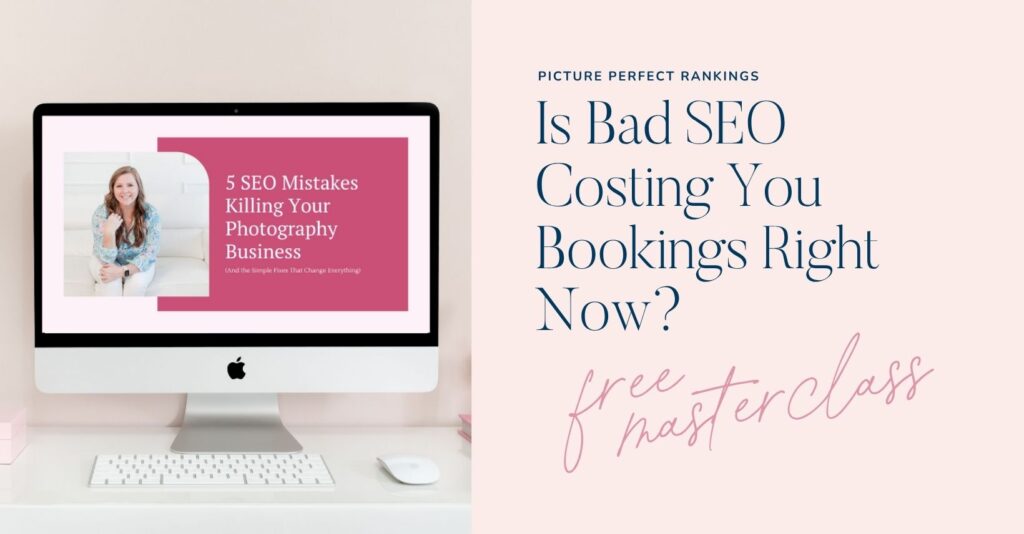
Tired of being invisible on Google? Learn the 5 SEO mistakes keeping photographers from getting found (and how to fix them) in Melissa’s free masterclass: 5 SEO Mistakes Killing Your Photography Business Masterclass
Thinking about a pivot or transition in your photography business? Book a free 15 minute discovery call with Alison to talk through your next move.
Ready to streamline your content? Melissa’s got you covered with her 35+ Blog Post Topics freebie—grab them here: https://35topics.com
Looking for your next clients? Grab Alison’s list of 39 FREE ways to get more bookings—no ads required: 39 Ways to Get New Clients – Alison Bell
Links:
- Leave a review in Apple or on Spotify
- 5 SEO Mistakes Killing Your Photography Business Webinar
- Download 39 FREE Ways to Get More Clients
- Get Melissa’s Free Blog Post Topics
- Find Alison on IG @getbookedpodcast
- Find Melissa on IG @pictureperfectrankings
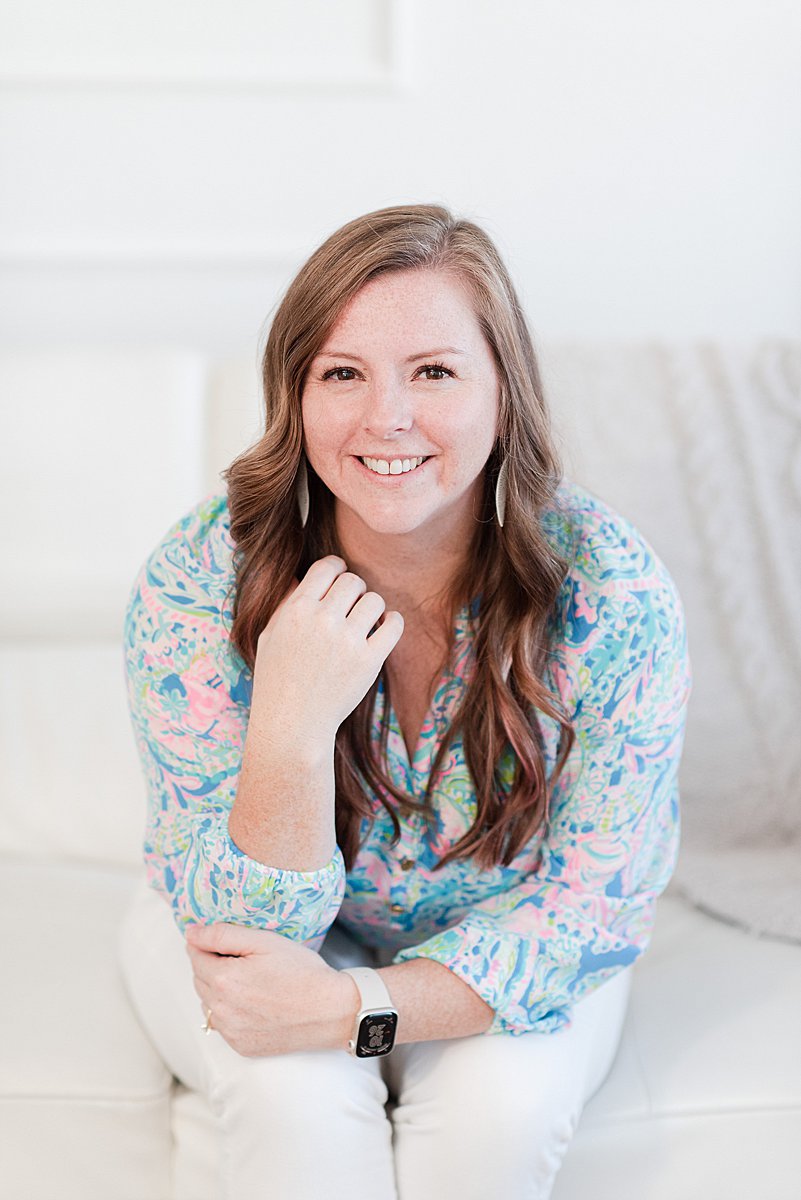
I’m Melissa Arlena, founder of Picture Perfect Rankings, where we help portrait photographers get found on Google and transform from invisible experts into market leaders. With 18+ years of photography experience and an IT background, I’ve helped hundreds of photographers break free from feast-or-famine cycles by achieving page 1 rankings that attract their dream clients through search. Learn more about Melissa.

Leave a Reply


I'm Melissa Arlena(my friends call me Mel) and I help photographers get found on Google.
Read more about me

I'm so glad you're here
Hello!
© 2023-2026 Picture Perfect Rankings : SEO services for photographers. all rights reserved. privacy policy.