


EP 41: Top 5 Most Common Website Mistakes
Are you making these mistakes right now?!
There are so many seemingly insignificant details that could be hurting your SEO performance right this minute. From missing alt text to huge user experience flaws…or just not using your website appropriately!
We’ve surveyed dozens and dozens of websites between the two of us and we’re sharing the top 5 most common website mistakes right now.
Resources:
- Showit – https://account.showit.com/r/ppr
- JpegMini – https://jpegmini.com/
- Sugar Studios – https://melissaarlenaphotography–sugarstudios.thrivecart.com/showit-template-mackenzie-isla/
- Tonic Site Shop – https://tonicsiteshop.com/?ref=pictureperfectrankings
- 35 Blog Post Topics for Photographers – https://pictureperfectrankings.com/35-blog-post-ideas
- The Blogging Club – https://thebloggingclub.com Use code TBCTRIAL for 50% off your first month in the club!
Transcript:
00:00:00 [Melissa]
You’ve got to be blogging for your future clients, not your past clients.
00:00:03 [Melissa]
As much as your past clients, you know, we love them.
00:00:06 [Melissa]
They’ve already hired you, and we need more clients to hire you.
00:00:09 [Melissa]
Yeah.
00:00:10 [Melissa]
That’s the
00:00:10 [Alison]
part of getting more clients is getting seen in front of people.
00:00:12 [Alison]
If you’re not gonna do it right, you’re you’re really wasting your time.
00:00:15 [Alison]
Hey, I’m Allison, military spouse and family photographer.
00:00:17 [Melissa]
Hey, I’m Melissa, also a military spouse, lifestyle newborn, and SEO expert for photographers.
00:00:22 [Melissa]
Between the two of us, we have a combined twenty seven years in photography and have lived through nine business relocations.
00:00:28 [Alison]
We’ve coached each other through all these challenges, and now we want to share our experience with you.
00:00:32 [Alison]
On this podcast, we’ll give you actionable steps to help you keep it moving.
00:00:37 [Alison]
Alright.
00:00:38 [Alison]
Welcome back, guys.
00:00:38 [Alison]
Today, we are talking our common SEO mistakes for websites.
00:00:42 [Alison]
But before we get to that, we wanna get back to our tool time.
00:00:45 [Alison]
So this is our segment where we’re telling you about our favorite tools that we use in our own businesses.
00:00:49 [Alison]
A lot of these we’ve used for a really long time.
00:00:51 [Alison]
And today, we’re Showit.
00:00:52 [Alison]
This is gonna tie in beautifully with our website.
00:00:55 [Alison]
So Showit is a website platform and hosting in one.
00:01:00 [Alison]
Melissa started with these guys first, and she called me out on my website a long time ago before I ever switched to Showit.
00:01:06 [Alison]
So just a little fun backstory.
00:01:08 [Alison]
When I switched from flow themes to Showit, gosh.
00:01:12 [Alison]
Was it, like, fall twenty twenty three?
00:01:14 [Alison]
Full six months later.
00:01:15 [Alison]
My marketing girl was like, Allison, your website traffic has tripled for organic keywords, like tripled.
00:01:21 [Alison]
And she wasn’t even quite sure, like, at every time.
00:01:24 [Alison]
Like, what did you do?
00:01:25 [Alison]
That, Like, I was already blogging.
00:01:27 [Alison]
I was already doing the keyword research.
00:01:29 [Alison]
I was already doing the alt text and the headers and blah, blah, blah.
00:01:31 [Alison]
Structure had already been in place for years before I switched to show it.
00:01:36 [Alison]
And she was like, it’s just a quality website.
00:01:39 [Alison]
That was her that was her expert opinion.
00:01:42 [Alison]
So yeah.
00:01:43 [Alison]
So that that’s my experience.
00:01:44 [Alison]
I it’s still working.
00:01:45 [Alison]
It’s beautiful.
00:01:46 [Alison]
Melissa, what do you you turned me on to show it first.
00:01:49 [Alison]
So
00:01:50 [Melissa]
Yeah.
00:01:50 [Melissa]
For my I mean, just a disclaimer.
00:01:52 [Melissa]
For my photography site, I use Profoto, and I’ve been with them for fifteen years now.
00:01:56 [Melissa]
And I’m just I don’t I have great SEO, and I don’t wanna ruin anything.
00:01:59 [Melissa]
So, like, I’m not leaving.
00:02:00 [Melissa]
Understood.
00:02:02 [Melissa]
Understood.
00:02:02 [Melissa]
But for our marketing agency, I was like, we are working with Showit clients all the time.
00:02:07 [Melissa]
And so, you know, it’s kind of one of those things, like, the best way to learn it is to have it yourself.
00:02:10 [Melissa]
So we set up our website through Showit, and I love it so much.
00:02:14 [Melissa]
I’ve actually we’ve had a few clients that have come from, like, you know, that come to us to work on their site for, like, Squarespace or, like you said, like, you know, old flow themes and they’re transitioning over.
00:02:23 [Melissa]
And it’s gotten to the point where I’ve kinda thought about only doing Showit for SEO because it’s so much easier.
00:02:30 [Melissa]
And there’s so much control that you have over everything that you don’t necessarily have with some of the other platforms, and it can be really frustrating for me.
00:02:38 [Melissa]
I love it.
00:02:38 [Melissa]
You know, it’s been around forever.
00:02:40 [Alison]
It’s been around a really long time.
00:02:41 [Alison]
I heard other photographers talking about it for a really long time.
00:02:44 [Alison]
They started as a photography website platform, but of course, anybody can use it for whatever they want.
00:02:49 [Alison]
But what we love about it first of all, I love that I don’t have to figure out the hosting.
00:02:52 [Alison]
Like, I can’t tell you how many GoDaddy, Bluehost, SiteGround, like, done.
00:02:57 [Alison]
I’m not I’m not dealing with that anymore.
00:02:58 [Alison]
Like, I don’t care.
00:02:59 [Alison]
I don’t care about my server speed.
00:03:00 [Alison]
I don’t wanna know about it.
00:03:01 [Alison]
I don’t wanna have to have another bill.
00:03:03 [Alison]
Like, it’s all included.
00:03:04 [Alison]
To me,
00:03:04 [Melissa]
it’s the billing thing and the fact that I was always running out of space on my hosting, and they kept you need a bigger package, you need a bigger package.
00:03:11 [Melissa]
So Profoto also went the way of Showit where they now include hosting.
00:03:14 [Melissa]
But it like, it’s so much easier not have to worry about having that extra bill and, like, did I get it paid?
00:03:19 [Melissa]
Am I running out of space?
00:03:20 [Melissa]
Is my website gonna go down?
00:03:22 [Melissa]
Like Yeah.
00:03:22 [Melissa]
Do I need to contact my hosting company, or do I need to contact my website company?
00:03:26 [Melissa]
Like, I don’t know which one.
00:03:27 [Melissa]
So it’s definitely nice to have it all in one place.
00:03:29 [Alison]
Yeah.
00:03:30 [Alison]
It’s all there.
00:03:31 [Alison]
It’s fully customizable design.
00:03:33 [Alison]
Now I will tell you, it is a bit like learning a new language because it’s very much like a Canva for websites, but there’s a whole lines that you can do, like, about the backgrounds and the structure, the canvas, the site canvas, the site view canvas views, all these there’s a bit of a language to learn with it.
00:03:49 [Alison]
But once you get that down, it’s fantastic.
00:03:52 [Alison]
And support will tell you everything.
00:03:53 [Alison]
Their support documents are really great.
00:03:55 [Alison]
They’ve got videos to help you walk you through some of the some of those complex intricacies.
00:03:59 [Alison]
So it’s really easy to navigate, but then there’s templates.
00:04:03 [Melissa]
That was gonna say that would be my thing.
00:04:04 [Melissa]
I would say don’t let it get overwhelming for you.
00:04:07 [Melissa]
Anytime I’ve had to learn, like, a new website platform because even Pro Photos had, like, four or five different versions a bunch of times.
00:04:13 [Melissa]
Like, I find that get a template because then that template is gonna teach you how you can make those changes and adjustments.
00:04:19 [Melissa]
Not to mention, you already got a good starting point, so you don’t have to worry about it.
00:04:23 [Alison]
Yeah.
00:04:23 [Alison]
I would never start from scratch unless I there was one thing I just couldn’t find and it was a canvas.
00:04:27 [Alison]
But I’ve gotten a single page template for, like, $47 on Etsy.
00:04:32 [Alison]
Like, it’s Yeah.
00:04:33 [Alison]
Incredibly reasonably priced.
00:04:34 [Alison]
And it’s you can’t even like, I couldn’t create what she had created, but then the time you save, like, it’s just it and it is a really good way to learn the options and the different approaches to the design and the functionality by just paying somebody to to use what they’ve already created.
00:04:50 [Melissa]
And that’s the thing.
00:04:51 [Melissa]
So you’re gonna find a variety of pricing and stuff on these templates and just, and on what you’re getting.
00:04:56 [Melissa]
So, my template that I got, it was, like, a $150.
00:05:00 [Melissa]
And in fact, I have gone back with her several times and told her, like, hey.
00:05:04 [Melissa]
It’d be really awesome if you had a podcast page.
00:05:06 [Melissa]
It’d be really awesome if you had a quiz template.
00:05:08 [Melissa]
It’d be really awesome if you had a shop page.
00:05:10 [Melissa]
And guess what?
00:05:11 [Melissa]
She goes and creates it as a template, and then I just buy that page because that’s paid.
00:05:15 [Melissa]
I really love that a lot of my clients use tonic templates.
00:05:19 [Melissa]
Tonic templates are much pricier, but they are really high end designs.
00:05:23 [Melissa]
And they are, you know, they do have some SEO capabilities like already baked in on things of just how the page is laid out, where the copy is, you know, what the headers are and stuff like that.
00:05:33 [Melissa]
So there’s a whole range.
00:05:34 [Melissa]
So I definitely recommend tonic.
00:05:36 [Melissa]
We’ll include I have an affiliate link for them where you can save, I think, like 15% or something off of.
00:05:40 [Melissa]
Yeah.
00:05:41 [Melissa]
Yeah.
00:05:41 [Alison]
And same with same with Showit.
00:05:43 [Alison]
If you we’re gonna have a link in the show notes.
00:05:45 [Alison]
I think it’s a free month.
00:05:46 [Alison]
Something.
00:05:47 [Alison]
I’ll write it down.
00:05:47 [Alison]
I’ll double check whatever it is you get.
00:05:49 [Alison]
So check Yeah.
00:05:49 [Melissa]
If you
00:05:50 [Alison]
if you’re on the fence about it, I would at least try it out and get in there and poke around.
00:05:54 [Melissa]
Yeah.
00:05:54 [Melissa]
And I’ll I’ll also include the link for my designer for my marketing site.
00:05:58 [Melissa]
It’s Sugar Studios Designs, but I’ll include a affiliate link for her too.
00:06:01 [Melissa]
Because I do love her templates.
00:06:03 [Melissa]
They’re very affordable, and they’re a great place to get started on things.
00:06:06 [Melissa]
So you may not, you know and your first website, guys, does not have to be, you know, a $5,000 custom design.
00:06:13 [Melissa]
No.
00:06:13 [Melissa]
Please don’t.
00:06:14 [Melissa]
I’ve been in this business for six years.
00:06:16 [Melissa]
Yeah.
00:06:16 [Melissa]
Sixteen years and add at least seven website designs, I think.
00:06:21 [Melissa]
Like, every other year, I would get an itch to get a new website design.
00:06:25 [Melissa]
The current design I have now has lasted the longest, and I think the only reason I didn’t switch it is because I had to set up the one for the marketing agency.
00:06:31 [Melissa]
So it scratched that itch, and I was like, I don’t wanna touch the other one.
00:06:35 [Alison]
Hey, girl.
00:06:36 [Alison]
Yes.
00:06:36 [Alison]
You.
00:06:37 [Alison]
The one stuck in that business quicksand, it’s Allison here.
00:06:40 [Alison]
If you’ve been staring at your pricing, overwhelmed by SEO, social media, and email list, or just feeling like you’re spinning your wheels trying to make things profitable, I’ve got you there.
00:06:50 [Alison]
Right now, I’m offering a $100 off one on one coaching just for my podcast listeners.
00:06:55 [Alison]
Book now and you can schedule your coaching session during any time of December 24 or through February 25.
00:07:01 [Alison]
This is your chance to get personalized direction, and I mean personalized eyeball deep in your business on the things that matter most.
00:07:08 [Alison]
Whether it’s upping your pricing, strategizing a move, or just finding more clients ready to give you all their money and make it rain dollar bills.
00:07:16 [Alison]
Let’s stop feeling stuck.
00:07:17 [Alison]
Get out of your own head.
00:07:18 [Alison]
Start building a business that serves you and your family.
00:07:21 [Alison]
Link the show notes.
00:07:22 [Alison]
Reach out and tell me you want that $100 off, and let’s keep it moving.
00:07:26 [Melissa]
So just get something to get started here because your brand and everything about you is gonna change.
00:07:31 [Melissa]
But the great thing is Showit has so many designs and so many things that you can do that it’s gonna you’ll be able to adapt with it.
00:07:37 [Melissa]
And I know recently they integrated are you using Badao, the pop up stuff?
00:07:42 [Alison]
No.
00:07:43 [Alison]
What?
00:07:45 [Melissa]
So What?
00:07:46 [Melissa]
Yeah.
00:07:46 [Melissa]
It’s like pop ups and banner bars, but they let you do unlike, you know, with Flodesk, when you put your code in, it, like Uh-huh.
00:07:52 [Alison]
It’s
00:07:52 [Melissa]
on every you don’t have a lot of customization.
00:07:54 [Melissa]
Yeah.
00:07:54 [Melissa]
With Badao, you can actually set it up.
00:07:56 [Melissa]
So it’s like, maybe it’s a delayed pop up and all that kind of stuff.
00:07:59 [Melissa]
It’s an extra cost, but I’m I’m playing with that right now on things.
00:08:03 [Melissa]
And so, like, we have our
00:08:04 [Alison]
I just do my own pop ups and banners, scroll banners at site canvases, and I just pick and choose what I want them on.
00:08:10 [Melissa]
Yeah.
00:08:10 [Melissa]
This is more of like a delay like an exit intent pop up is what I like to have, you know, that kind of stuff.
00:08:14 [Melissa]
So, yeah, there’s a lot of integrations with things that you guys can do.
00:08:17 [Alison]
So we both I’m not even really the integrations.
00:08:20 [Alison]
That’s funny.
00:08:20 [Alison]
Okay.
00:08:20 [Alison]
So I was starting to think, like, how many websites have I had?
00:08:22 [Alison]
And I’ve had I had a blog, so I went to Flow themes, and I think I did a couple different things with Flow.
00:08:27 [Alison]
And then so this is my third site.
00:08:28 [Alison]
That’s not bad.
00:08:29 [Alison]
For thirteen years, third site?
00:08:31 [Alison]
I mean, there was a lot of changes in the middle of all that.
00:08:33 [Melissa]
But Well, I was gonna say, and you stayed way too long on your last one.
00:08:36 [Melissa]
So Yes.
00:08:37 [Melissa]
I did.
00:08:38 [Melissa]
Yes.
00:08:38 [Alison]
I did.
00:08:39 [Alison]
Okay.
00:08:39 [Alison]
So all that, we like Showit.
00:08:41 [Alison]
Go click the link and check them out.
00:08:43 [Alison]
So, Melissa, today we’re talking about top SEO mistakes.
00:08:46 [Alison]
I have made every single one of these.
00:08:48 [Alison]
You see these happening all the time.
00:08:50 [Alison]
What’s our number one mistake?
00:08:52 [Melissa]
Yeah.
00:08:52 [Melissa]
So I would say the first mistake is gonna be, you know, not focusing on your local SEO and going too broad with keywords.
00:09:00 [Melissa]
Like, I can’t tell you how many times I just see, like, family photographer, newborn photographer, or That
00:09:05 [Alison]
gets you nothing.
00:09:06 [Melissa]
It’s it’s too broad.
00:09:07 [Melissa]
And then on the flip side, I also see where it gets too narrow, where now it’s, you know, a teeny tiny city that, like, you know, nobody searches for a photographer.
00:09:17 [Melissa]
And then the other part with that, because it kinda all goes into the keywords there of mixing your genres.
00:09:22 [Melissa]
So now it’s like, you know, Charlottesville wedding portrait and newborn photographer.
00:09:26 [Melissa]
Like, that’s too that’s not a keyword.
00:09:28 [Melissa]
That’s a to
00:09:28 [Alison]
ask if you’re doing that,
00:09:29 [Melissa]
stop it.
00:09:30 [Melissa]
Stop the sentence.
00:09:31 [Melissa]
So you really wanna identify your largest city that you serve that’s nearby you, one and then photographer photography.
00:09:39 [Melissa]
Like, start with that and, like, start mapping out.
00:09:42 [Melissa]
And then go and check your traffic, you know?
00:09:43 [Alison]
I got a question.
00:09:44 [Alison]
What if you’re in the country and you’re not traveling to said city and you don’t want traffic from said city?
00:09:50 [Alison]
What That’s fine.
00:09:51 [Melissa]
This has to be a city you serve.
00:09:52 [Melissa]
That’s why I said Okay.
00:09:53 [Melissa]
You know, the largest city that you serve.
00:09:55 [Melissa]
So yeah.
00:09:55 [Melissa]
Like, I don’t I mean, we’re two hours away from DC.
00:09:58 [Melissa]
I’m not serving DC.
00:09:59 [Melissa]
Like, I Yeah.
00:09:59 [Melissa]
So I wouldn’t put that on my website kind of thing.
00:10:01 [Melissa]
Yeah.
00:10:02 [Melissa]
But keep in mind, like, I live out in the sticks, y’all.
00:10:04 [Melissa]
It’s a one stop late town.
00:10:06 [Melissa]
No one’s searching for my city.
00:10:08 [Melissa]
Like, if I put my city keyword, there would be zero searches a month for it at all, like, because there’s nobody out here.
00:10:14 [Melissa]
So keep that in mind.
00:10:15 [Melissa]
If you are like, well, I don’t wanna leave my city.
00:10:17 [Melissa]
Okay.
00:10:18 [Melissa]
Well, you may not have as many clients there.
00:10:20 [Melissa]
Yeah.
00:10:20 [Melissa]
As I tell people, I’m like, I don’t create the data.
00:10:23 [Melissa]
I just present it to you.
00:10:24 [Melissa]
Like, I can’t make there be more searches in your city for a keyword.
00:10:27 [Melissa]
So you have to figure out where are people going?
00:10:30 [Melissa]
What is that nearest city?
00:10:31 [Melissa]
And, you know, you gotta decide too Yeah.
00:10:33 [Melissa]
If you wanna serve it or not.
00:10:34 [Alison]
And on the flip side, the nearest city to me is Honolulu, and I do not shoot in Honolulu.
00:10:39 [Alison]
But it’s close to me, and I’m all the people that are looking for me, a lot of them are staying in Waikiki, Honolulu.
00:10:46 [Alison]
And I want them to contact me.
00:10:47 [Alison]
And then I say, but you need to come out of the city for really good photos.
00:10:51 [Alison]
And I just draw them out.
00:10:52 [Alison]
So but it’s not my primary keyword either.
00:10:54 [Alison]
It’s a, like, a small keyword I don’t use for my main page.
00:10:57 [Melissa]
Exactly.
00:10:58 [Melissa]
Exactly.
00:10:58 [Melissa]
So so that’s mistake number one is just when it comes to the keyword on your homepage, focus on local, focus on areas you serve, and focus on one genre, one city at a time.
00:11:08 [Melissa]
Time per page.
00:11:10 [Melissa]
Exactly.
00:11:11 [Melissa]
We’ll jump into mistake number two really comes down to your images and stuff.
00:11:14 [Melissa]
So for starters, y’all, be a please for the love of God, rename your images.
00:11:19 [Melissa]
I don’t know how
00:11:20 [Alison]
many times What do I rename them to?
00:11:22 [Melissa]
I know.
00:11:22 [Melissa]
I well, here’s the thing.
00:11:23 [Melissa]
I don’t know how many times I see d s c zero zero one dot jpeg as, like, the file name.
00:11:28 [Alison]
And you mean the original file name from the camera is
00:11:30 [Melissa]
not Exactly.
00:11:32 [Melissa]
Exactly.
00:11:32 [Melissa]
Rename your images.
00:11:34 [Melissa]
Ideally, you wanna rename them for whatever the keyword you’re targeting on that page is for.
00:11:39 [Melissa]
So, you know, my homepage is Charlottesville photographer.
00:11:42 [Melissa]
I’m gonna rename my images, you know, still photographer dash Melissa Arlena photography dash zero zero one zero zero two, something like that.
00:11:48 [Melissa]
I do like putting my business name in my file names if I can, even just if it’s Melissa Arlena.
00:11:54 [Melissa]
Because once those photos are out on the Internet, they go into Google Image Search, and I want people to, like, be able to figure out who’s the photographer that took this.
00:12:02 [Melissa]
And if it’s dsc.001 JPEG or whatever, no one’s gonna be able to figure out who took that photo.
00:12:09 [Alison]
And those people aren’t looking at metadata.
00:12:11 [Melissa]
Right.
00:12:11 [Melissa]
Yeah.
00:12:11 [Melissa]
And here’s the thing too.
00:12:13 [Melissa]
Google does look at your files, and I know this because I had a client who was coming up for instead of being newborn, let’s think of another letter that could go in place of the bee.
00:12:25 [Melissa]
Oh.
00:12:26 [Melissa]
Yes.
00:12:26 [Melissa]
That it gets traffic that we don’t want.
00:12:28 [Melissa]
This is like this is I don’t even know.
00:12:30 [Melissa]
Web stuff, people.
00:12:31 [Melissa]
Yeah.
00:12:32 [Melissa]
So she and I were like, why the heck is your website coming up for this?
00:12:37 [Melissa]
And we had to dig and dig and dig, and it turned out she had accidentally just misspelled newborn in, like, one of her sessions when she renamed the files, and it was in two different blog posts.
00:12:46 [Melissa]
Once we got that fixed, she stopped showing up for that keyword.
00:12:49 [Melissa]
But, like, we had to and that’s when I was like, Google does.
00:12:52 [Melissa]
They they are actually scanning your file names also, and you will come up for that.
00:12:56 [Melissa]
So you’ve gotta rename your images.
00:12:58 [Melissa]
At the very least, I get it that, you know, you’re not sure what blog post you’re gonna write for this session when you export the images.
00:13:04 [Melissa]
That’s fine.
00:13:05 [Melissa]
Use the local city or use the client name or use use your business.
00:13:09 [Melissa]
Like, just use something.
00:13:11 [Melissa]
Something that’s not whatever it was that it came out of your camera because you’re just not gonna remember.
00:13:16 [Melissa]
And then also with that is alt make sure that you’re including alt text on your images.
00:13:20 [Melissa]
You’ve got to describe your images.
00:13:22 [Melissa]
So, you know, if it’s a mom nursing a baby yeah.
00:13:25 [Melissa]
Well, so that’s what you gotta do.
00:13:26 [Melissa]
So, you you know, mom’s nursing a baby in a chair, that kind of thing.
00:13:29 [Melissa]
Like, I’m describing the image.
00:13:30 [Melissa]
You know, mom nursing baby at Charlottesville newborn photography session.
00:13:35 [Melissa]
You know?
00:13:36 [Melissa]
So now I’ve worked my keyword in, and I’ve described the image.
00:13:39 [Melissa]
So I call that a win win.
00:13:40 [Melissa]
Not every image you have to work your keyword in, but if you can, you know, that that makes it nice because that’s gonna help too.
00:13:47 [Melissa]
So work on your alt text, especially on your main on your blog post pages.
00:13:51 [Melissa]
You know, focus on that.
00:13:52 [Melissa]
Try to work your keyword in or a variation of your keyword.
00:13:55 [Melissa]
And don’t just copy and paste and put your keyword over and over again.
00:13:58 [Melissa]
I mean, you can get by with that for a little bit.
00:14:00 [Melissa]
Yeah.
00:14:01 [Melissa]
But if you’re just constantly doing that, it’s not it’s not helping you kinda thing.
00:14:05 [Melissa]
So mistake number three is using the same keyword everywhere.
00:14:09 [Melissa]
Now I realize this goes back to, like, 2012 when this is what we all did.
00:14:13 [Melissa]
Like Stuffing.
00:14:15 [Melissa]
Yeah.
00:14:15 [Melissa]
We I mean, I had, you know, 12,000,000 blog posts that were like Fredericksburg wedding photographer, you know, after whatever it was.
00:14:23 [Melissa]
Nowadays, don’t do that.
00:14:24 [Melissa]
Because now when you do that because you used to be able to rank.
00:14:27 [Melissa]
So I could put my keyword on 12 different pages, and I would show up with, like, three pages in the rank.
00:14:32 [Melissa]
Great.
00:14:32 [Melissa]
Because I was like, how many spots can I take on page one for this keyword?
00:14:37 [Melissa]
That was my goal.
00:14:38 [Alison]
And you can’t do that anymore?
00:14:39 [Melissa]
Yeah.
00:14:39 [Melissa]
And Google’s like, no.
00:14:40 [Melissa]
No.
00:14:40 [Melissa]
No.
00:14:41 [Melissa]
No.
00:14:41 [Melissa]
No.
00:14:41 [Melissa]
I’m like, darn it.
00:14:42 [Melissa]
So now you really when you do that, now instead of ranking for multiple spots, instead, all your pages are fighting each other to be
00:14:51 [Alison]
in that spot.
00:14:52 [Melissa]
Yeah.
00:14:52 [Melissa]
And you end up with the wrong page.
00:14:54 [Melissa]
You know, you end up with a page that’s a session that you didn’t love instead of maybe your portfolio page or your home page.
00:14:59 [Melissa]
So you’ve gotta make sure that you are not using the same keyword everywhere.
00:15:03 [Melissa]
Keyword per page is what I tell everybody.
00:15:05 [Melissa]
Yep.
00:15:05 [Melissa]
And after that, it’s, like, it’s dead to you.
00:15:08 [Melissa]
Like, burn that keyword.
00:15:09 [Melissa]
Now you can use the keyword in the text and link back to the original page because that’s the next question I get.
00:15:14 [Melissa]
They’re like, oh my god, I can’t use that text anywhere.
00:15:16 [Melissa]
No.
00:15:16 [Melissa]
I can still say that I’m a Charlottesville photographer in a blog post about Richmond newborn session, but I’m gonna link Charlottesville photographer to my homepage because I’m telling Google that keyword goes on my homepage.
00:15:25 [Alison]
I keep a spreadsheet of the keywords I’ve used for blogs so that I’m not cannibalizing them, and then I link which blog I put it in.
00:15:32 [Alison]
Yeah.
00:15:33 [Melissa]
And that makes it a lot easier for you too of, like, I use this keyword.
00:15:36 [Melissa]
Let me go ahead and grab that link and pop that in there.
00:15:38 [Melissa]
So yeah.
00:15:39 [Melissa]
Well, speaking of blogging, that goes to mistake number four, which is not blogging.
00:15:43 [Alison]
Which Oh, you guys I know it’s pulling teeth, but get over it.
00:15:46 [Alison]
Yeah.
00:15:47 [Melissa]
Or blogging the wrong way, I e, in my opinion, boring session shares.
00:15:51 [Melissa]
You’ve got to be blogging for your future clients, not your past clients.
00:15:55 [Melissa]
As much as your past clients, you know, we love them.
00:15:57 [Melissa]
They’ve already hired you, and we need more clients to hire you.
00:16:01 [Alison]
Yep.
00:16:01 [Alison]
That’s a part of getting more clients is getting seen in front of people.
00:16:04 [Melissa]
And if
00:16:04 [Alison]
you’re not gonna do it right, you’re you’re really wasting your time.
00:16:06 [Alison]
The right way and there’s a wrong way, and you’ve gotta do it right.
00:16:08 [Alison]
And you’ve gotta do it right consistently to make it work for you and to get more clients.
00:16:13 [Melissa]
Hey there, photographers.
00:16:15 [Melissa]
Struggling with what to blog about?
00:16:16 [Melissa]
Tired of staring at that blinky cursor, waiting for inspiration to strike?
00:16:20 [Melissa]
Yeah.
00:16:20 [Melissa]
We’ve all been there.
00:16:21 [Melissa]
That is why I created the blogging club.
00:16:24 [Melissa]
Imagine this.
00:16:25 [Melissa]
Every month, you know exactly what to blog.
00:16:27 [Melissa]
No more guessing games or frantic Googling.
00:16:30 [Melissa]
Each month, I’ll walk you through SEO friendly blog post outlines with examples, teach you the latest SEO and marketing tips in a master class, support you live in a monthly q and a to answer all your blogging questions.
00:16:42 [Melissa]
Plus, we’ve got a community to cheer you on after every post.
00:16:44 [Melissa]
Let’s take the guesswork out of blogging and start driving those dream clients to your site.
00:16:49 [Melissa]
Head to the bloggingclub.com and use code t b c trial to get 50% off your first month and join us today.
00:16:58 [Melissa]
We’ve got several episodes on that.
00:17:00 [Melissa]
So just off top of our head, we’ve listed them out.
00:17:02 [Melissa]
We got episode 15, blogging your way to the top, episode 24, blogging as a local expert, episode 29, evergreen blogging strategies.
00:17:09 [Melissa]
And with that, y’all, I have the blogging club.
00:17:11 [Melissa]
Like, if you don’t have the
00:17:12 [Alison]
blog confused, we both walk you through this.
00:17:17 [Alison]
Yeah.
00:17:17 [Alison]
So reach out to us directly, and we can hold your hand.
00:17:20 [Melissa]
Yeah.
00:17:21 [Melissa]
Or you like I said, you can join the blogging club, and you can get those posts.
00:17:24 [Melissa]
You know, you’ll know exactly what to blog, how to write the post.
00:17:27 [Melissa]
Like, there’s no excuse at this day and age to be like, I don’t know how to blog or I don’t know what to blog.
00:17:32 [Melissa]
There’s tons of resources out there.
00:17:34 [Melissa]
We’ll also include in the show notes my 35 blog topics to get you started so that you can at least get moving with that.
00:17:41 [Melissa]
This is to kind of our, our fifth tip, which is our last and our five here of slow website speeds.
00:17:47 [Alison]
This is a big one.
00:17:49 [Melissa]
And this one’s hard because depending on who your webs website provider is, some of this is out of your control.
00:17:56 [Melissa]
Yep.
00:17:57 [Melissa]
So and this would be the only knock I have on Showit is that I do find that Showit websites have, like, the worst speeds ever.
00:18:04 [Melissa]
Look at just notoriously, their speeds are not great.
00:18:07 [Melissa]
There are plugins out there for WordPress that you can use with other platforms.
00:18:10 [Melissa]
They do not work when I’ve tried them with Showit.
00:18:12 [Melissa]
Plug in that I’ve been testing for a while, it’s just so clunky that it works, but it’s super clunky on on things and stuff.
00:18:19 [Melissa]
So And
00:18:20 [Alison]
you’ve got to be resizing your stuff, guys.
00:18:22 [Alison]
Like, you can’t just you can’t you have to resize your stuff out of Lightroom.
00:18:26 [Alison]
You just have to.
00:18:26 [Alison]
Yeah.
00:18:26 [Alison]
That’s the Create a folder.
00:18:28 [Alison]
Yeah.
00:18:28 [Alison]
Label it.
00:18:29 [Alison]
Put a little a little key in there
00:18:30 [Melissa]
of what it’s if is
00:18:31 [Alison]
this a blog header?
00:18:32 [Alison]
Is this a blog image?
00:18:33 [Alison]
Is this a show it image?
00:18:34 [Alison]
A main page image?
00:18:35 [Alison]
Is it horizontal?
00:18:35 [Alison]
Whatever.
00:18:36 [Alison]
Do whatever system you need to do, but you’ve got to resize them.
00:18:39 [Alison]
You just
00:18:39 [Melissa]
create a
00:18:40 [Alison]
preset on export.
00:18:41 [Melissa]
Yeah.
00:18:42 [Melissa]
I tell people, like, that’s the biggest thing is watch your cell sizes.
00:18:44 [Melissa]
So when you’re blogging, you know, you wanna have, like Allison said, like, create a preset that is gonna let you export for blog size.
00:18:51 [Melissa]
If you are doing something on your main pages, especially, you really wanna look.
00:18:55 [Melissa]
If an image is stretching your entire screen, you’re gonna have to make that one larger so it doesn’t look like crap and get stretched out.
00:19:01 [Melissa]
But then you don’t wanna you don’t wanna cookie cutter it is my point.
00:19:04 [Melissa]
So because on your homepage, you’re gonna have something that stretches the entire screen, and then you’re gonna have stuff that takes up like a quarter of the screen.
00:19:10 [Melissa]
And if you resize them both the same way, you’re either gonna have so many files that are too large or a file is gonna look like crap.
00:19:16 [Melissa]
So you really may have to play around with this depending on your website, but really try to get those file sizes down under a meg at least.
00:19:23 [Melissa]
Like, if you can get it lower than that.
00:19:25 [Melissa]
And I know camera files are getting, like, bigger and bigger.
00:19:29 [Melissa]
Oh, absurd.
00:19:31 [Melissa]
Yeah.
00:19:31 [Melissa]
So Exactly why I
00:19:32 [Alison]
didn’t get the r five.
00:19:33 [Melissa]
Like, I don’t need that.
00:19:34 [Melissa]
You may have to look at, there’s a plug in that I’ve used.
00:19:37 [Melissa]
It it plugs into Lightroom, but it’s also standalone.
00:19:39 [Melissa]
It’s called JPEGmini, which we’ll try try to remember to make a note to put that one in the show notes too.
00:19:44 [Melissa]
But JPEGmini will let you shrink those file sizes down and without losing quality.
00:19:48 [Melissa]
So I can’t tell you when I’ve logged into people’s sites and, you know, I run a speed test and I find out they’ve got three meg, four meg, five meg files on their home page.
00:19:57 [Melissa]
Imagine downloading that on your phone while you’ve got four bars, if you’re lucky of service or three bars.
00:20:02 [Melissa]
People are leaving your site.
00:20:03 [Melissa]
They’re not sticking around.
00:20:04 [Melissa]
Yeah.
00:20:05 [Melissa]
And then the other part with that too when it comes to website speeds that you can control is too too many images above the fold.
00:20:11 [Melissa]
So that first if you’ve got a slideshow and this is I used to get yelled at for this all the time with my old website and stuff, and it was like, stop having so many images.
00:20:21 [Melissa]
Yeah.
00:20:21 [Melissa]
When you have a slideshow that immediately is loading, you really wanna limit that to, like, five images.
00:20:27 [Melissa]
I mean, think about it anyway.
00:20:28 [Melissa]
Do you really gonna sit there at the top of your website and scroll through every image on your 30 image slideshow?
00:20:34 [Melissa]
Probably not.
00:20:35 [Melissa]
You know, they’re gonna scroll, they see the first image, maybe a second image, and then they are swiping down.
00:20:39 [Melissa]
So Three to five’s plenty.
00:20:41 [Melissa]
Yeah.
00:20:42 [Melissa]
So, like, I think I might have I think I have somewhere in that three to five range.
00:20:45 [Melissa]
So keep it keep it low.
00:20:47 [Melissa]
Like I said, I like five.
00:20:48 [Melissa]
Worst case, maybe 10, you know, but I don’t love that.
00:20:53 [Melissa]
Yeah.
00:20:53 [Alison]
Too many.
00:20:53 [Alison]
Keep it running.
00:20:54 [Melissa]
But that’s gonna help because now you’re you’re not having as many resources that are loading at the top of the page to show it some of the, like, bells and whistles of, like, things zooming in and stuff.
00:21:04 [Melissa]
You don’t want that on your above the fold stuff because Yep.
00:21:09 [Melissa]
Animation is it’s gotta load everything, and that’s gonna slow things down.
00:21:13 [Melissa]
So and then I do have a bonus tip.
00:21:15 [Melissa]
And this one, we are all so guilty of, and that is weak or missing calls to action.
00:21:21 [Melissa]
And what I mean is when you highlight contact me and you just make it a hyperlink and you’re like, oh, do you like my photos?
00:21:29 [Melissa]
Maybe you should contact me.
00:21:31 [Melissa]
But you’re, like, whispering it.
00:21:32 [Melissa]
Like, you need buttons.
00:21:33 [Melissa]
You need them large.
00:21:35 [Melissa]
You need them loud.
00:21:36 [Melissa]
You need them colored.
00:21:37 [Melissa]
You need them Everywhere.
00:21:38 [Melissa]
Standout.
00:21:39 [Melissa]
Yes.
00:21:39 [Melissa]
You need to tell people
00:21:40 [Alison]
what to do.
00:21:41 [Alison]
Yeah.
00:21:41 [Alison]
Every section needs some sort of call to action.
00:21:44 [Alison]
And that’s not that’s not necessarily an SEO tip.
00:21:46 [Alison]
That’s a get people to, like, use your site tip.
00:21:49 [Alison]
Like Yes.
00:21:50 [Alison]
Need to get people to not just look at you, but walk in the front door.
00:21:54 [Alison]
Like Yeah.
00:21:54 [Alison]
Come on.
00:21:55 [Alison]
In their house.
00:21:55 [Melissa]
Blog post too.
00:21:56 [Melissa]
Like, that’s a big thing.
00:21:58 [Melissa]
I mean, we talk all the time about, you know, Allison’s blogging for things that are not photography related.
00:22:02 [Melissa]
So am I.
00:22:03 [Melissa]
And it’s very someone who landed on her website looking for kid friendly restaurants to just leave unless she’s like, hey.
00:22:10 [Melissa]
By the way, I’m a family photographer.
00:22:13 [Melissa]
Click this button to learn more
00:22:14 [Alison]
or hear more travel tips if Yes.
00:22:16 [Alison]
I’ll email them to you if you give me your email address from a mom that Google
00:22:20 [Melissa]
won’t tell
00:22:21 [Alison]
you.
00:22:21 [Alison]
Right?
00:22:21 [Alison]
Like, I’m getting people that are traveling to Oahu, looking for places to eat in Kailua, my town, and at the same time saying, oh, by the way, come do this too.
00:22:31 [Alison]
Giving them that call to action.
00:22:33 [Melissa]
Yeah.
00:22:33 [Melissa]
Yes.
00:22:34 [Melissa]
So those were it.
00:22:34 [Alison]
So quick recap, forgetting about your keywords, you’re you’re too broad or too narrow, you’re skipping your alt text and image, not renaming your images, you’re using the same keyword everywhere, you’re not blogging, and slow website speed.
00:22:47 [Alison]
Those were the top five.
00:22:48 [Alison]
So if you’re doing any of that, stop it.
00:22:51 [Alison]
We just told you what to do.
00:22:53 [Alison]
You need more help about it, reach out to Melissa and I.
00:22:56 [Alison]
We are on the Instagram.
00:22:57 [Alison]
The Instagram.
00:22:58 [Alison]
The gram.
00:22:59 [Alison]
Allison to keep it moving.
00:23:00 [Alison]
Links are gonna be in the show notes.
00:23:02 [Melissa]
Thanks so much, guys.
00:23:03 [Melissa]
Alright.
00:23:04 [Melissa]
See you.
00:23:04 [Melissa]
Bye bye.
00:23:08 [Melissa]
Thank you so much for listening.
00:23:09 [Melissa]
If you’re enjoying the show, would you do two things for us?
00:23:12 [Melissa]
First, leave a review.
00:23:14 [Melissa]
Just stars would be awesome.
00:23:15 [Melissa]
And two, forward this episode to a biz bestie, no spouse, or anyone facing moving their business.
00:23:20 [Melissa]
We’d love it if you shared this episode with even just one person.
00:23:23 [Melissa]
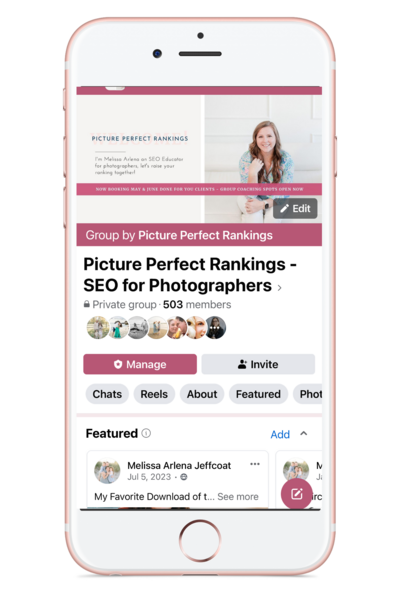
If you have questions, you can reach out to Allison on Instagram at alison belle photog, or you can find me, Melissa, in my Facebook group, Picture Perfect Rankings.
00:23:33 [Melissa]
Check the show notes for links, and we’re so excited to have you guys here.
Tired of being invisible on Google? Learn the 5 SEO mistakes keeping photographers from getting found (and how to fix them) in Melissa’s free masterclass: 5 SEO Mistakes Killing Your Photography Business Masterclass
Thinking about a pivot or transition in your photography business? Book a free 15 minute discovery call with Alison to talk through your next move.
Ready to streamline your content? Melissa’s got you covered with her 35+ Blog Post Topics freebie—grab them here: https://35topics.com
Looking for your next clients? Grab Alison’s list of 39 FREE ways to get more bookings—no ads required: 39 Ways to Get New Clients – Alison Bell
Links:
- Leave a review in Apple or on Spotify
- 5 SEO Mistakes Killing Your Photography Business Webinar
- Download 39 FREE Ways to Get More Clients
- Get Melissa’s Free Blog Post Topics
- Find Alison on IG @getbookedpodcast
- Find Melissa on IG @pictureperfectrankings
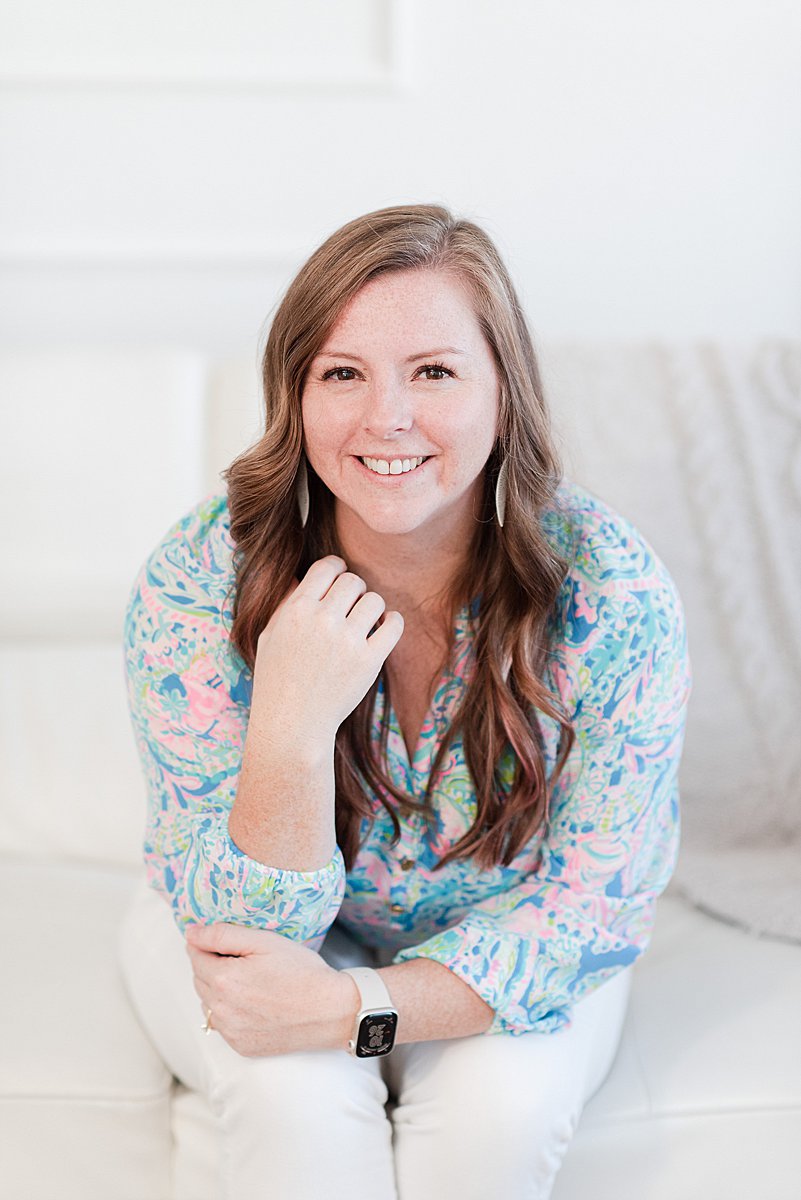
I’m Melissa Arlena, founder of Picture Perfect Rankings, where we help portrait photographers get found on Google and transform from invisible experts into market leaders. With 15+ years of photography experience and an IT background, I’ve helped hundreds of photographers break free from feast-or-famine cycles by achieving page 1 rankings that attract their dream clients through search.

Leave a Reply


I'm Melissa Arlena(my friends call me Mel) and I help photographers get found on Google.
Read more about me

I'm so glad you're here
Hello!
© 2023-2026 Picture Perfect Rankings : SEO for photographers. all rights reserved. privacy policy.