


5 SEO Mistakes Photographers Are Making Right Now (And How to Fix Them)

Quick answer: If your photography website isn’t bringing in inquiries, it’s usually down to a few common SEO mistakes photographers make: targeting keywords that are too broad or too small, leaving image file names and alt text generic, reusing the same keyword on every page, skipping a real blogging strategy, and running a slow site. All five are fixable, and below I walk through each one and exactly how to fix it.
Most photographers are making at least two or three of them without even realizing it.
The good news is they’re fixable. Let’s walk through them one by one.
Table of Contents
But before we dive in—Hi! I’m Melissa—an SEO expert helping portrait photographers get found by dream clients on Google, without the tech overwhelm. Whether you want done-for-you services, coaching, or blogging strategies, I’ve got you covered. Ready to stop being the best-kept secret in your market?
Want the full conversation? Listen to the podcast episode with Alison & me. Prefer to skim? This post breaks it all down step-by-step so you can start implementing right away.
Mistake #1: Going Too Broad (or Too Small) With Your Keywords
This is one of the most common SEO mistakes I see, and it shows up in two ways.
→ The first is going too broad. Think keywords like “family photographer” or “newborn photographer” with no location attached. Those are competitive on a national level. You’re not trying to rank nationally. You’re trying to book clients in your area.
→ The second is going too small. Choosing a tiny town that nobody is actually searching in. If you live in a one-stoplight town, the reality is there may be zero monthly searches for a photographer there. That’s not me being harsh. That’s just the data.
→ And then there’s a third version of this mistake: mixing genres. Something like “Charlottesville wedding, portrait, and newborn photographer” isn’t a keyword. That’s a sentence.
Here’s what to do instead. Identify the largest city you actually serve that’s nearby. Pick one genre. Then build your keyword from there. Start with “city + genre + photographer” and check the search traffic. Go from there.
One important thing to keep in mind: it has to be a city you actually serve. Two hours away doesn’t count just because it’s a big city. Choose somewhere you’re genuinely willing to travel to, because that’s who you’ll be attracting.
That’s the foundation of solid local SEO, and getting it right makes everything else easier.
Mistake #2: Ignoring Your Image File Names and Alt Text
This SEO mistake is so easy to fix and so often skipped.
Rename your images. Please. DSC001.jpeg tells Google absolutely nothing. Your image file names are something Google looks at, and they’re a real opportunity to reinforce your keywords.
Ideally, you want to rename your images based on the keyword you’re targeting on that specific page. So if your homepage is targeting “Charlottesville Photographer,” your file names might look like: charlottesville-photographer-melissa-arlena-001.jpeg. Including your business name is a bonus. Once those photos are out on the internet and showing up in Google image search, you want people to be able to trace them back to you.
Even if you don’t know what blog post a session will become yet, use the city or your business name. Anything other than whatever your camera automatically spits out.
Now, the other half of this is alt text. Alt text is how you describe your images to Google and to screen readers. Don’t skip it, especially on your main pages and blog posts.
Describe what’s actually happening in the image, and when it fits naturally, work your keyword in. For example: “mom nursing baby at Charlottesville newborn photography session.” You’ve described the image and included your keyword. That’s a win on both fronts.
Just don’t copy and paste the exact same keyword on every single image. Vary it. Use the keyword where it makes sense, and describe the rest naturally.
Mistake #3: Using the Same Keyword on Every Page
This one used to be the strategy. Back around 2012, you could put the same keyword on 12 different pages and actually rank for multiple spots on page one. That was the goal.
That is no longer how it works.
When you use the same keyword on multiple pages, those pages end up competing against each other. Instead of all of them ranking, Google picks one, and it’s not always the page you’d want. You might end up with a session post that didn’t even represent your best work ranking instead of your homepage or portfolio.
One keyword per page. That’s the rule. Once you’ve assigned a keyword to a page, that keyword is done. You don’t use it as the target anywhere else.
Now, you can still mention that keyword in other places. If you’re writing a blog post about a Richmond newborn session, you can still say “I’m a Charlottesville photographer” in the text. You just want to hyperlink those words back to your homepage. That’s how you tell Google: this keyword belongs to this page.
This is one of those SEO mistakes that’s really easy to make because it feels logical to repeat what you want to rank for. But it actually works against you.
Mistake #4: Not Blogging (or Blogging the Wrong Way)
Not blogging is an SEO mistake. Full stop.
But here’s the version I see just as often: blogging in a way that doesn’t actually help you get found. The biggest example of this is the boring session share. A gallery recap with a few pretty images and a caption. Your past clients might enjoy it. Your future clients aren’t searching for it.
You’ve got to be blogging for your future clients, not your past ones.
Your past clients already hired you. The goal of your blog is to attract the people who haven’t found you yet. That means writing content that answers the questions your ideal clients are actually searching for. Think location guides, tips, local resources, things they’d type into Google.
When you blog with your future client in mind, your blog becomes an actual SEO strategy, not just a portfolio extension.
Mistake #5: Slow Website Speed
Website speed is one of those SEO mistakes that’s partly in your control and partly not. Your website platform plays a role, and some of that is out of your hands.
But image file sizes? That one’s on you, and it’s where most photographers are losing the most speed.
Watch your image file sizes. If you’re blogging, set up a Lightroom export preset specifically for blog-sized images. For images on your main pages that stretch the full width of your screen, you’ll need them a bit larger so they don’t look blurry or stretched. But don’t apply the same size to every image. A full-width hero image and a quarter-screen thumbnail don’t need the same file size. Cookie-cutting it either gives you files that are too large or images that look terrible.
Try to get your file sizes under one megabyte. Lower if you can. Three, four, or five megabyte files on a homepage are a real problem. Someone loading your site on their phone with three bars of service isn’t going to wait. They’re going to leave.
This isn’t a hunch. Google’s research found that as a mobile page’s load time goes from one second to three, the probability of a visitor bouncing jumps 32 percent. Stretch it to ten seconds and that probability climbs 123 percent. Your gorgeous gallery doesn’t matter if nobody waits around to see it.
If you’re struggling to get the size down without losing quality, there’s a tool called JPEG Mini that works as a standalone app or a Lightroom plugin. It compresses file sizes without a noticeable quality drop.
The other piece of this is too many images loading above the fold, meaning that first section of your site before someone scrolls. If you’ve got a slideshow at the top, try to keep it to five images or fewer. Most people see the first image, maybe the second, and then scroll down. A 30-image slideshow at the top isn’t helping your user experience or your load time.
Bonus: Weak or Missing Calls to Action
This one gets overlooked, but it matters a lot.
A call to action buried in text as a tiny hyperlink is basically whispering. If someone lands on your website or your blog post, you can’t assume they’ll figure out what to do next. You have to tell them. Clearly. With a button. A real, visible, colored button that stands out.
This is especially true on blog posts. If someone found your site through a post about the best kid-friendly restaurants in your city, they might have no idea you’re a photographer unless you tell them. A clear call to action at the end of that post, something like “Hey, by the way, I’m a family photographer, click here to learn more,” is what keeps that visitor connected to your business. Without it, they read the post and leave.
Don’t whisper. Make it easy for people to take the next step.
Frequently Asked Questions about SEO Mistakes
Why isn’t my photography website showing up on Google?
Usually one of a few common SEO mistakes: keywords too broad or too small, generic image file names and missing alt text, the same keyword on every page, no real blogging strategy, or a slow site. Most photographers are making two or three at once.
How do I choose the right keyword for my photography website?
Identify the largest city you actually serve nearby, pick one genre, and build from there using city + genre + photographer. Check the search traffic. It has to be a city you’re genuinely willing to travel to, because that’s who you’ll attract.
Do image file names and alt text matter for SEO?
Yes. Rename files from camera defaults like DSC001.jpeg to something keyword-based like charlottesville-photographer-melissa-arlena-001.jpeg. For alt text, describe what’s happening and work your keyword in naturally. Don’t paste the same keyword on every image.
Can I use the same keyword on more than one page?
No. It makes your pages compete against each other and Google picks just one, often not the one you’d want. One keyword per page. You can still mention it elsewhere, just hyperlink those words back to the page that owns it.
Does website speed affect my photography SEO?
Yes. Image file sizes are the biggest culprit and they’re in your control. Keep files under one megabyte where you can, use a Lightroom export preset sized for the use, and cap above-the-fold slideshows at five images.
Where should I put a call to action on my photography blog?
At the end of every post, as a clear visible button, not a buried text link. A visitor who found you through a local-tips post may not know you’re a photographer unless you tell them and give them an obvious next step.
Ready to Fix Your SEO?
These SEO mistakes are all common. They’re also all fixable. Start with the ones that feel most relevant to where you are right now, and work through the rest from there.
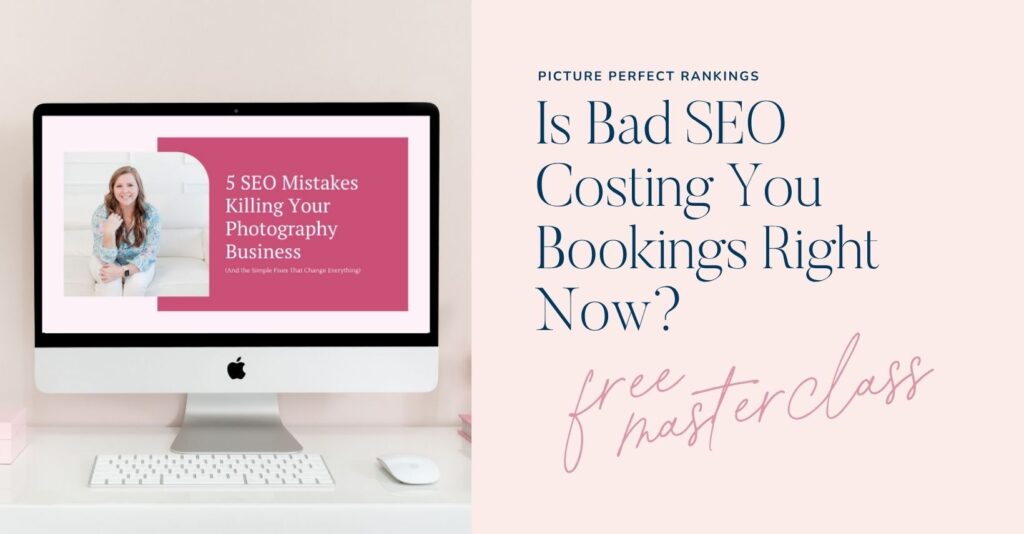
If you want a full walkthrough of these five SEO mistakes and exactly how to address them, I’ve got a free masterclass waiting for you.
→ Watch the free masterclass here: 5 SEO Mistakes Photographers Make
And if you’re ready to get consistent with your blogging strategy so your content is actually working for you, come check out The Blogging Club. Every month includes SEO-friendly blog post outlines, a marketing masterclass, a live Q&A, and a community to keep you accountable.
→ Join here: The Blogging Club

If you liked this post, we think you’ll love these:
Photography Blogging: How to Blog Your Photo Sessions the Right Way
AI Blogging for Photographers: How to Blog Better Than a Bot
Why Blogging for Photographers Is Your Secret SEO Weapon
Wondering why your website isn’t bringing in inquiries? I’m covering the 5 biggest SEO mistakes photographers make in my free masterclass.
Watch now → https://pictureperfectrankings.com/5-mistakes

I’m Melissa Arlena, founder of Picture Perfect Rankings, where we help portrait photographers get found on Google and transform from invisible experts into market leaders. With 18+ years of photography experience and an IT background, I’ve helped hundreds of photographers break free from feast-or-famine cycles by achieving page 1 rankings that attract their dream clients through search. Learn more about Melissa.

Leave a Reply


I'm Melissa Arlena(my friends call me Mel) and I help photographers get found on Google.
Read more about me

I'm so glad you're here
Hello!
© 2023-2026 Picture Perfect Rankings : SEO services for photographers. all rights reserved. privacy policy.